Pax-i3D Smart(PHT-30LFO) Installation Manual
74
6 Setting up PC
6.1
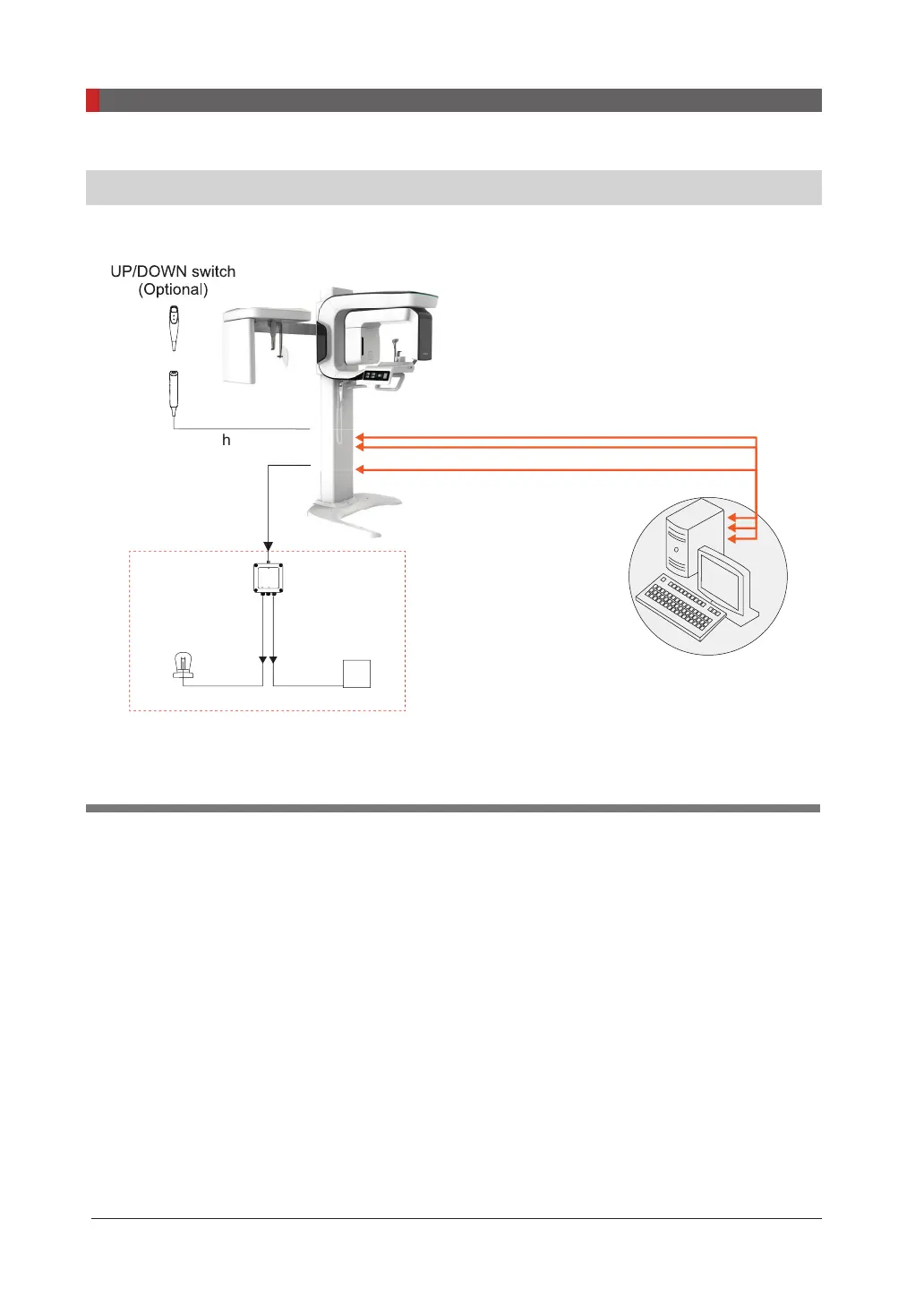
Direct Connection Diagram
Exposure switch
PaX-i3D Smart
PC w/ imaging and
image viewer programs
Warning system panel
Warning lamp
Door interlock
LAMP INPUT LAMP OUTPUT
SIGNAL INPUT
WARNING SYSTEM BOX
(Optional)
switc
PaX-i3D
mart
Fiber Optice Cable 10m(32.8'): SCAN CEPH(Optional)
Ethernet Cable(CAT5e): OneShot CEPH(Optional)
Fiber Optic Cable 10m(32.8'): PANO, CT
Fiber Optic Cable & Ethernet cable:
Used to transfer image data to the PC.
Warning system panel:
Used to provide a visible indicator: light when the equipment is irradiating
X-Ray












 To Next Page