19
Operations & Maintenance Manual: Introduction
0900‑5005 REV‑00
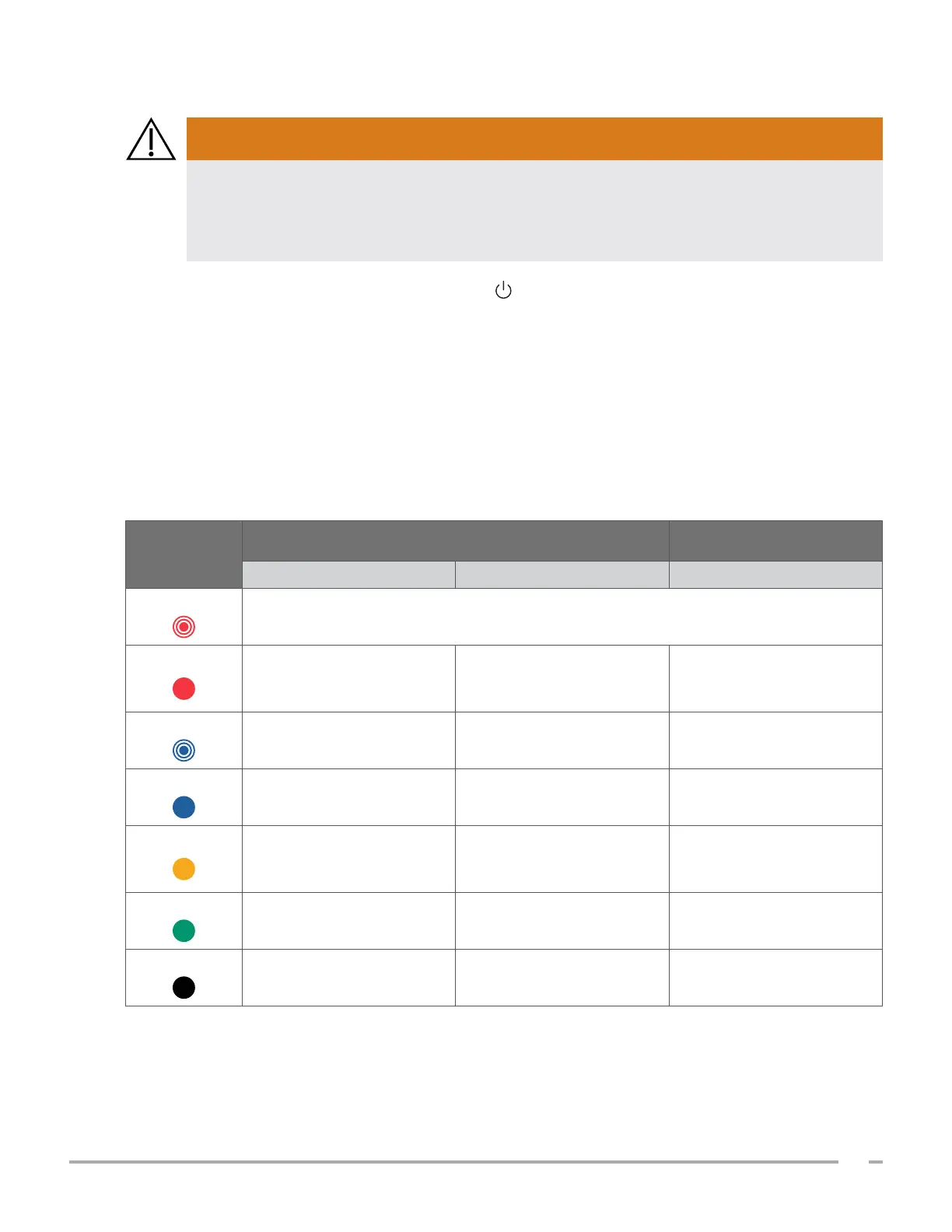
BATTERY INDICATOR LED COLORS
If the battery is overheating or drawing excessive current, turn the system off and disconnect
external power immediately. Allowing overheating or excess current draw to continue can
start a fire or cause an electrical injury. For help with battery malfunctions, contact Verathon
Customer Care.
WARNING
The battery indicator LED next to the On/Off button shows the current condition of the console’s battery.
Except in cases where the battery is overheating or drawing excessive current (shown when the LED flashes
red), the LED displays the battery’s current charge level.
The system charges the battery whenever it is connected to external power. If the system is on at the same
time, the battery cannot quite reach full charge, so the system charges it continuously. If the system is
connected to external power but is turned off, it stops charging once the battery is fully charged.
Table 7 shows how the battery indicator LED reports the condition of the battery based on whether the
system is connected to external power and whether it is turned on or off.
Table 7. Battery Indicator LED Colors
COLOR
CONNECTED TO EXTERNAL POWER
NOT CONNECTED TO
EXTERNAL POWER
System On System Off System On
Flashing red
Overheating or drawing excessive current
Steady red
Less than 2% —
Greater than or equal to
5%, less than or equal to
10%*
Flashing blue
— Less than 2% —
Steady blue
— Greater than or equal to 2% —
Steady yellow
Greater than or equal to
2%, less than or equal to
20%
—
Greater than 10%, less than
or equal to 20%
Steady green
Greater than 20% — Greater than 20%
Unlit
— Fully charged
†
—
* Note: If the system is on but not connected to external power, and the battery level is less than 5%, the system attempts to shut itself
down automatically. During the automatic shutdown, the battery indicator LED remains red.
† Note: If you insert a battery that is completely depleted and then connect external power to the console, the battery indicator LED
remains unlit. In such cases, the battery is not charged enough for the console to detect it. Press the On/Off button to begin charging
the battery.













 To Next Page