26
0900‑5005 REV‑00
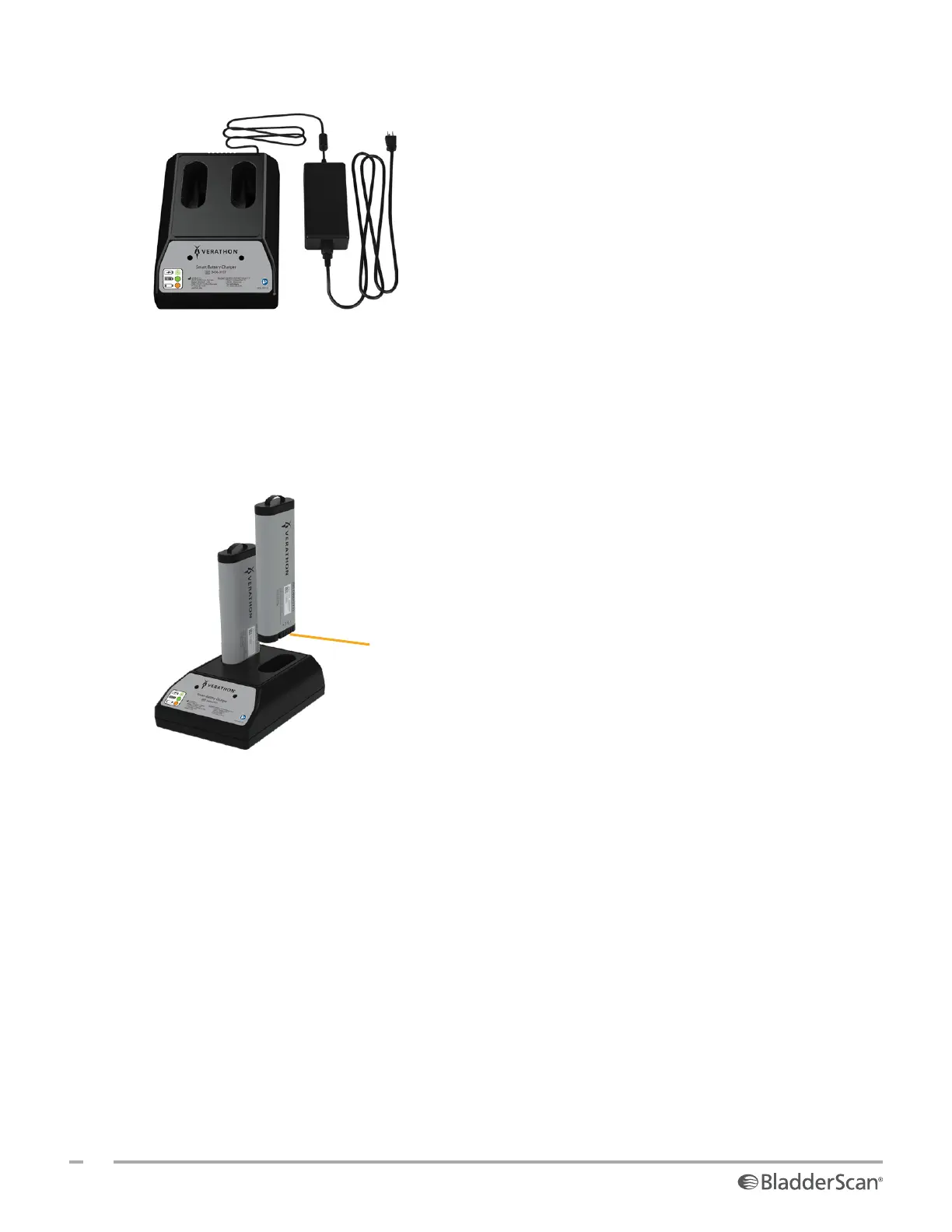
3. Connect the power adapter to the battery charger.
4. Plug the power adapter into a standard wall outlet. Make sure the power cord can be easily disconnected
if necessary.
5. Insert one or two batteries into the recesses in the battery charger. If you are charging two batteries for
the first time, charge both batteries at the same time for best results.
Note: To ensure that each battery is properly connected to the charger, make sure that its Verathon logo
and its contacts face right as seen from the front of the charger.
Battery contacts
6. Allow the battery to charge completely. The indicator lights on the battery charger indicate the status of
each battery:
• Green solid—Battery is fully charged
• Green flashing—Battery is charging
• Yellow solid—Battery charging is suspended or in standby mode
• Red—Charging error. Contact Verathon CustomerCare or your local representative.
• Off—No battery detected













 To Next Page