14
Table 3. On‑Screen Icons
ICON FUNCTION
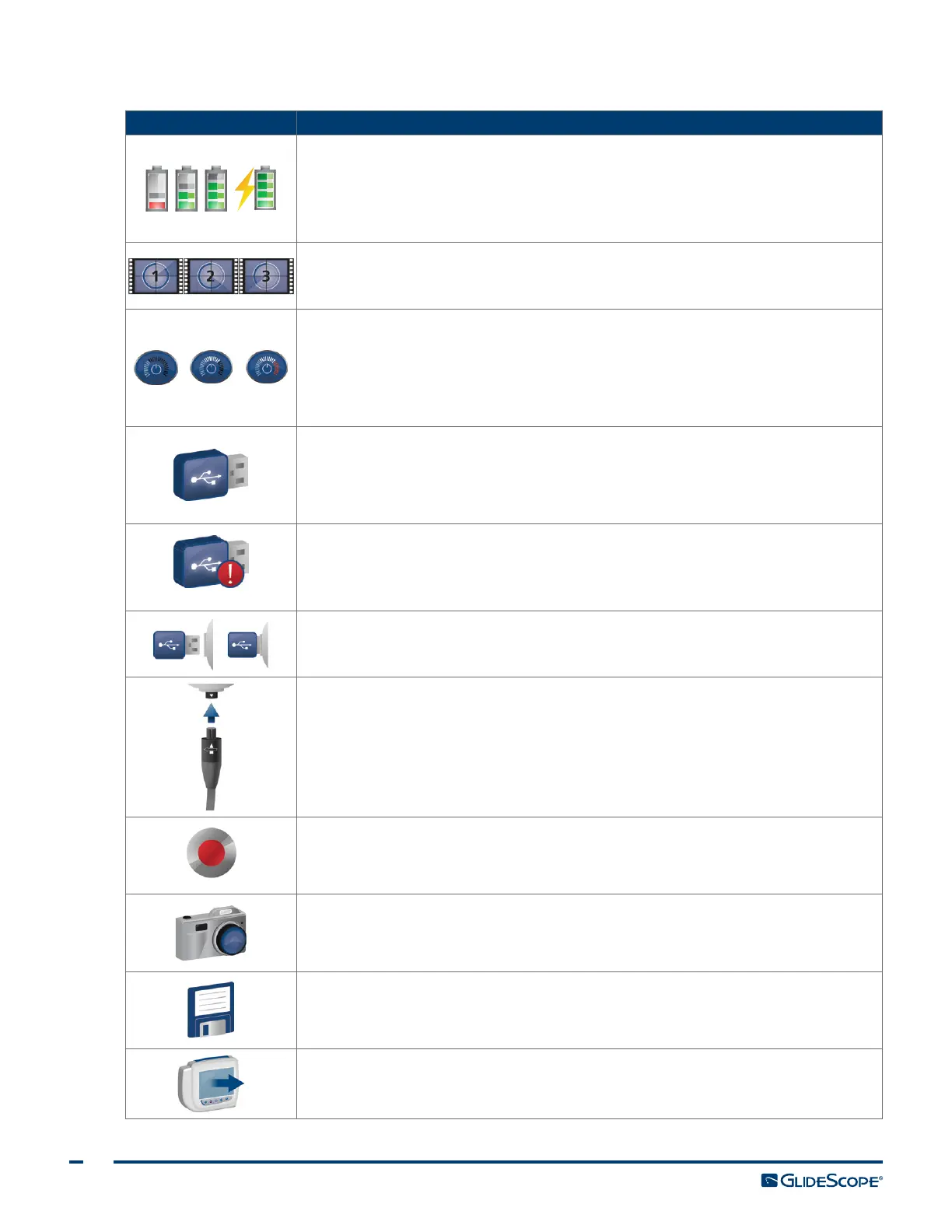
Battery Status: The remaining battery power is indicated by the Battery Status
icon and the percentage above the icon. If the icon is red, the battery should be
charged as soon as possible. (See Charge the Monitor Battery.) While the battery
is being charged, a lightning bolt will be displayed alongside the Battery Status
icon.
Progress Confirmation: While the user is pressing a button, the operation is
loading. If the button is released before the loading process is completed, the
operation is canceled.
Power‑Down Countdown: The unit is about to turn off. If this is due to the
Auto Power Off feature that saves battery life, pressing any button stops the
power‑down sequence.
Note: The Auto Power Off feature can be adjusted or disabled on the User
Settings screen. For more info, see Configure User Settings on page25.
USB Flash Drive: A USB flash drive is detected.
While recording, a number next to the icon indicates approximately what
percentage of the USB flash drive has been used. When the USB flash drive is full,
recording stops.
Incompatible USB Drive: The USB flash drive that is plugged into the monitor
is not suitable for recording videos. (This normally occurs when using an older,
inexpensive USB flash drive that is not capable of the speed necessary to save
video in real time.)
USB Flash Drive Not Found: A USB drive needs to be inserted into the USB port.
Attach Video Cable: The video baton or video laryngoscope is not attached to
themonitor.
Recording: The system is recording video to the USB flash drive.
Note: Do not remove the USB flash drive while recording is in progress, or the
recording will be lost.
Saving Snapshot: The system is saving a snapshot to USB flash drive.
Note: Do not remove the USB flash drive while saving a snapshot, or the snapshot
will be lost.
Saving File: The system is saving a recorded file to the USB flash drive.
Note: Do not remove the USB flash drive while this icon is displayed, or the
recording will be lost.
External Monitor: The HDMI‑to‑DVI connection for external video is enabled.
Videomay now be displayed on an external monitor.













 To Next Page