29
Operations & Maintenance Manual: Using the Device
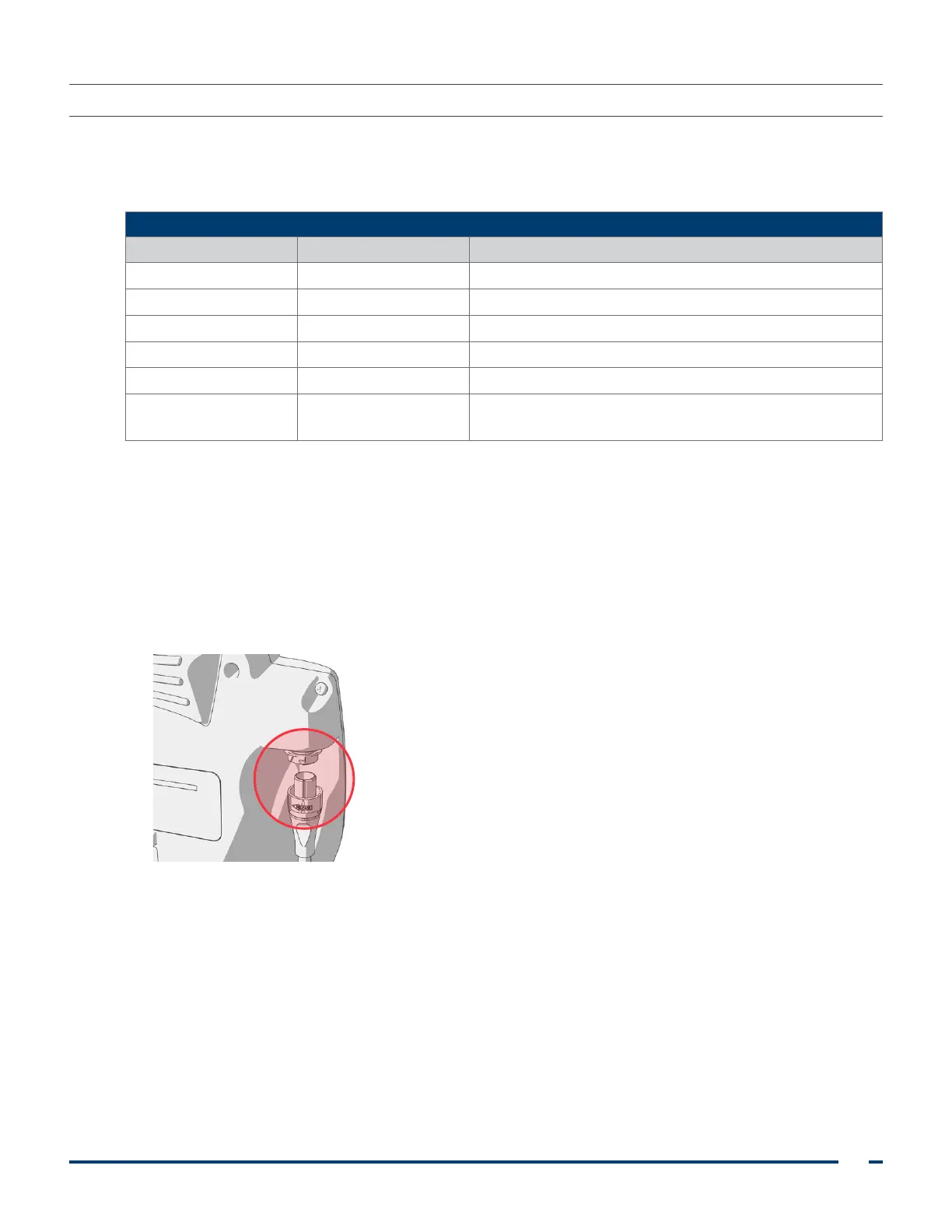
PROCEdURE 1. CONNECT THE VIdEO CABLE TO THE MONITOR
Ensure that the video monitor is turned off prior to connecting or disconnecting the video cable.
Table 4. Video Laryngoscope Sizes
SIZES
Stat Video Baton Recommended Patient Weight/Size
GVL
®
0 Stat Video baton 1‑2 Patients less than 1.5 kg (3.3 lbs)*
GVL 1 Stat Video baton 1‑2 Patients between 1.5–3.8 kg (3.3–8.4 lbs)*
GVL 2 Stat Video baton 1‑2 Patients between 1.8–10 kg (4–22 lbs)*
GVL 2.5 Stat Video baton 1‑2 Patients between 10–28 kg (22–61.7 lbs)*
GVL 3 Stat Video baton 3‑4 Patients between 10 kg–adult (22 lbs–adult)*
GVL 4 Stat Video baton 3‑4
Patients between 40 kg–large adult
(88 lbs–large adult)*
* Weight ranges are approximate; a medical professional must evaluate on a patient‑by‑patient basis.
1. Ensure the video laryngoscope and other system components have been properly cleaned and
disinfected. For more information, see the Cleaning & Disinfecting chapter.
2. Using the information in Table 4, in combination with a clinical assessment of the patient and the
experience and judgment of the clinician, select the single‑use video baton/Stat combination that is
appropriate for the patient.
3. Align the arrow on the video cable and the arrow on the video cable port.
4. Insert the video cable into the port. You will hear a click when the cable is successfully connected.
Note: When disconnecting the video cable from the monitor, rotate the connector ring in the direction of
the arrow.













 To Next Page