20
AdJUST THE MONITOR ANGLE
Before you start using the video monitor, adjust the angle of the monitor for optimal viewing. The ideal angle
minimizes glare and maximizes visibility.
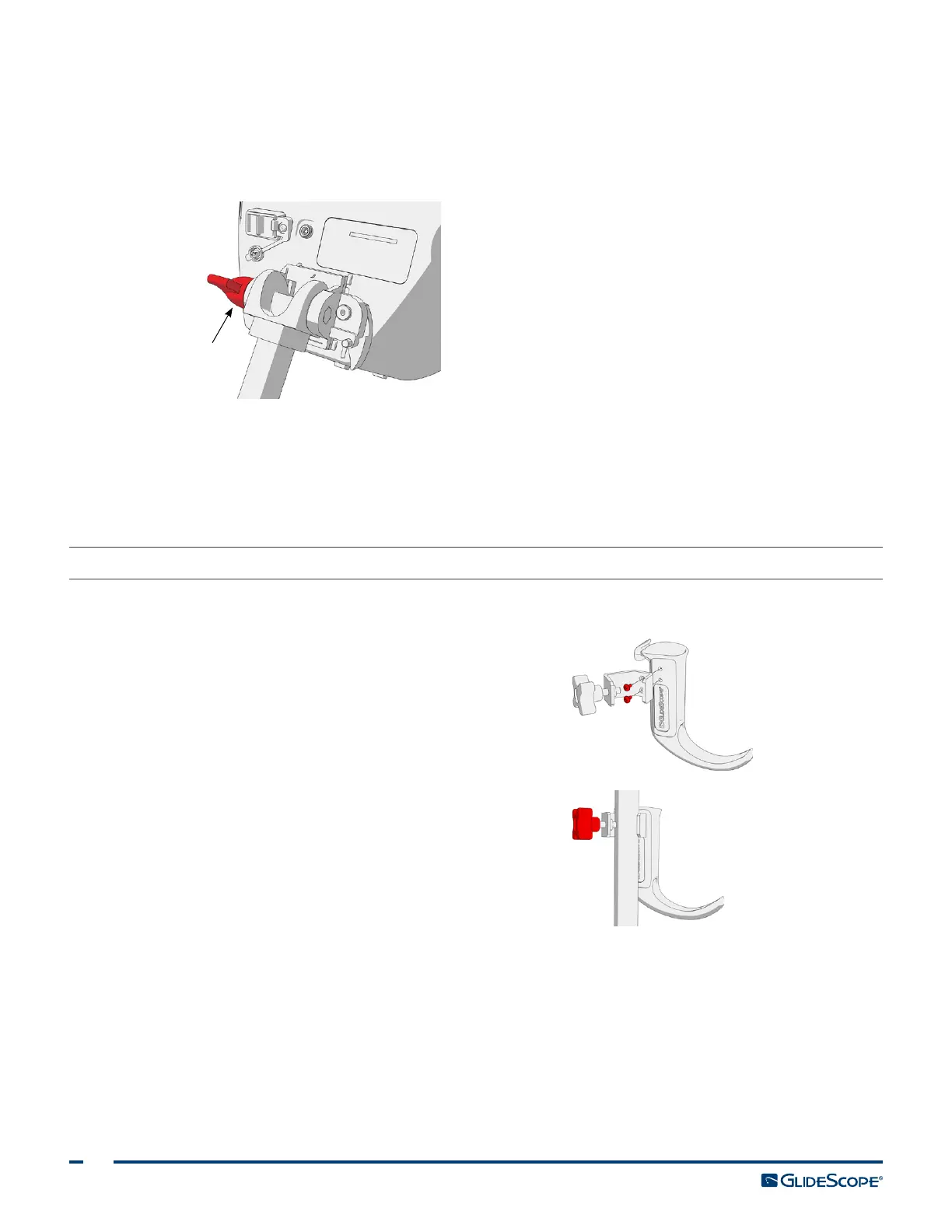
1. Turn the angle adjustment knob counterclockwise.
Angle
adjustment
knob
2. Tilt the monitor to the desired angle.
3. Turn the angle adjustment knob clockwise. This secures the monitor at the desired angle.
4. To attach a video baton cradle, see the procedure Attach the Video Baton Cradle (Optional).
PROCEdURE 3. ATTACH THE VIdEO BATON CRAdLE (OPTIONAL)
You may elect to attach a video baton cradle to the mobile stand or IV pole mount.
1. Screw the center pole clamp to the video baton
cradle.
2. Attach the center pole clamp and video baton
cradle to the pole, and then turn the adjustment
knob clockwise to tighten.













 To Next Page