19
Operations & Maintenance Manual: Setting up
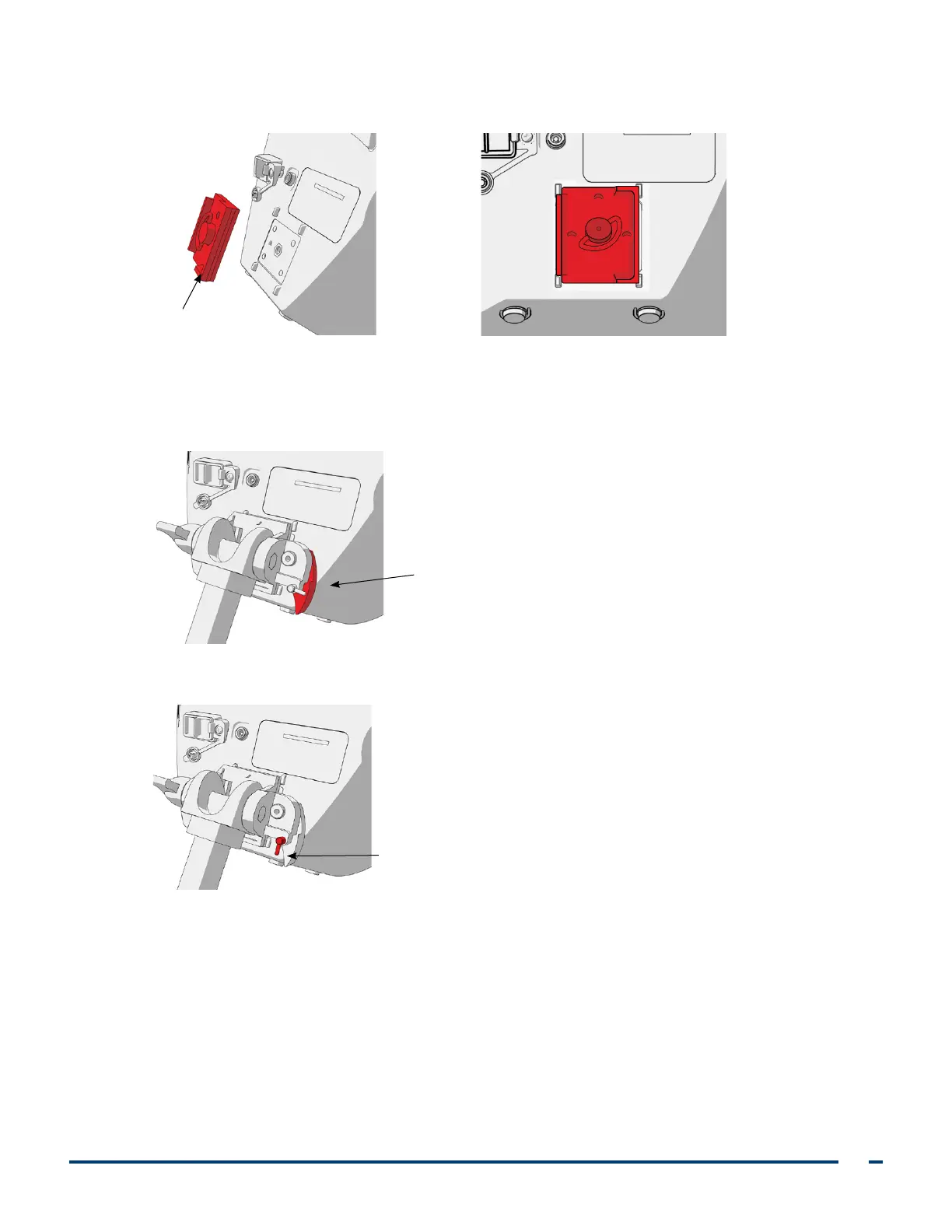
5. Using the orientation shown in the following images, screw the quick‑release locking plate to the back
panel of the monitor.
Quick‑release
locking plate
6. Seat the locking plate of the monitor on the quick‑release mount. When properly situated, the monitor sits
securely on the mount, and the quick‑release lever automatically snaps into the locked (down) position.
7. Ensure that the quick‑release lever is fully in the locked (down) position. This locks the monitor into place.
Quick‑release lever
in locked position
8. Adjust the locking pin to the locked (down) position. This secures the quick release lever in the locked position.
Locking pin in locked position













 To Next Page