VX675 MERCHANT OPERATING GUIDE 29
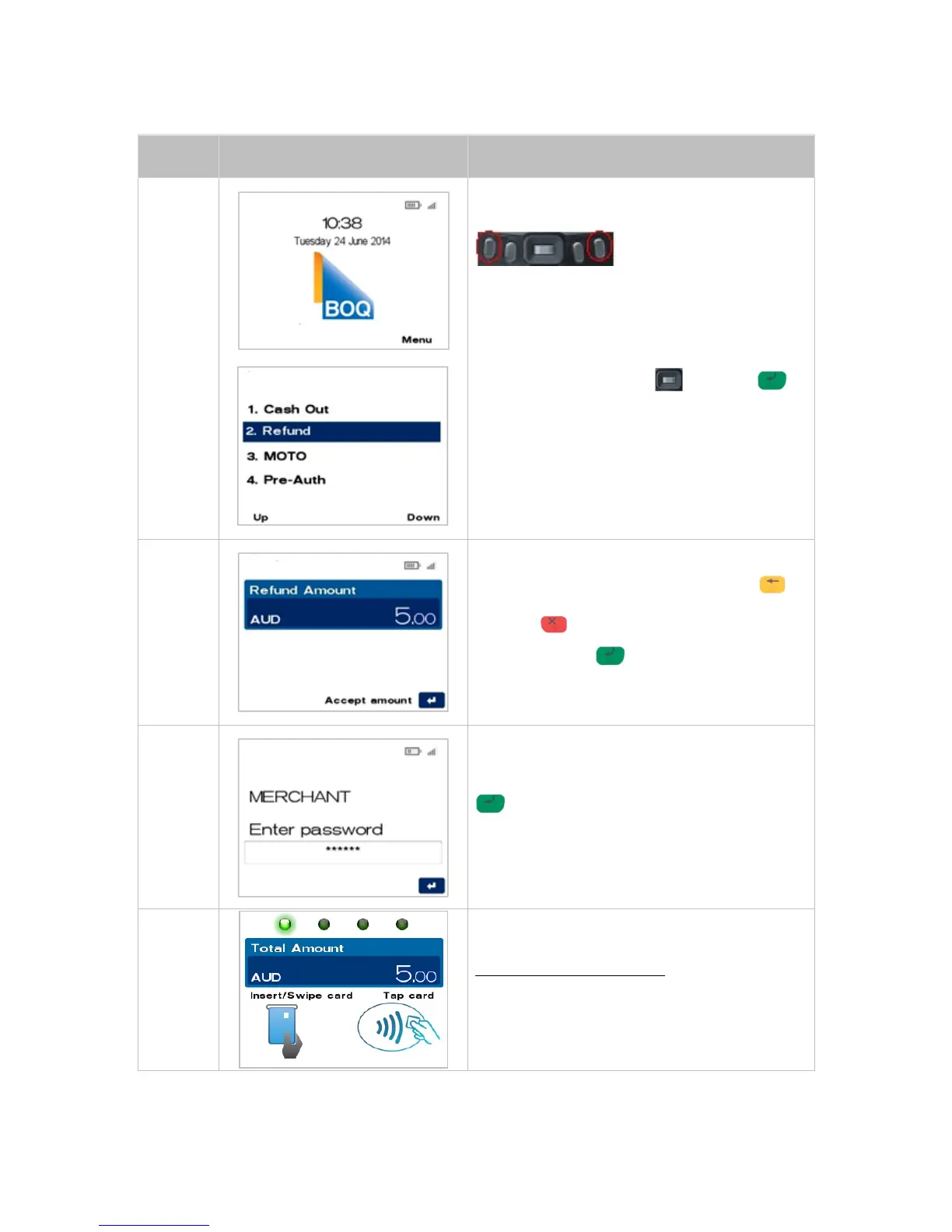
From the main screen, select Menu key located on
right-hand side of terminal.
Navigate to the menu item using the scroll key
then push the select button or ENTER
or
Enter the number shown on the display screen by
using the keypad.
Key the Refund amount, i.e. 500 = $5.00
If a correction is required press the CLEAR
key to remove the last number entered or the red
CANCEL key to return to the main screen.
Press the ENTER key to accept amount and
continue.
The terminal will now prompt for the merchant
password to be entered.
Key in the merchant password and press ENTER
.
For information on Passwords, refer to Section
7.3 Merchant Password.
Insert, swipe or tap the customer’s card (See
Section 4 Card Presentation Procedures).
For Contactless transactions:
The next screen will always default to the PIN or
ENTER screen prior to processing the transaction.



 To Next Page