VX675 MERCHANT OPERATING GUIDE 57
7 TERMINAL FUNCTIONS
STATIONERY ORDERING 7.1
7.1.1 TERMINAL ORDER
You can only submit 1 order per day via your terminal. The options for EFTPOS rolls are:
• 10
• 20
• 50
When receipt rolls are ordered directly from your terminal, it will take up to 6 business days for
delivery to occur. If you haven’t received your order within this timeframe, you will need to contact the
Merchant Helpdesk.
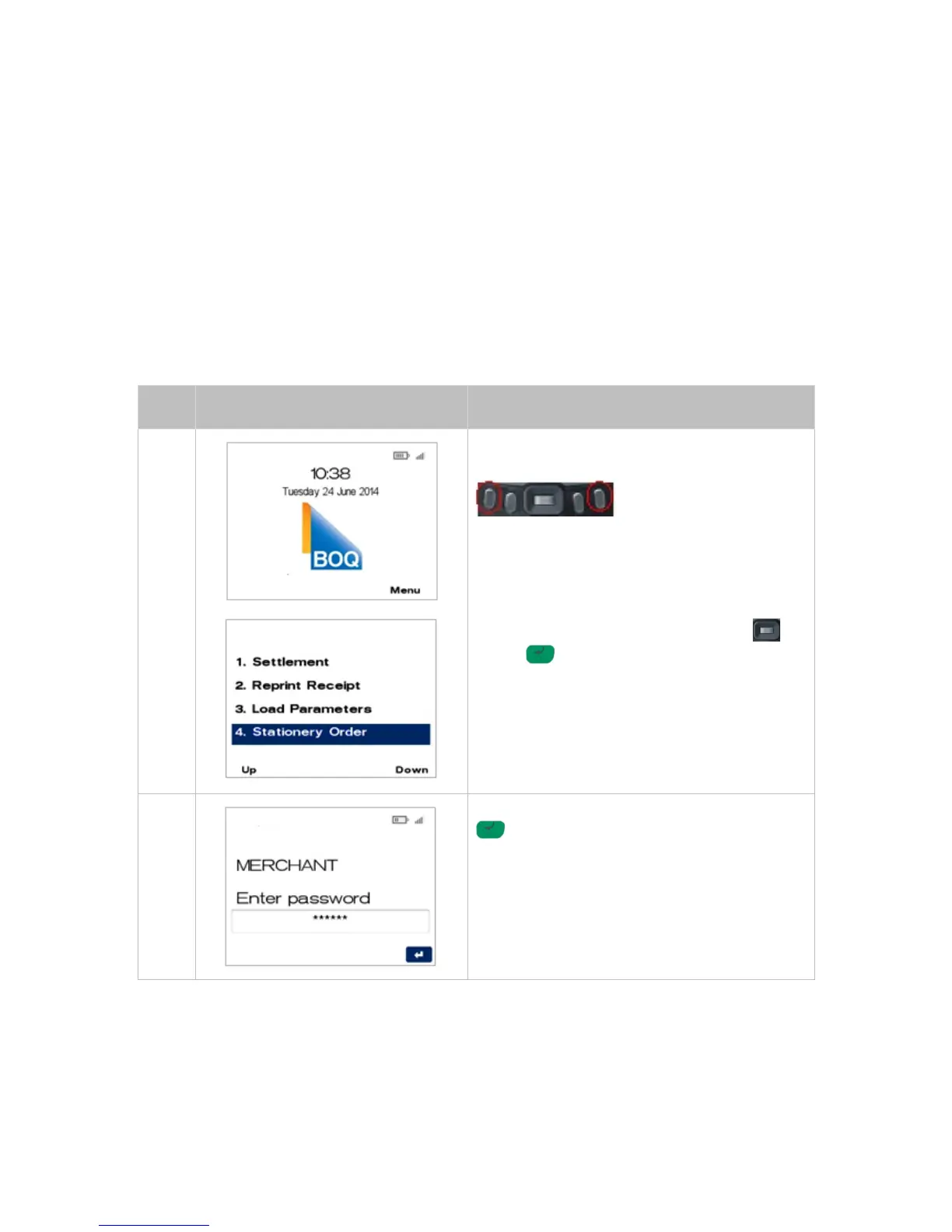
The following steps should be followed when ordering stationery via your terminal.
From the main screen, select Menu key on right-
hand side.
Page down and navigate to the menu item using
the scroll key then push the select button or
ENTER or
Enter the number shown on the display screen by
using the keypad.
Enter the Merchant Password and press ENTER
.



 To Next Page