VX675 MERCHANT OPERATING GUIDE
6
2 Getting Started
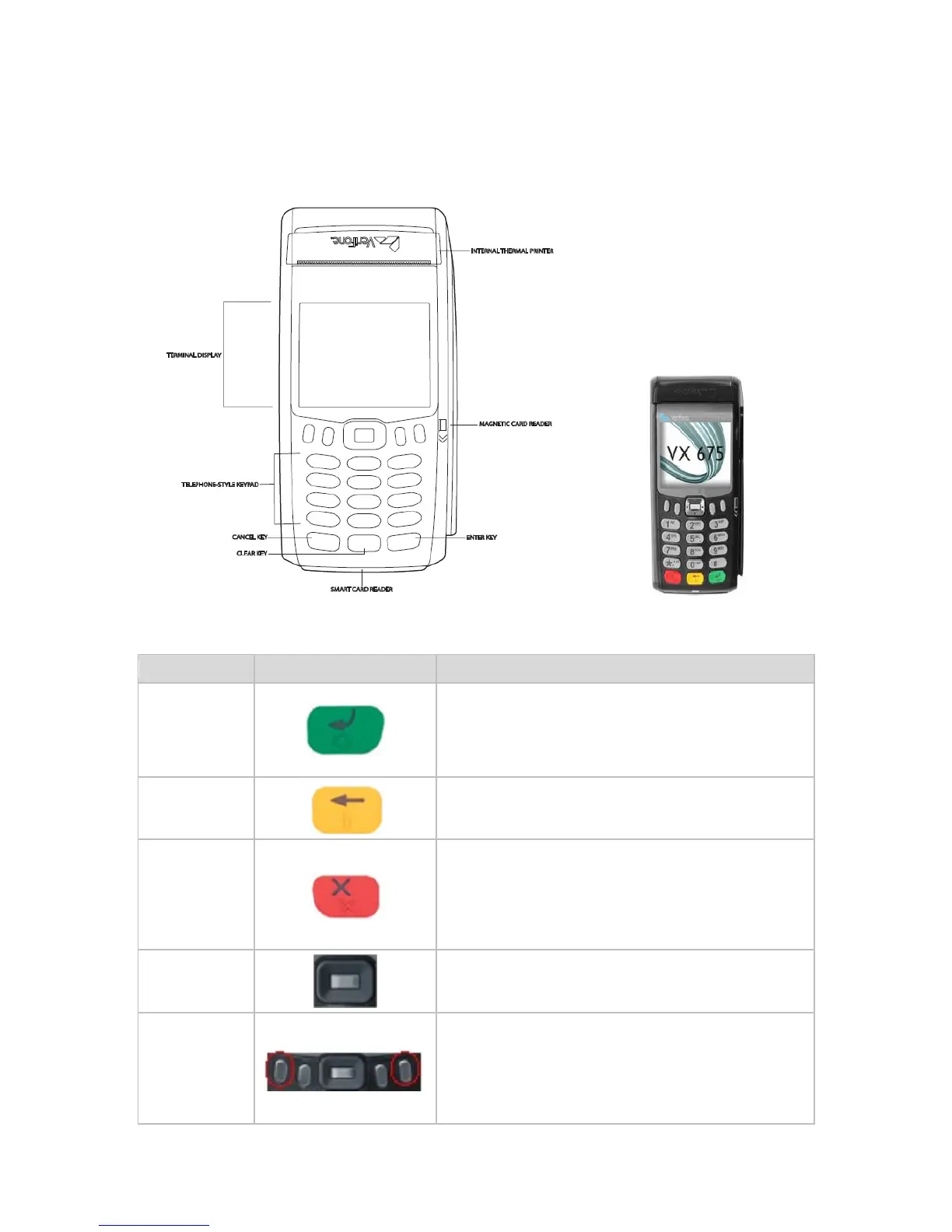
VX675 EFTPOS TERMINAL 2.1
The VX675 EFTPOS Mobile terminal is a complete unit.
TERMINAL FEATURES 2.2
KEYPAD FEATURES 2.3
This button on the terminal keypad is used to accept
data entry or proceed with a function.
This button is also used to power on the terminal when
held down for a period of time.
This button on the terminal keypad is used for clearing
entered data or moving back to the previous screen.
This button on the terminal keypad is used to cancel the
current function and return to the previous screen.
This button is also used to power off the terminal (when
not connected to power source) when held down for a
period of time.
Scroll Function
Key & Select
button
The Scroll function key allows the user to move up and
down through the menu whereas the Select button
allows you to select the terminal function.
The Menu key is located on the right-hand side and can
be used for navigation down through the different
terminal functions.
Left hand side used to navigate up through the different
terminal menu functions.



 To Next Page