POWER SUPPLY 2.5
The terminal can run on mains power as well as on battery power. The battery has a safety circuit to
protect the Li-ion cells from over-charging and over-discharging. If the battery is over-discharged, the
safety circuit shuts down the battery. The battery must then be recharged to restore operation.
After unpacking your VX 675 terminal, connect the power pack to the unit for 6 hours or until the
battery is fully charged. Each VX 675 terminal comes with power supply (VPN PWR265-001-04-A)
used to connect the terminal directly to a power outlet and to charge the battery. The VX 675 unit
comes with a universal input power pack capable of operating from voltages of 100 V to 240 V AC.
The terminal can also be charged using a docking station. Please contact BOQ Merchant Helpdesk to
discuss if you wish to purchase a docking station.
Instructions:
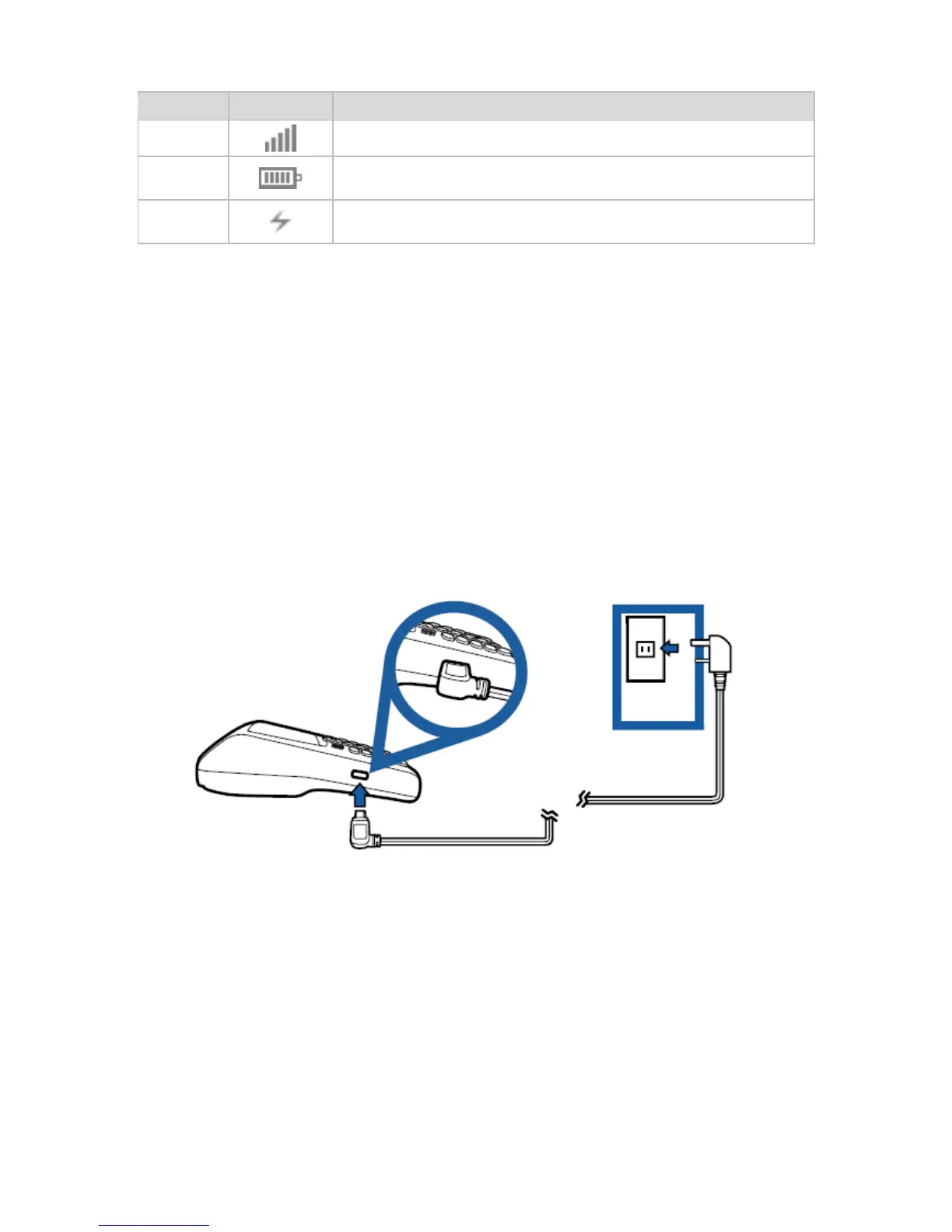
1. Insert the micro-USB plug into the micro-USB (Universal Serial Bus) port of the VX 675, as
shown in the figure below.
2. Plug the AC power pack into a wall outlet or powered surge protector.
CAUTION: Using an incorrectly rated power supply may damage the terminal or cause it not to work
as specified. Before troubleshooting, ensure that the power supply being used to power the terminal
matches the requirements specified on the bottom of the terminal. Obtain the appropriately rated
power supply before continuing with troubleshooting.
The following are features of the battery:
• Single Li-ion cell.
• A safety circuit that:
- Prevents cell damage from overcharge, over-discharge, or overheating
- Activates when the battery is left in an unused terminal for extended periods



 To Next Page