VX675 MERCHANT OPERATING GUIDE 46
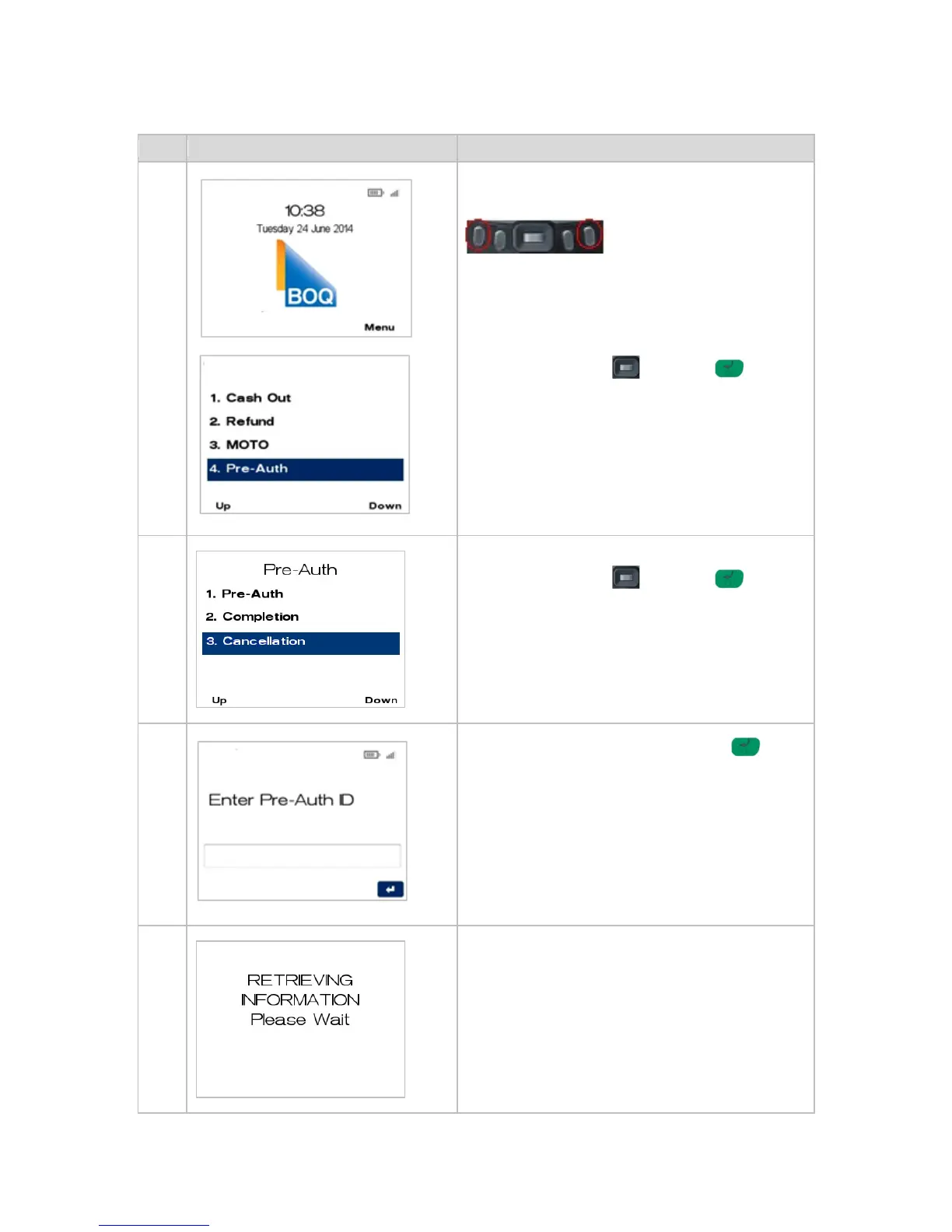
PROCESSING A PRE-AUTHORISATION CANCELLATION 5.9
From the main screen, select the menu key located
on the right-hand side.
Navigate to the menu item using the scroll key then
push the select button or ENTER or
Enter the number shown on the display screen by
using the keypad.
Navigate to the menu item using the scroll key then
push the select button or ENTER or
Enter the number shown on the display screen by
using the keypad.
Enter the Pre-Auth ID and press ENTER .
Please refer to section 5.7.1 Pre-Authorisation
Transaction receipt for location of Pre-Auth ID.
The terminal will begin locating the stored
transaction.



 To Next Page