SUB-TOTALS 6.5
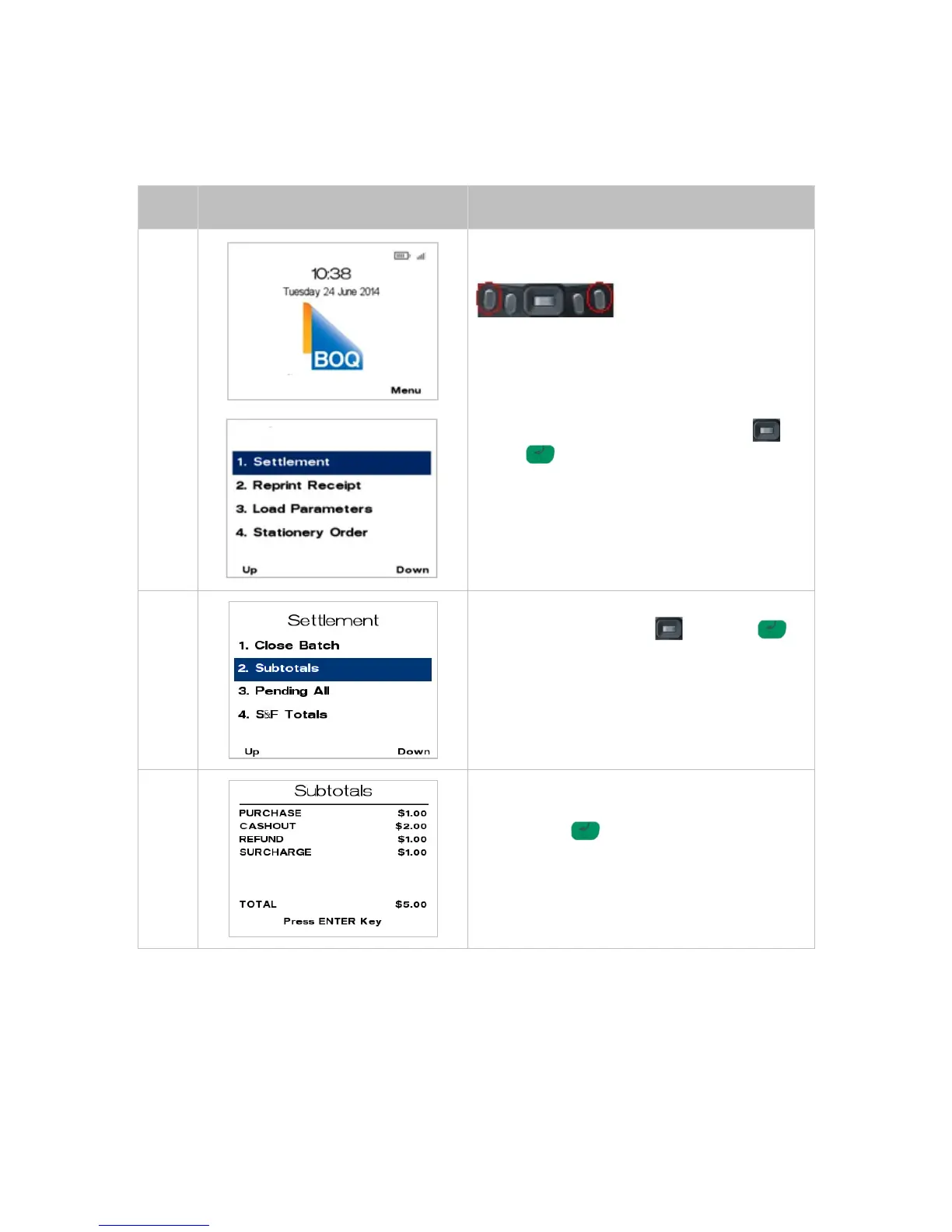
The following Sub Total Report can be run from the terminal at multiple times per day for reporting
purposes.
From the main screen, select Menu key located on
right-hand side.
Page down and navigate to the menu item using
the scroll key then push the select button or
ENTER or
Enter the number shown on the display screen by
using the keypad.
Navigate to the Menu item using the scroll key
then push the select button or ENTER
or
Enter the number shown on the display screen by
using the keypad.
The terminal will then display the subtotals on
screen.
Press ENTER to continue.
NOTE: Surcharge will only be displayed if it has
been activated on your terminal.



 To Next Page