If your terminal is unable to connect to perform the download at its scheduled time it will re-try at a
later stage.
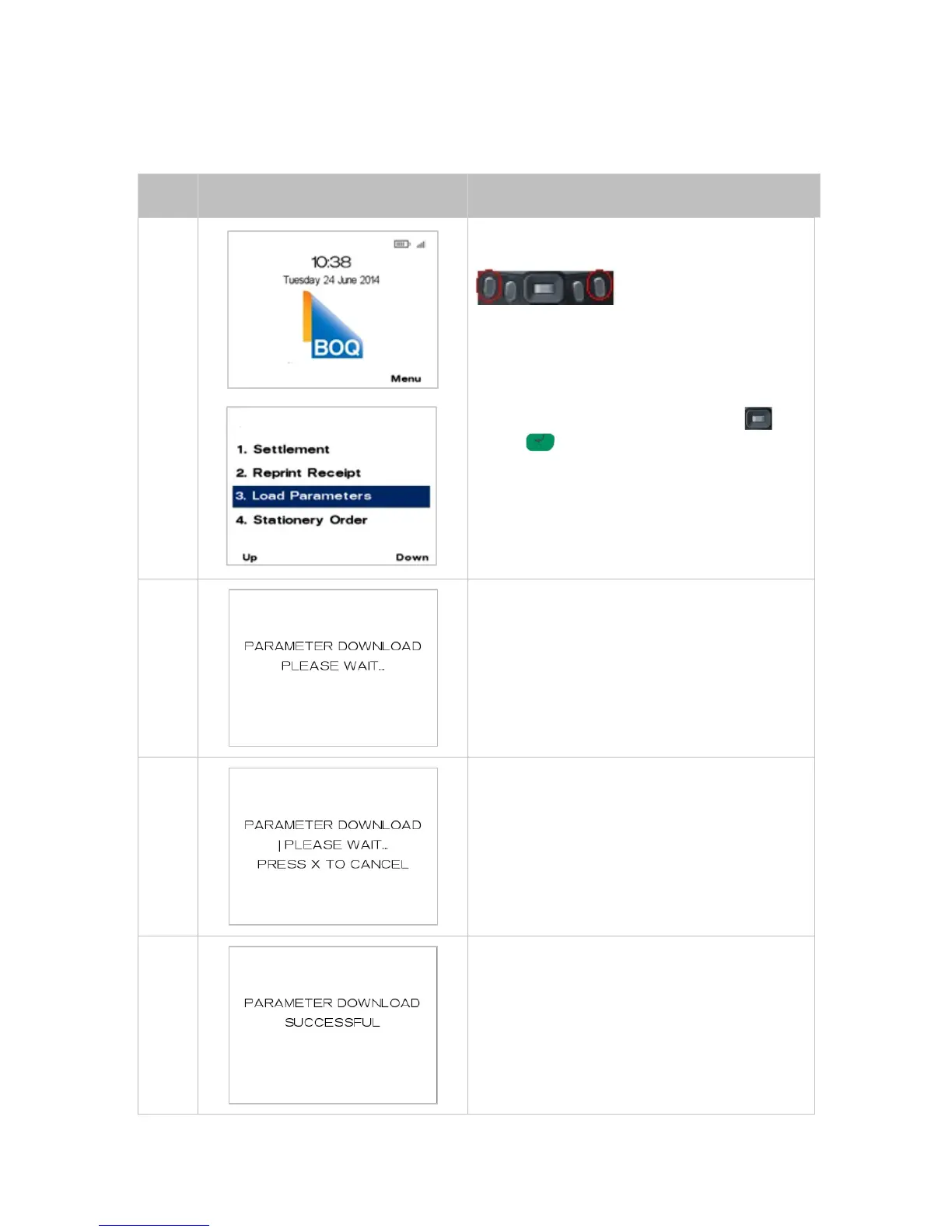
The steps to trigger a parameter download manually are as follows:
From the main screen, select Menu key on right-
hand side.
Page down and navigate to the menu item using
the scroll key then push the select button or
ENTER or
Enter the number shown on the display screen by
using the keypad.
The terminal will connect to the Terminal
Management System to begin the download.
The progress of the download will be displayed.
Upon the successful completion of the download
the terminal will display this screen.



 To Next Page