Vertiv | Liebert® CRV4 | User Manual 74
Micro-Controller (Text-screen)
Table 7-2 Icons Denition
Icons Denitions
Fan rotating speed. Displaying the percentage of actual fan rotating speed.
Compressor capacity. Displaying the percentage of actual compressor capacity.
Heating state. Displaying 100% in heating mode, otherwise, displaying 0%.
Humidifying state. Displaying 100% in humidifying mode, otherwise, displaying 0%.
Dehumidifying state. Displaying 100% in dehumidifying mode, otherwise, displaying 0%
Unit properties/ operation status- S: single; T: teamwork; ON: running; R-OFF: remote shutdown; L-OFF:
local shutdown; M-OFF: monitoring shutdown; MANU: manual mode; BKUP: backup; Lock: lock
When using RDU-A for teamwork control, the unit attribute will always display “single unit”, and the “standby”
status of the running will not be displayed.
7.5.3. Password Interface
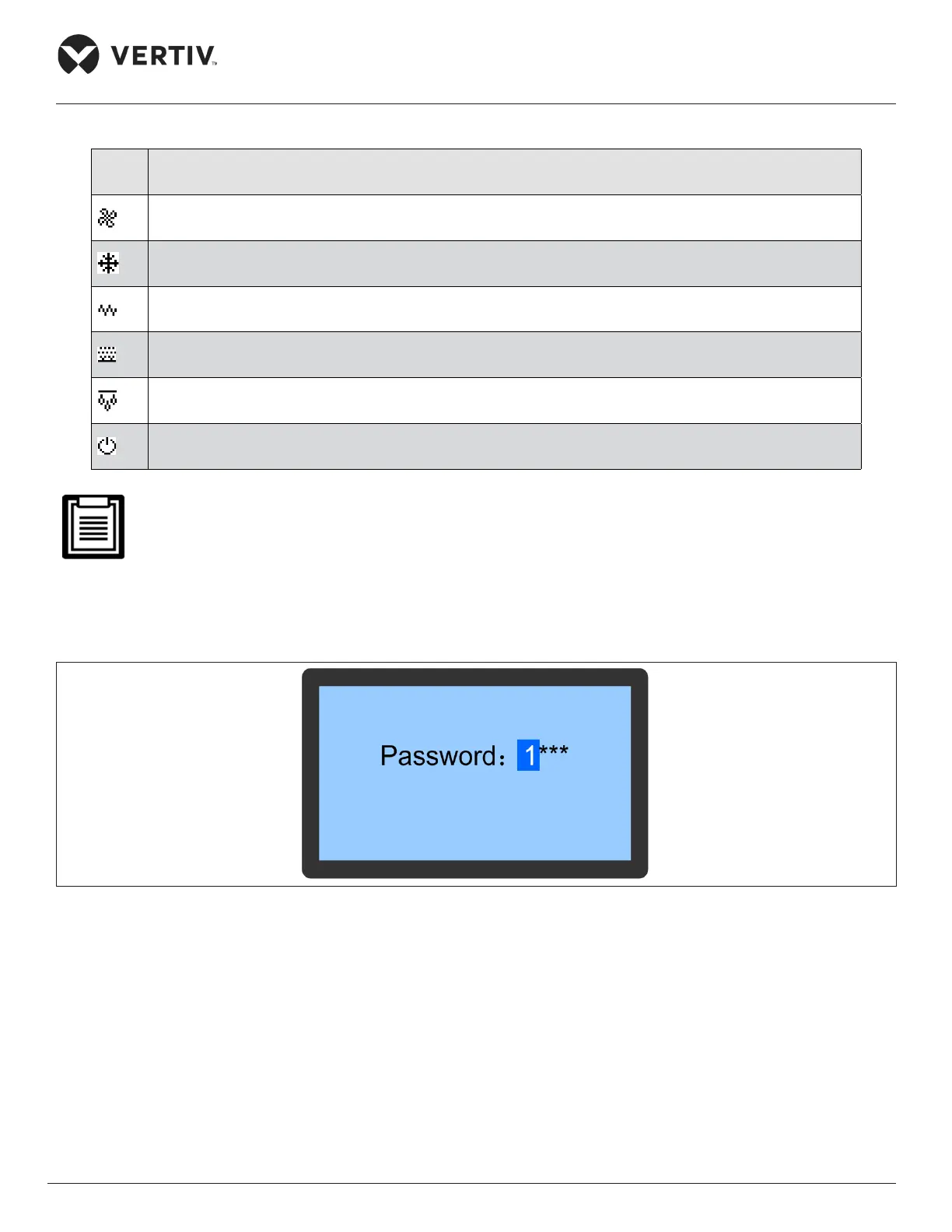
Press the Enter button on the Main screen and the Password screen will appear as shown in Figure 7-6.
Figure 7-6 Password Interface Screen
Three levels of passwords are provided for accessing the menus. The detailed descriptions are listed in
Table 7-3.








 To Next Page