Vertiv | Liebert® CRV4 | User Manual 76
Micro-Controller (Text-screen)
Table 7-4 describes the dierent menu items on the Main Menu screen:
Table 7-4 Main Menu Description
Menu Item Descriptions
Run Info
View temperature / humidity information, airow pressure information, power information,
Teamwork information
Alarm Info View system active alarms and history alarms
TEMP &
Hum Set
Set the temperature / humidity value
Para Set
Set system settings, alarm settings, humidier settings, airow pressure settings, display
settings, password settings, and teamwork control settings
Help
View the controller software and hardware version number, and the software and hardware
version number of the LCD
7.6.2. Run Information
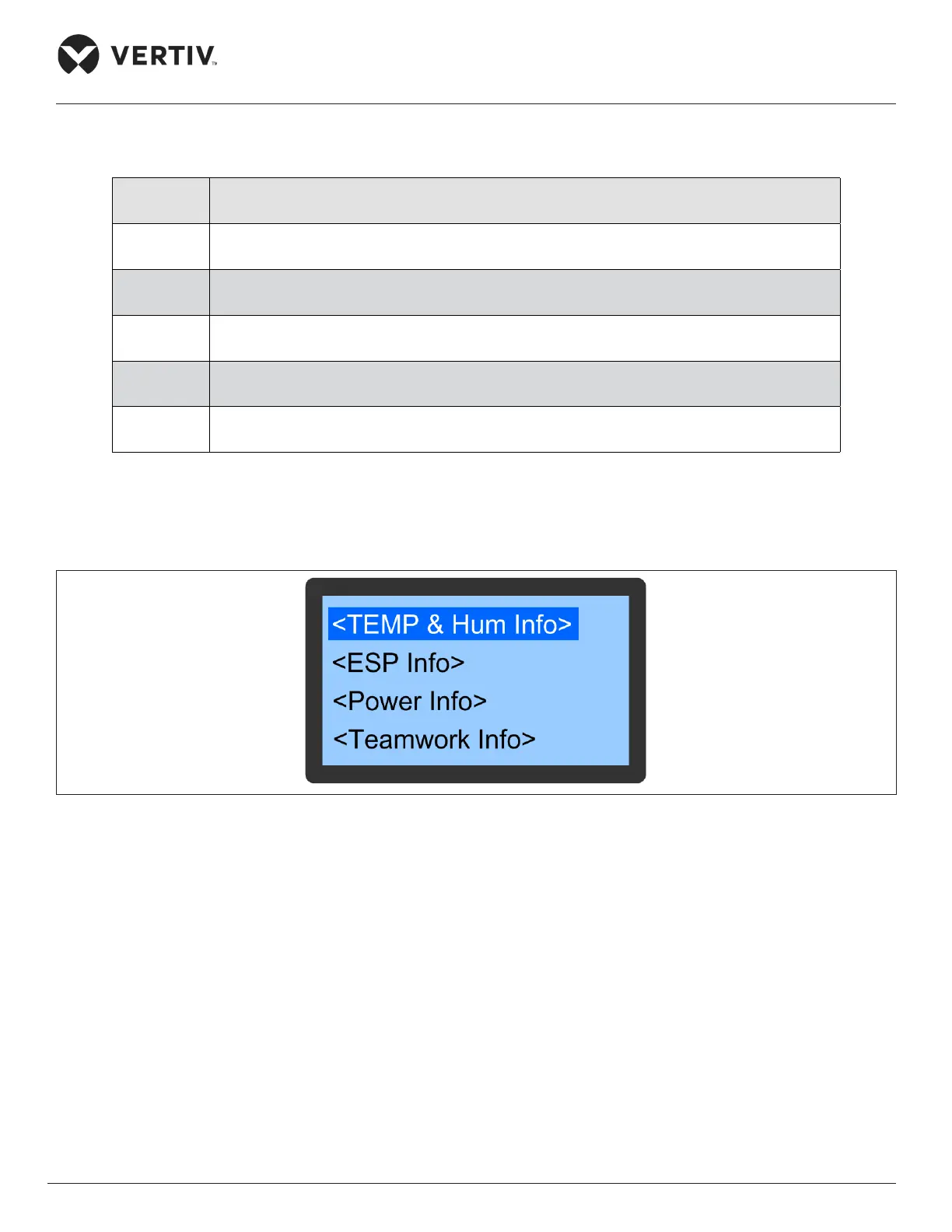
In the Main menu, select Run Info to enter the interface as shown in Figure 7-8, including temperature &
humidity information, ESP information, power information, and teamwork information.
Figure 7-8 Run Information Screen
• Temperature & Humidity Information
In the run information menu, select TEMP / Hum Info to enter the interface as shown in Figure 7-9. Press the
up or down button to scroll up or down to display the options in the menu.








 To Next Page