Vertiv | Liebert CRV+ | User Manual 57
Ch
anging the default value of the Alarm settings is not recommended. However, if a change is
necessary, change the settings under the guidance of trained professionals.
Alarm Set point (Alarm Stpt)
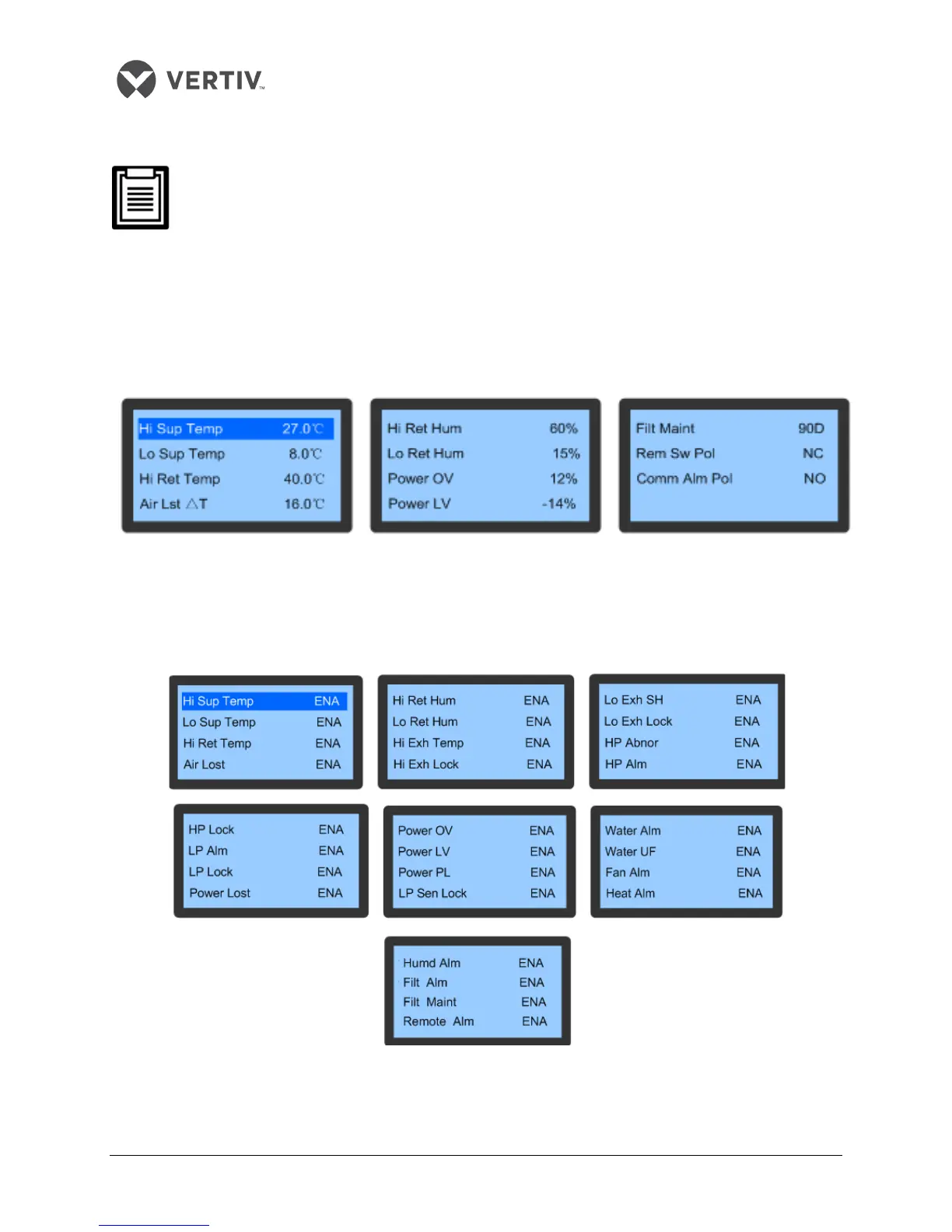
Select the Alarm Setpoint (displayed as Alarm Stpt) to view the Alarm Setpoint menu. Press the Up and
Down buttons to scroll through the menu.
Figure 3-11 depicts the Alarm Setpoint menu:
Figure 3-11 Alarm Setpoint menu
System Alarm
Select the System Alarm item on the Alarm Set screen to enter the screen as depicted in Figure 3-12.
Press the Up or Down button to scroll through the menus.
Figure 3-12 System Alarm Menu









 To Next Page