Vertiv | Liebert CRV+ | User Manual 60
Alarm Process
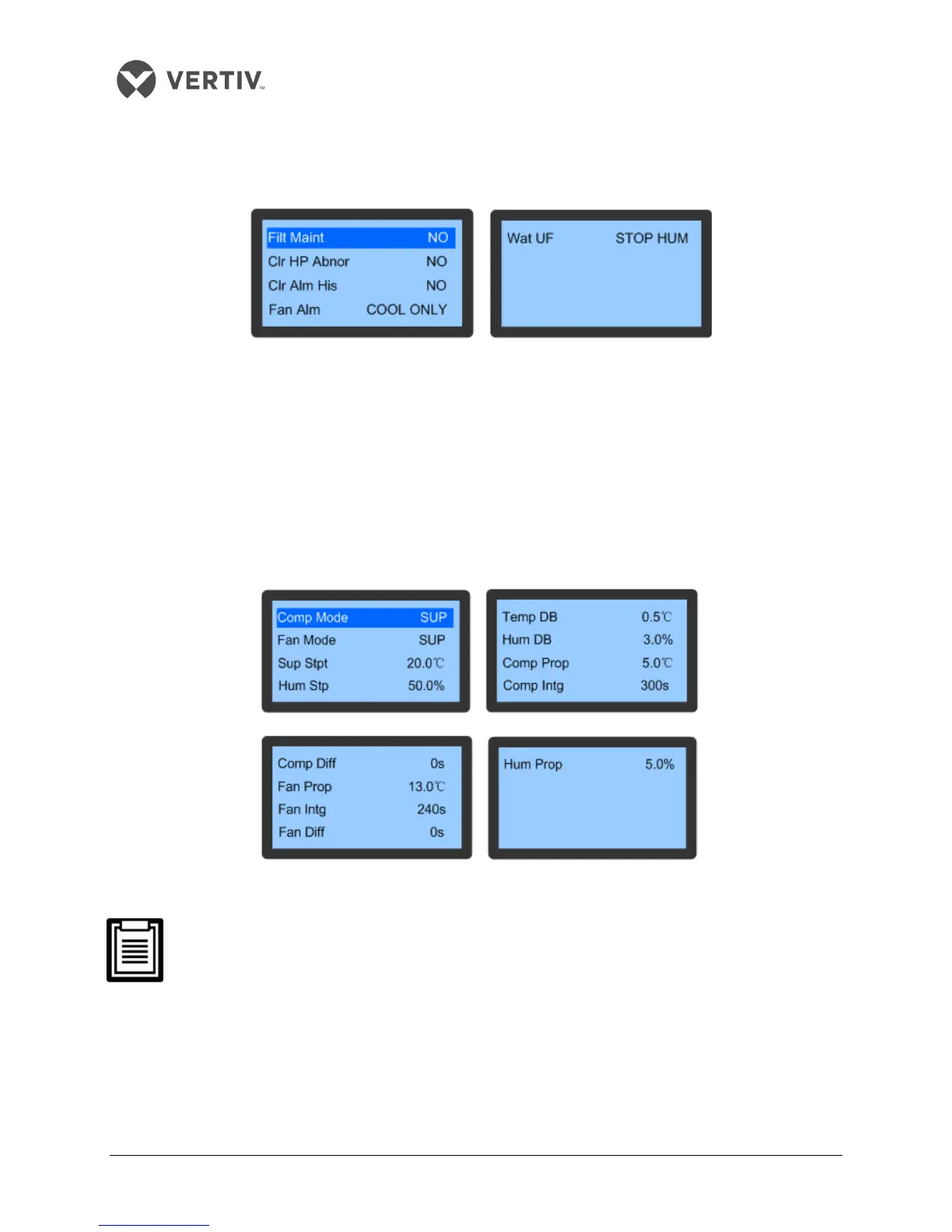
On clicking the Alarm Process item in the Alarm Settings menu, the following screen as depicted in Figure
3-16, will be displayed:
Figure 3-16 Alarm Process
The users can configure settings related to the maintenance and upkeep of the Filter. This facilitates the
periodic check-up. Records related to HP abnormality (HP Abnormal is used to view the high pressure
abnormal records of the AC unit) can be cleared in the Alarm Process function. Another statistic that can
be cleared is the Alarm History.
Temperature and Humidity Settings
On selecting the Temp & Hum Set menu item in the Main Menu, the users will gain access to the following
screen (Refer Figure 3-17):
Figure 3-17 Temperature & Humidity screen
The Temperature and Humidity settings will not be cleared despite system power-off.
The temperature setting is the target temperature of compressor operation which should
ideally be the same as Comp Mode. The temperature settings are set through the Sup Stpt
when SUP is selected for Comp mode. When REM is selected as the Comp mode, the
temperature is set through Ret Stpt; When REM is selected as the Comp Mode, the
temperature settings are set through the REM Stpt.









 To Next Page