Vertiv | Liebert CRV+ | User Manual 61
When the same mode is selected for Comp Mode and Fan Mode, the temperature settings are also the
same; when different modes are
selected, an extra item of Fan ∆T temperature settings plus Fan will
appear in the menu, the temperature setting plus Fan ∆T is the target temperature of fan operation.
System State
Select the cursor to System State on the Main Menu screen to enter the system state screen. On choosing
System State, the users will be directed to the following figure (Refer 3-18)
Figure 3-18 System State screen
Run State
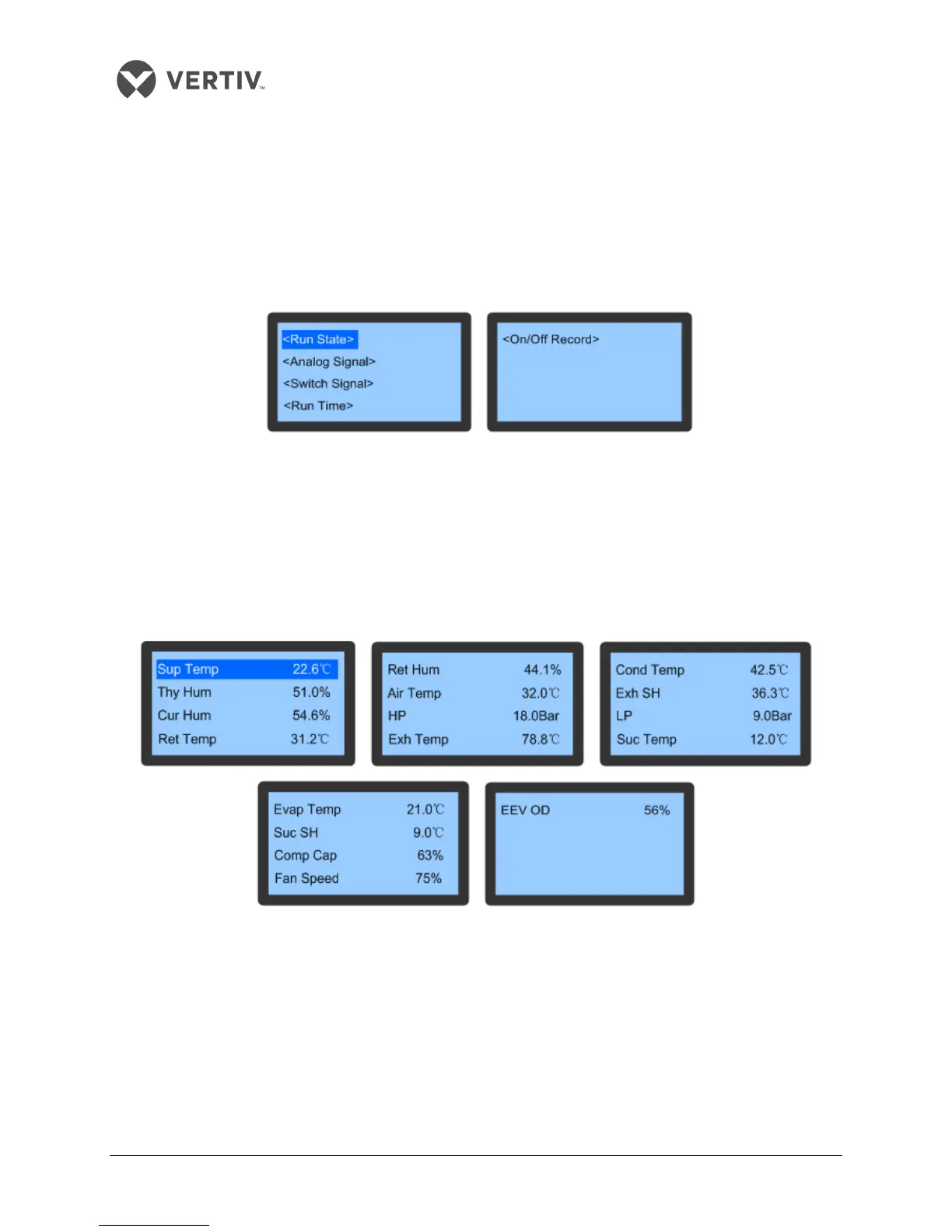
The Run State item, on being selected in the System State menu, displays the important operating
parameters of devices, including ambient temperature/humidity, and the prevalent states of the
compressor, fan, and EEV.
Figure 3-19 depicts the Run State displaying the running state of the compressor, fan and EEV:
Figure 3-19 Run State









 To Next Page