Vertiv | Liebert CRV+ | User Manual 64
System Set
Choose the System Set item from the Main Menu screen to access the System settings menu. The
parameters of System Settings will not be cleared or lost due to the power-off state or power failure.
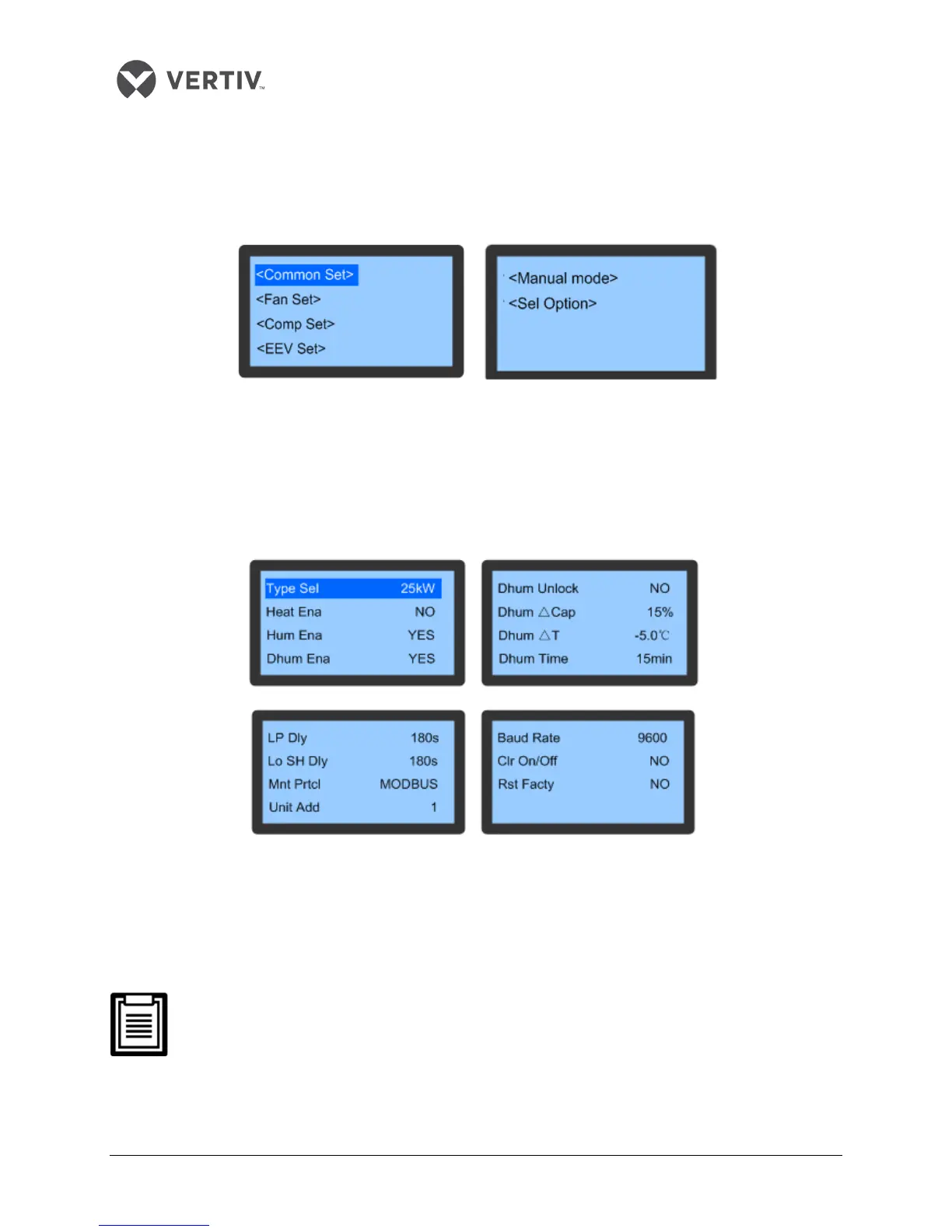
Figure 3-25 depicts the menu items of the System Settings menu:
Figure 3-25 System Settings menu
Common Settings
Common Settings is a menu item in the System Settings menu. It displays the basic System settings of
various attributes.
Figure 3-26 depicts the Common Settings menu:
Figure 3-26 Common Settings
In the Common Set menu, there is a Restore Factory (RstFacty)function. Move the cursor using the Up or
Down button to scroll to this function. Press Enter followed by selecting Yes or No using the Up and Down
button. Press Enter to confirm.
On selecting Yes, all the system settings will be reset to the original factory values. However,
the Run Time or Historical Alarm data will not be cleared.
Use the Reset Factory option with caution as it can clear all user settings and shut down the unit.









 To Next Page