Vertiv | SmartAisle2 | User Manual 105
Installation
Installation of infrared sensors
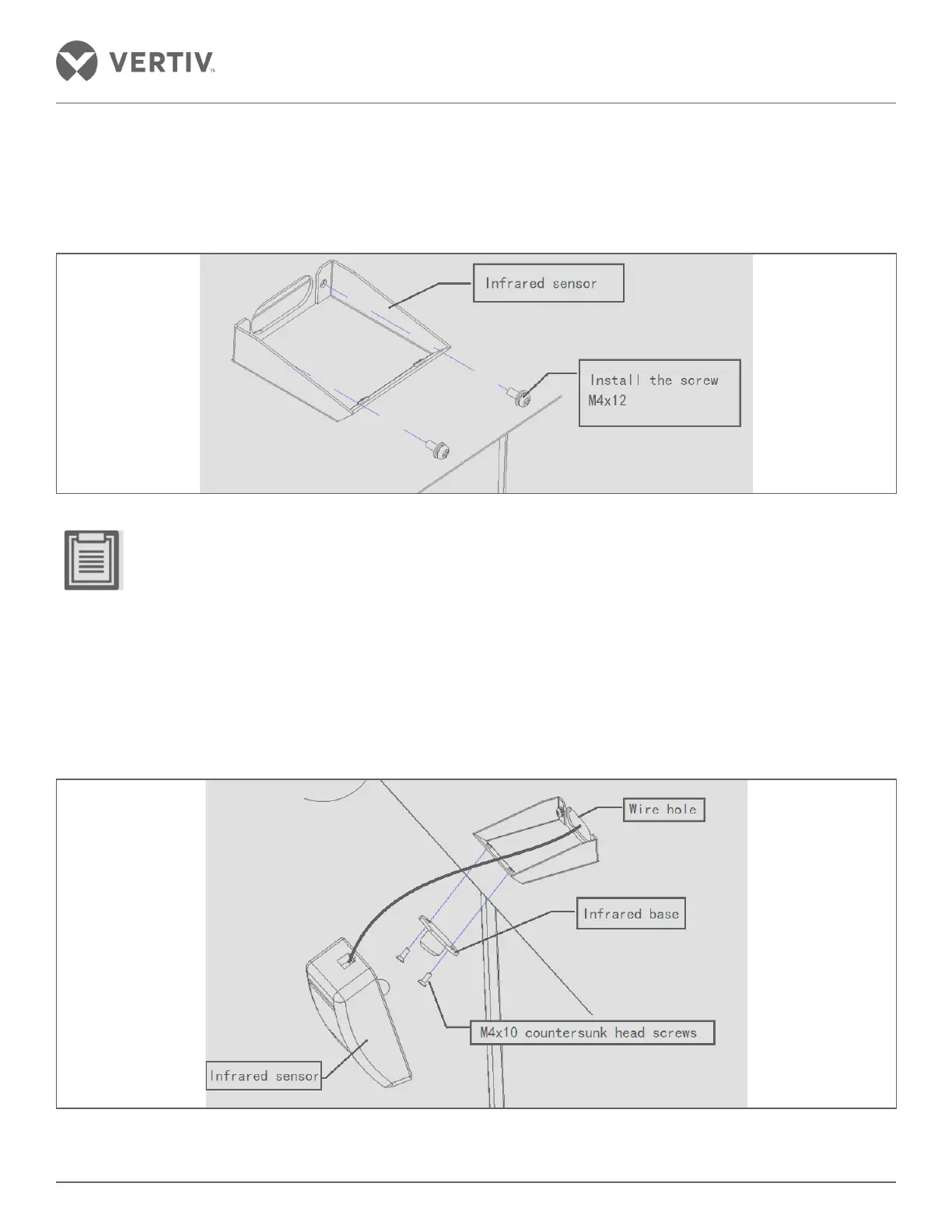
The infrared sensor holder is mounted inside the access door lintel at the top right over the line hole with a fixing
screw.
Figure 2-117 Infrared bracket installation
• While installing the trapezoidal face, remember it should not be upside down.
• The mounted position of the infrared sensor can be interchanged with the hemisphere where the recom-
mended right infrared sensors are mounted in position.
• Infrared stent should be within the channel box door.
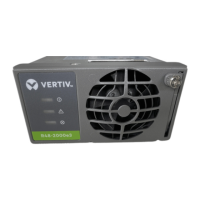
Initially, with the base open, the cable passes through the cable hole through the lintel, and an infrared sensor is
installed in the infrared base with screws while the infrared card which is mounted on the base, is connected with
the network cable.
Figure 2-118 Install infrared sensors



 To Next Page