LaserCOMPACT Product Guide VESDA
®
4
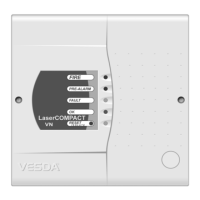
LED and Reset/Isolate button
The LED indicators and the Reset/Isolate button on the front cover of the LaserCOMPACT
detector display alarms and faults.
Table 1 - LED Indicators and the Reset/Isolate button
Fire This (RED) LED is lit when the Fire alarm threshold is reached.
Pre-Alarm
The (RED) Pre-Alarm LED is lit when the Pre-Alarm threshold is reached.
This LED flashes when the Alert alarm threshold is reached and Alert
Overlay in set to ON.
Fault
This (YELLOW) LED is lit when a fault is detected.
It is also lit during airflow normalization.
OK
The OK LED (Green) stays lit during normal operation indicating the unit is
functionally normally.
This LED flashes twice repeatedly during air flow normalization operation
and three times repeatedly when AutoLearn is activated.
Reset/Isolate
The Reset/Isolate LED (Yellow) is lit when LaserCOMPACT is isolated.
While it remains isolated the Pre-Alarm and Fire relays will not work.
(The Fault relay will continue to work).
Reset /
Isolate Push
Button Switch
• To Reset the unit, press this button once.
• To Isolate the unit, press and hold the button for 2 seconds.
• To De-isolate the unit, press and hold the button for 2 seconds.
• While the detector is Isolated, any faults may be cleared by pressing this
button once.
The button will not operate:
• if a remote Reset switch has been fitted to the Reset (GPI) terminals and
is set to the Isolate position
OR
• if the Reset/Isolate button has been locked out in the programming.











 To Next Page