~ 15 ~2. Set Up Your Machine
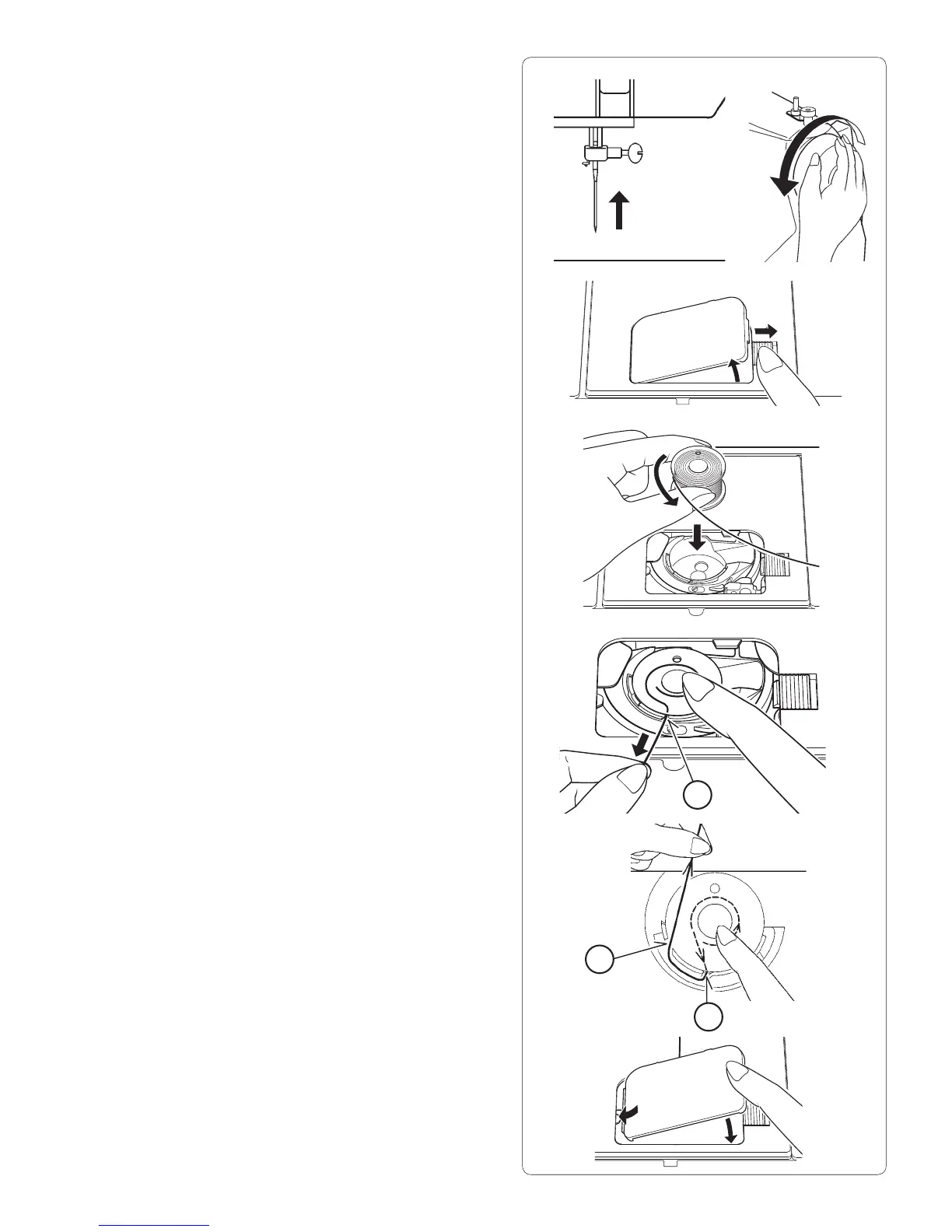
INSERT THE BOBBIN
1. Raise the needle to its highest position by rotating the
hand wheel toward you (counter clockwise).
2. Remove the bobbin cover plate by pushing the release
button to the right while pushing the left corner of plate.
3. Insert the bobbin making sure it rotates counter-
clockwise.
4. Pull thread through the slot (A) and then to the left.
5. With a À nger held gently on top of the bobbin, pull
thread through the slot (B), pull out about 6" (15 cm) of
thread.
6. Replace the bobbin cover plate onto the needle plate.
B
A
A








 To Next Page