~ 42 ~
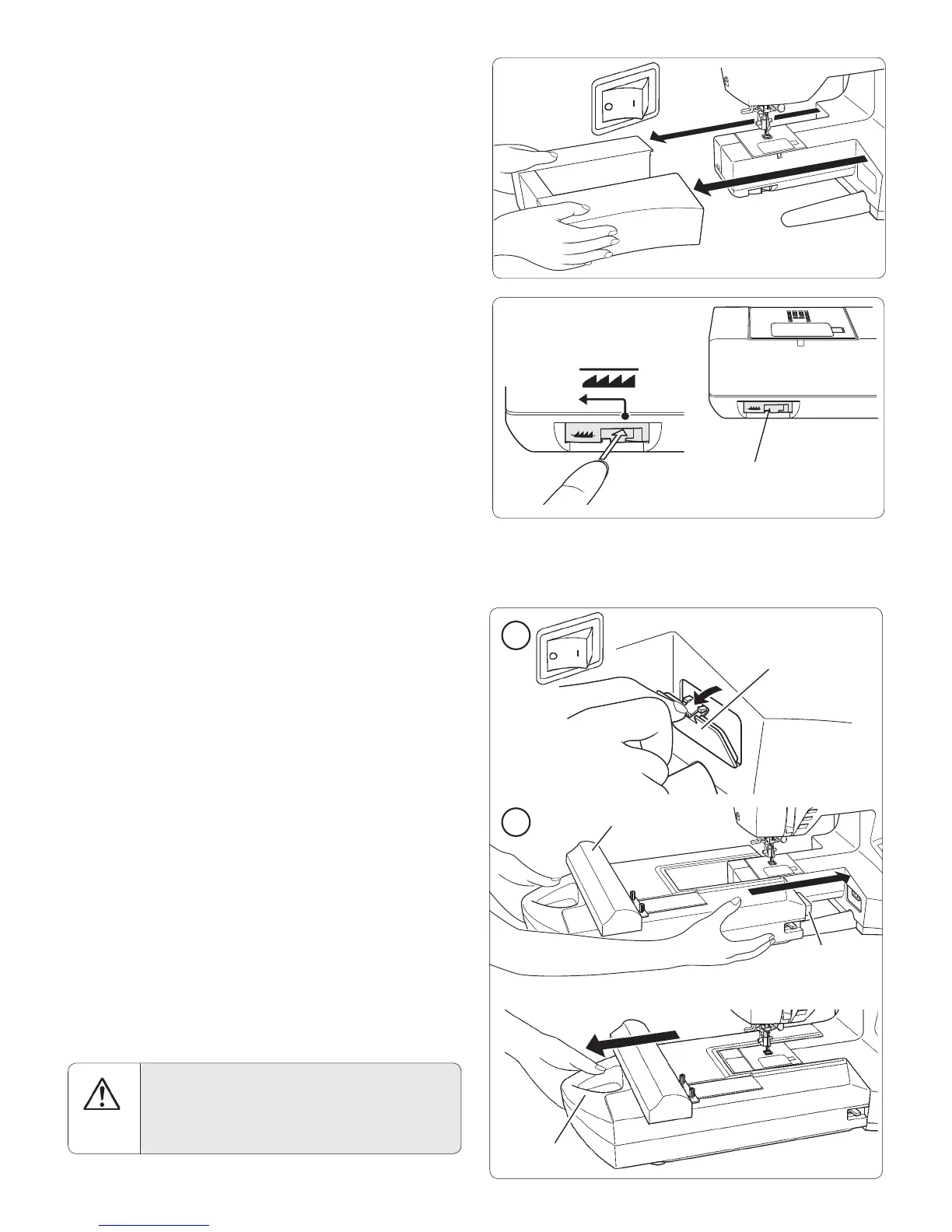
REMOVE THE ACCESSORY BOX
1. Turn off power to machine.
2. Slide the accessory box to the left to remove it from
machine (See page 9).
FEED TEETH LEVER
Lower the feed teeth by moving the feed teeth lever toward
the left (A).
(A)
Down
Feed teeth lever
Connector lid
Connector
Handle
ATTACH THE EMBROIDERY UNIT
1. Turn off the power to the machine.
Remove connector lid from machine.
Note: Re-install connector lid before using the machine for general
sewing.
2. Slide the embroidery unit onto the machine À tting the
connectors on the machine and the embroidery unit.
Slide the embroidery unit as far as it will go to the right
until it clicks into place.
Hold handle of embroidery unit and carefully pull it
toward the left direction, to check that it does not detach.
Note: If embroidery unit is not securely installed, the À nished
embroidery may be distorted. Make sure that the embroidery unit is
pushed in as far as it will go.
Embroidery
arm
CAUTION
Don't push the embroidery arm nor put strong
pressure on it when attaching or using the embroidery
unit. It may result in damagees on the embroidery
unit.
2
1








 To Next Page