~ 20 ~
CONTROL PANEL FUNCTIONS
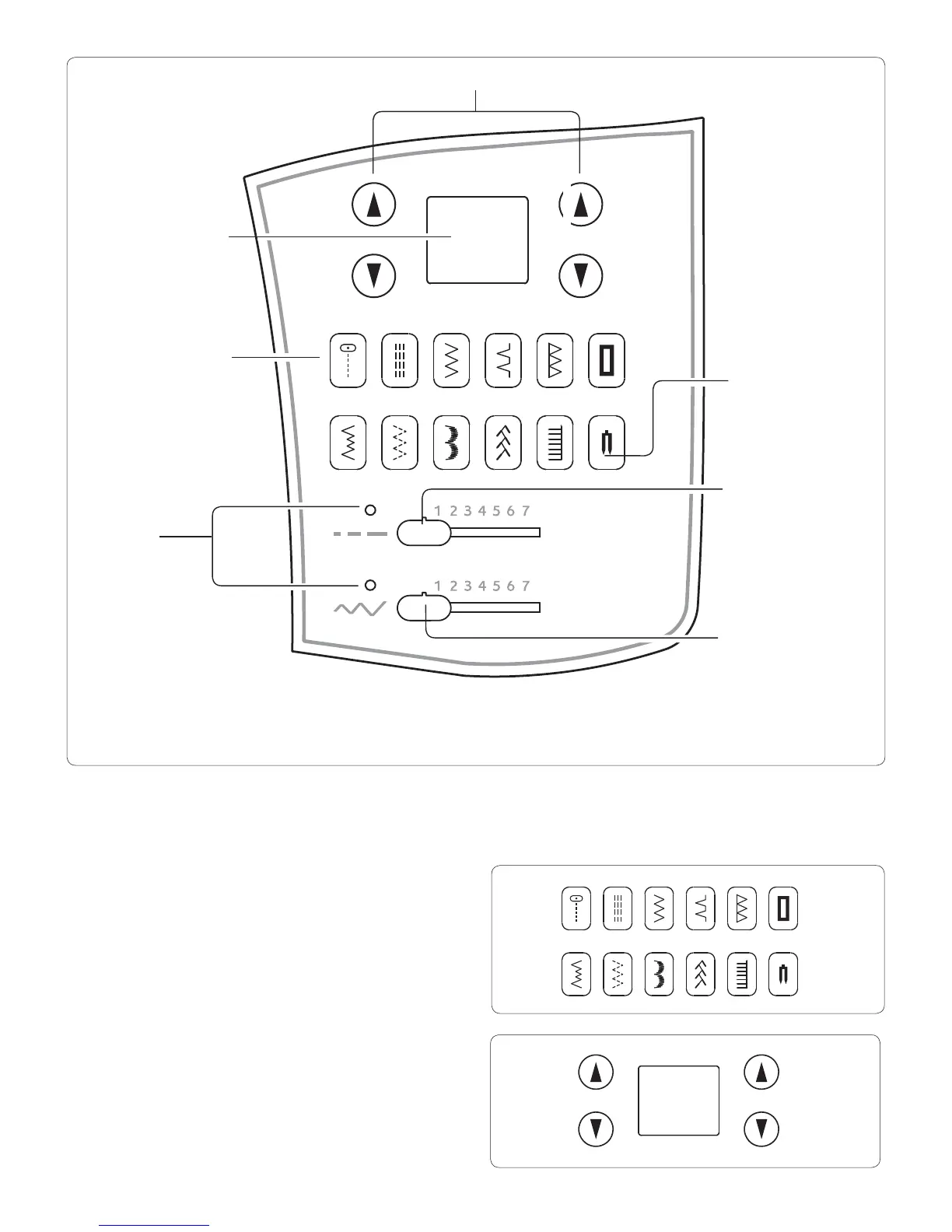
Direct Selection Buttons
Frequently used stitches are available by the direct selection
buttons. To select a stitch, turn on the machine and push
the desired button until it is lit.
Numerical Selection Buttons
To select any stitch, use the arrows to the left of the
display to select the left digit in the stitch number and
the arrows to the right to select the right digit. The stitch
number for each stitch is shown on the Stitch Reference
Guide or in the Stitch Overview on
page 4-7.
Numerical Selection buttons
LED indicator
Direct Selection buttons
Number display
Twin needle mode switch
Stitch width/
needle position
control
Stitch length control
Note: The provided scales and numbers on the length and width controls are for reference only and do not represent actual sewing
parameters of length and width.








 To Next Page