~ 54 ~
On number display On PC screen
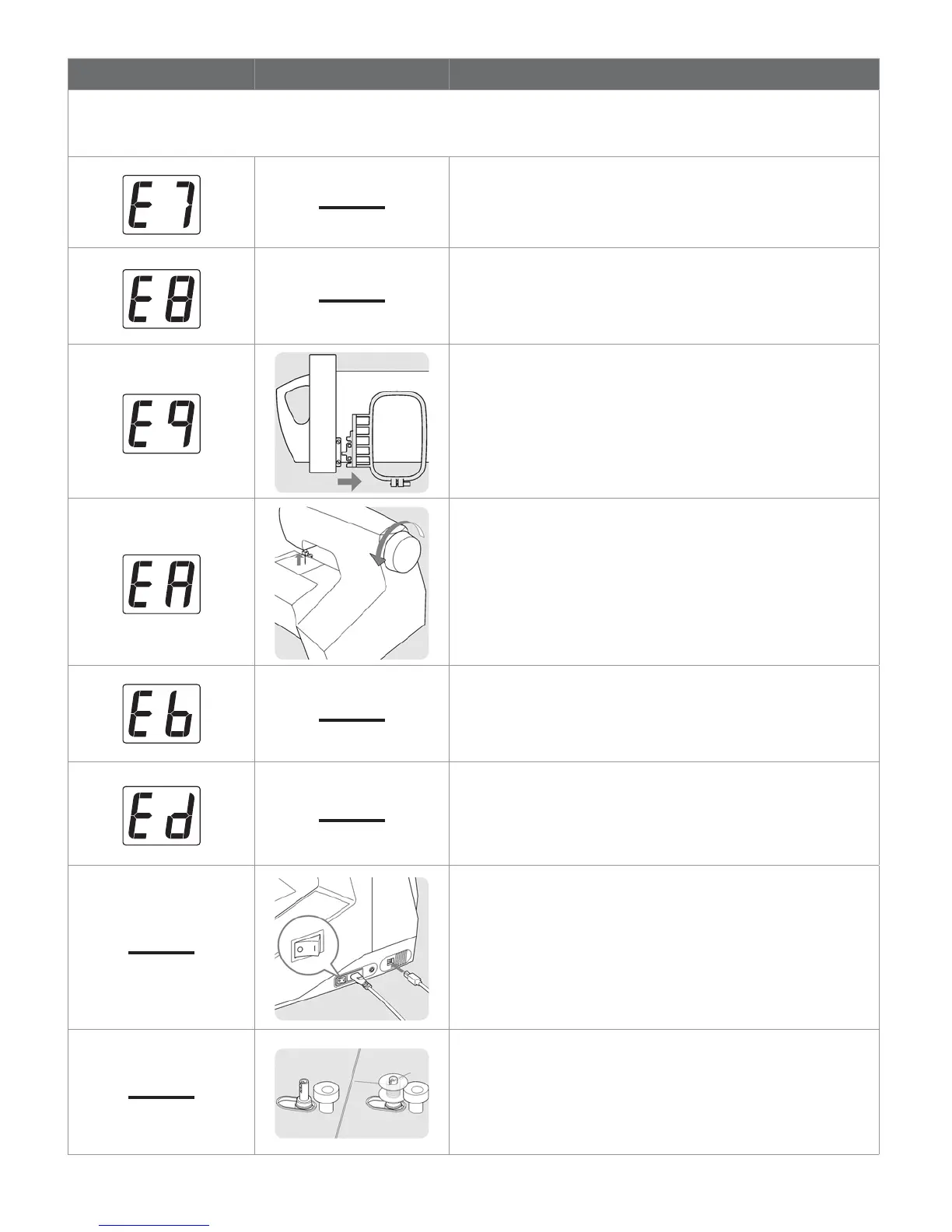
Messages are displayed on number display of control panel and/or PC screen. When a message is displayed, À x the
problem following the instruction in the message. The message will disappear, once the problem has been À xed.
Foreign particle is inserted into cord socket for
foot control plug.
• Remove foreign particle.
Twin needle mode switch is pushed, while patterns without
twin needle capability are selected.
• Push the switch again.
Embroidery unit is installed with small hoop attached.
• Remove embroidery unit and small hoop and then re-attach
embroidery unit or remove small hoop and turn off and on
power switch.
Needle is lowered when starting embroidery sewing.
• Raise needle by rotating hand wheel toward you.
Foot control plug is pushed in and pulled out while sewing
patterns.
• Don’t touch the plug while sewing.
Embroidery sewing is completed.
Check cable and power switch.
• Check that USB cable is connected and power switch is
turned on.
Bobbin winder is in operation.








 To Next Page