Display, Keys and Menus
The Display
VT400 Technical Manual, Rev. A5 22 Doc # UM-VT400-EN
3.1 The Display
3.1.1 Status Annunciators
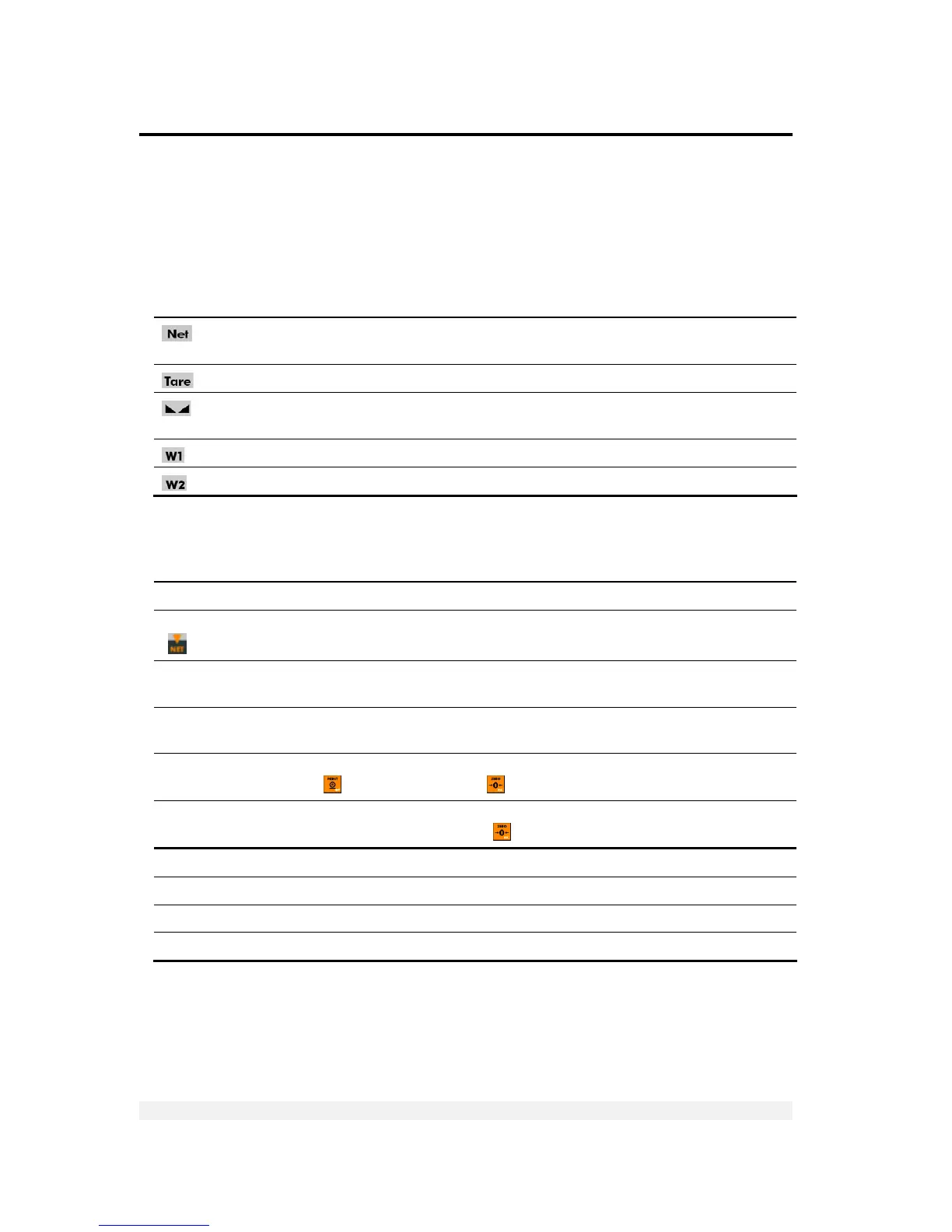
Status annunciators are important for understanding what is being shown on the
display.
Net weight Active – the display is showing net weight.
Inactive – the display is showing gross weight.
Tared Active – the preset tare value is now being displayed on the screen.
Stable
Active – the scale is stable (necessary for ZERO, TARE and PRINT).
Inactive – the scale is not stable.
The scale is currently in weight range 1.
The scale is currently in weight range 2.
3.1.2 Common Messages Shown on the Display
Message type Meaning
352.0 Weight of the item on the scale.
319.0
(
active)
Net weight.
∩∩∩∩∩∩
Over range. The item on the scale weighs more than the maximum capacity of the
scale, or the load cell signal is too high.
UUUUUU
Under range. The item on the scale weighs less than the minimum capacity of the
scale, or the load cell signal is too low.
Fn 06
Function menu (see section 3.3). To perform the function currently showing, press
PRINT (
). To cancel press ZERO ( ).
Err15
An error has occurred (see section 9.1). In some cases, you can ignore the error and
continue working by pressing ZERO (
).
XXXXXX Software model number, shown during the power-up sequence.
XXXXXX Software version issue date, shown during the power-up sequence.
888888 Display self-test, performed during the power-up sequence.
ZeRO Automatic or manual zeroing is being performed.



 To Next Page