Outputs and Digital Input
Connecting Digital Outputs and Tilt Switch
VT400 Technical Manual, Rev. A5 50 Doc # UM-VT400-EN
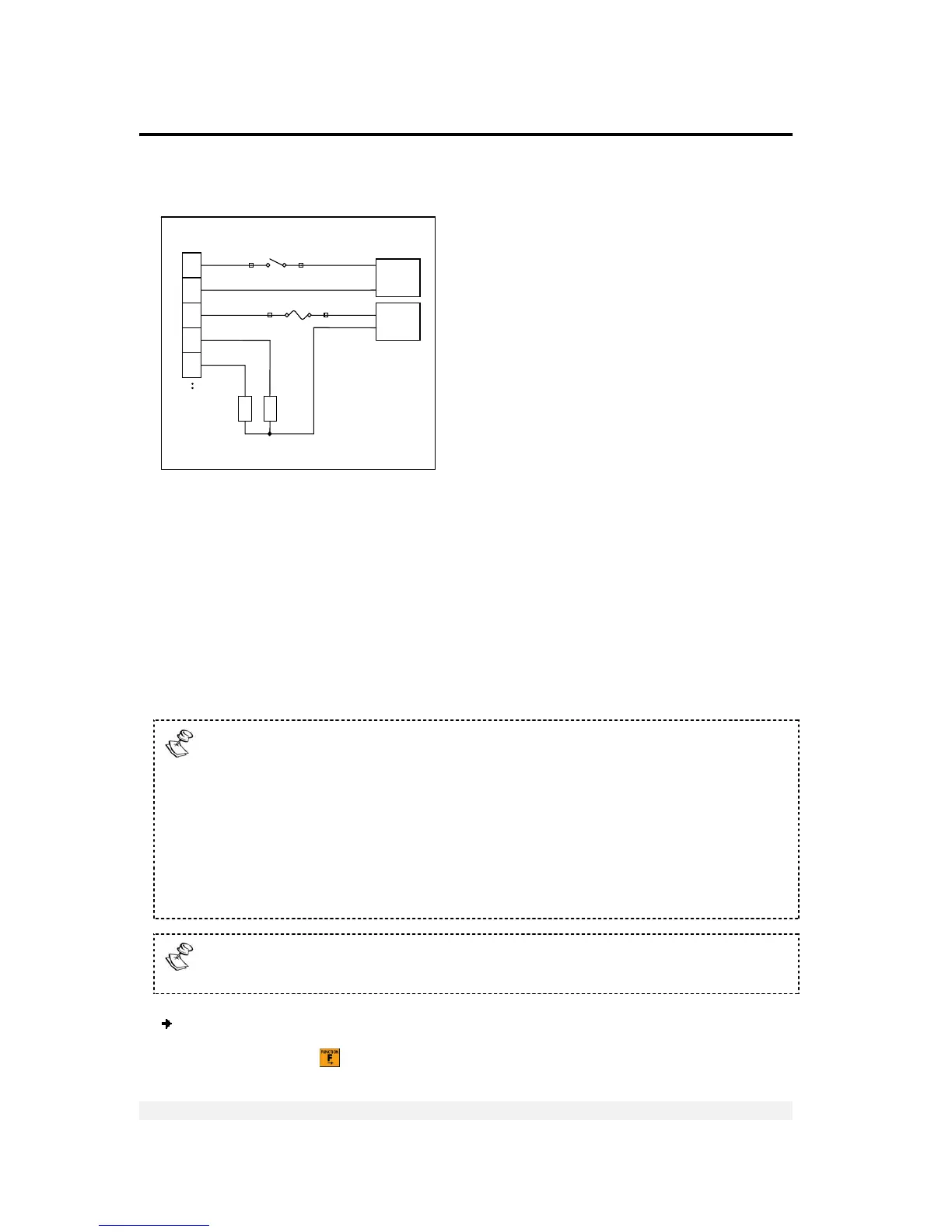
7.2 Connecting Digital Outputs and Tilt Switch
Figure 9 – Digital output and tilt switch connection diagram
7.3 Setting Thresholds for Digital Setpoints
Each setpoint has an upper weight threshold that triggers it. For example, if you set a
threshold of 13kg for setpoint 1, nothing will happen as long as the items on the scale
weigh less than 13kg. As soon as the weight reaches 13kg, or more, the setpoint will
be switched on (if normally off) or to off (if normally on).
You can use the two setpoints to set an upper and lower range for a production
operation. For example, if the weight of a product drops below the threshold for
setpoint 1, or goes above the threshold for setpoint 2, it can be rejected.
Setpoints can be activated either by net weight value or by gross weight,
depending on how it was defined in setup.
In GROSS the setpoint will be activated when the gross weight reaches the
target value either by weight accumulation or by weight loss (in case that the
starting load was above the setpoint)
In NET mode the setpoint will be activated either when:
a. Net weight reaches the target weight (for weight accumulation applications)
or:
b. Net weight reaches the NEGATIVE value of the target weight (for weight
loss applications)
Setpoints can be either normally open or normally closed, depending on how it
was defined in setup.
To edit weight thresholds for both setpoints:
1. Press FUNCTION (
). The display shows Fn 00. The left zero flashes.
Power &
Setpoints
Connector
3
4
7
5
6
I
1
C
I
C
O
O
2
O
1
In



 To Next Page