STEP 1: ASSEMBLE THE SCANNER 5
STEP 1: ASSEMBLE THE SCANNER
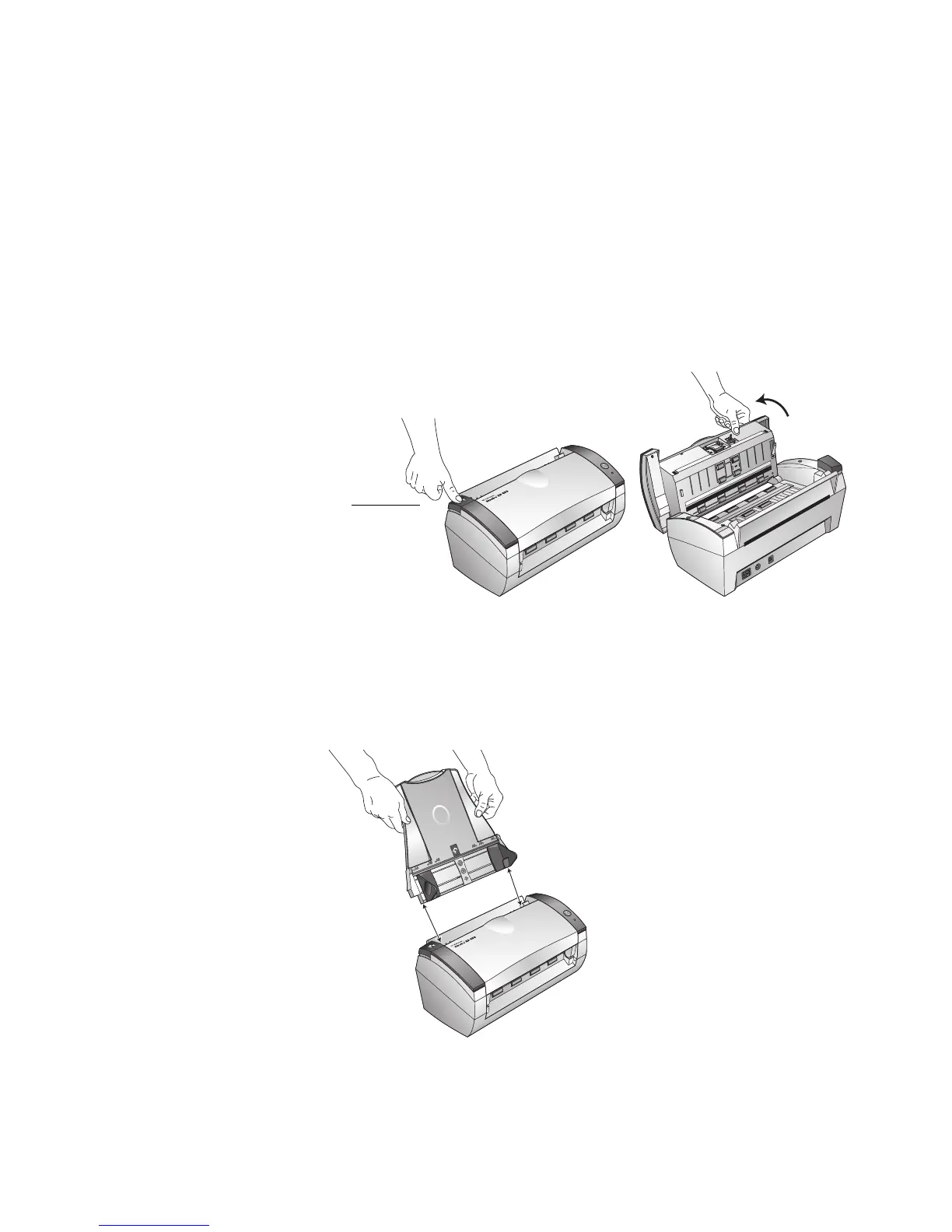
To assemble the scanner:
1. Remove all shipping tape from the top and bottom of the scanner.
2. Carefully remove the protective foam from the ADF cover release,
then press the release button to open the Automatic Document
Feeder cover.
3. Carefully remove any foam particles that may have gotten inside the
document feeder, and close the cover.
4. Align the slots on the input tray with the ridges on the scanner and
slide the tray down until it snaps into place.
ADF Cover
Release













 To Next Page