68 VISIONEER STROBE XP 450 SCANNER USER’S GUIDE
CONFIGURING BEFORE SCANNING
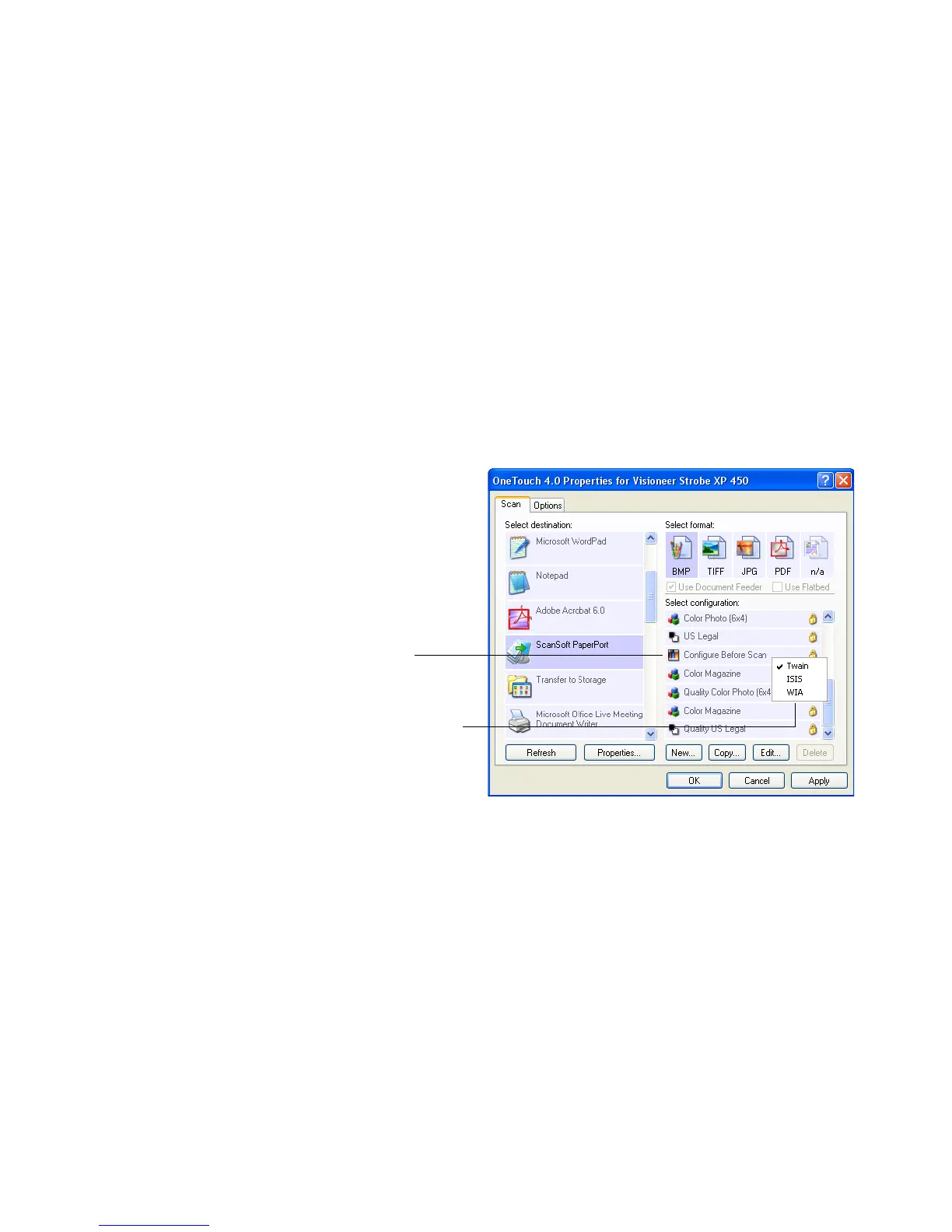
Choosing Configure Before Scan simply opens a scanning interface
when you press or click a scan button. You can then use the interface to
change the Resolution, Scan Mode, and other settings. When you scan,
the scanned image will still be sent as the file type and to the same
Destination Application already selected in the OneTouch Properties
window for that button.
To configure before scanning:
1. Open the OneTouch Properties window.
2. Select the scan configuration Configure Before Scan.
Select Configure
Before Scan.
Right-click on Configure
Before Scan to get the
menu, and choose the
interface to use for
configuring.













 To Next Page