REPLACING THE ADF PAD ASSEMBLY 115
REPLACING THE ADF PAD ASSEMBLY
The ADF pad will wear out and is designed to be a user-replaceable
part. Problems with documents feeding into the ADF is an indication
that the pad is wearing thin.
See the “Visioneer Strobe XP 450 Scanner Parts List” on page 122 for
ordering information.
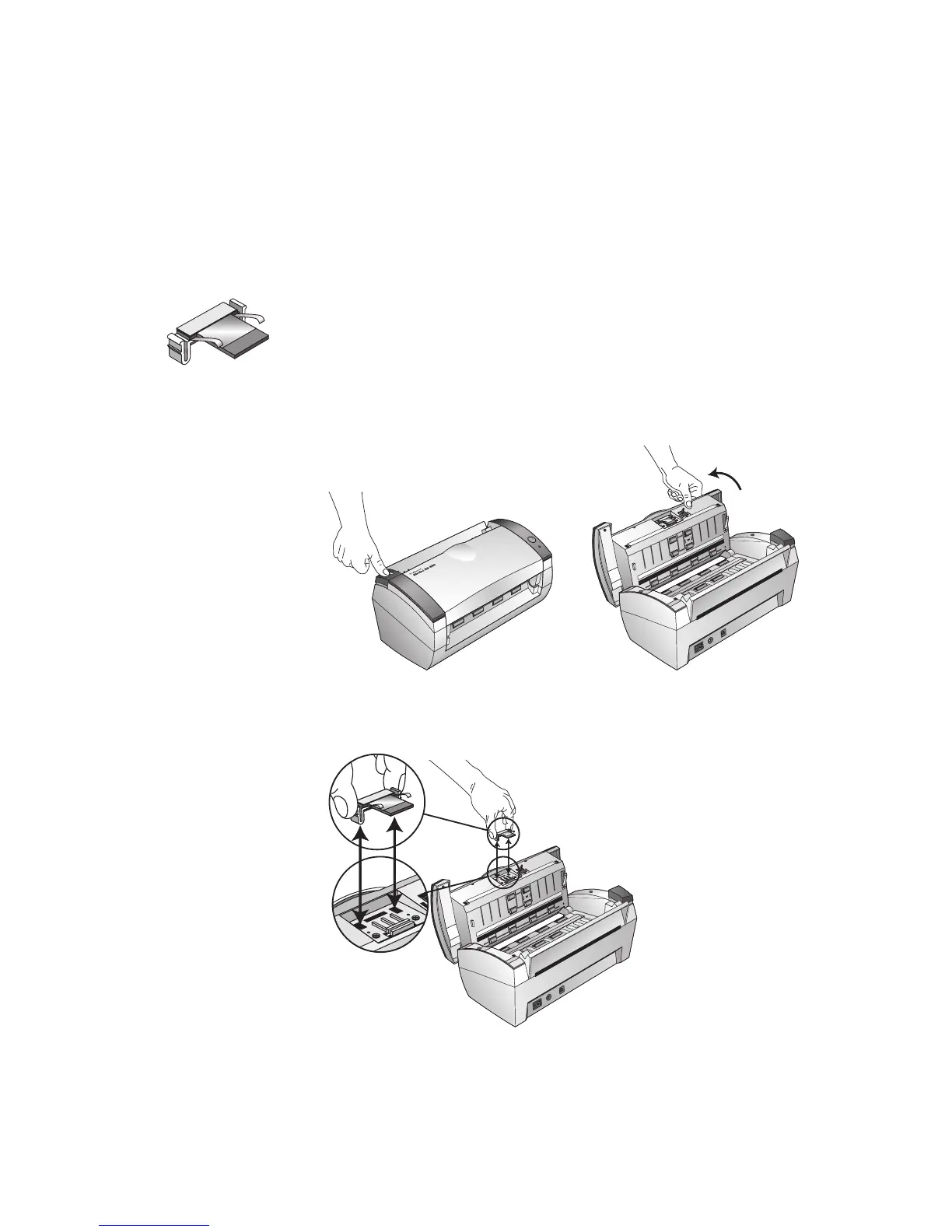
To replace the ADF Pad assembly:
1. Press the ADF cover release on the top left of the scanner body to
open the Automatic Document Feeder cover.
2. Squeeze the plastic clamps that hold the pad assembly in place and
lift the pad up and out
3. Reverse the procedure to replace the new pad into its slots.













 To Next Page