14 VISIONEER STROBE XP 450 SCANNER USER’S GUIDE
STEP 3: CONNECT THE POWER SUPPLY
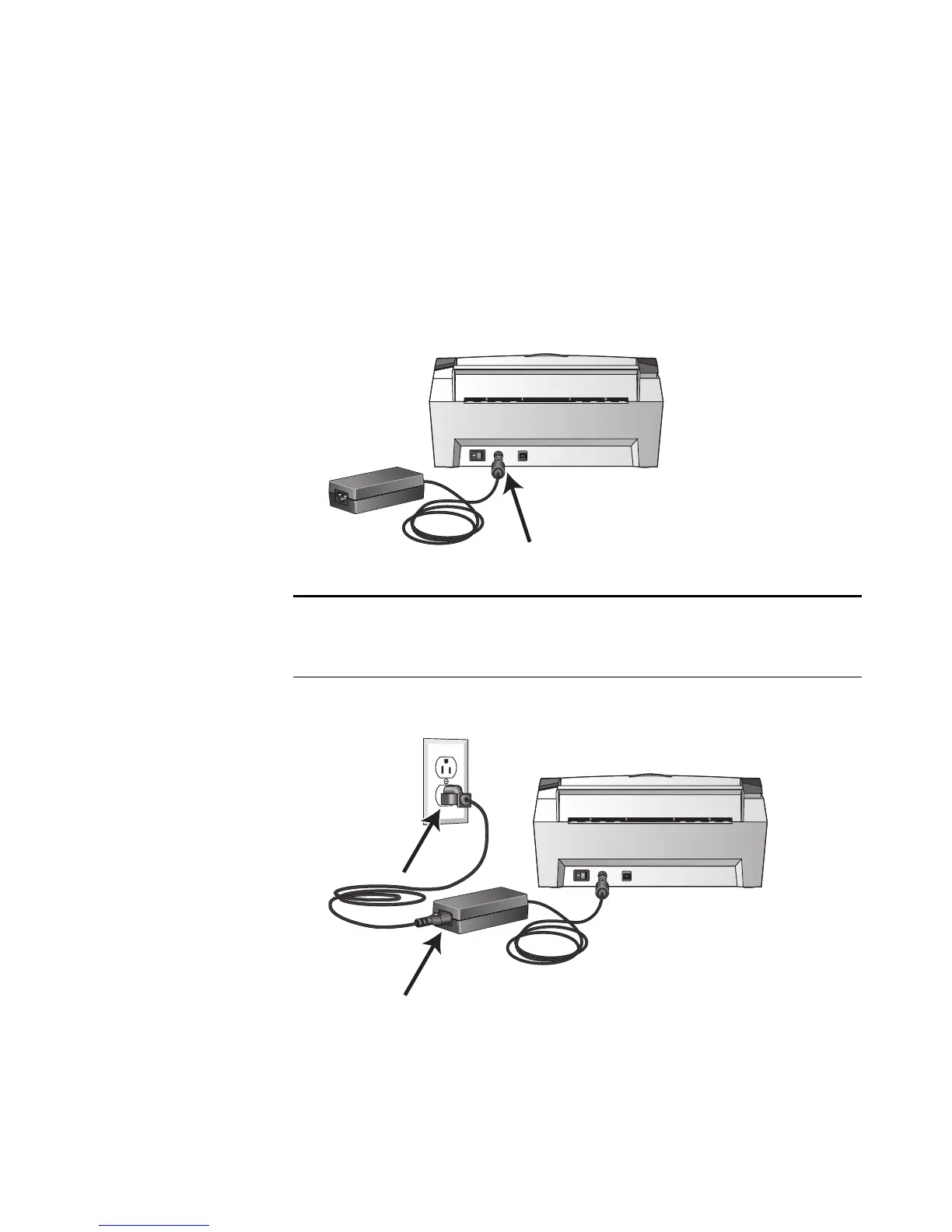
Connect the power supply and power cord, and plug the power supply
into an electrical outlet.
To c o n n e c t yo u r V i s i o n e e r Strobe XP 450 scanner:
1. Plug the power supply into the power port on the scanner.
2. Plug the power cord into the power supply and into a wall outlet.
Now proceed to the next section, “Step 4: Connect the USB Cable
and Turn on the Power.”
Note: Only use the power supply (HEG42-240200-7L made by
HiTron) included with your scanner. Connecting any other type of
power supply may damage your scanner, and will void its warranty.













 To Next Page