SCANNING WITH THE ISIS INTERFACE 107
Scanning with the ISIS
Interface
SCANNING WITH THE ISIS INTERFACE
The ISIS interface for scanning is available using the Scan button when
the OneTouch software is set to Configure Before Scan and the ISIS
driver has been selected.
The interface is also available from ISIS scanning applications, such as
the QuickScan application that you may have received with your
scanner. If you are using an ISIS application to scan, please see its User’s
Guide for the steps to open the interface.
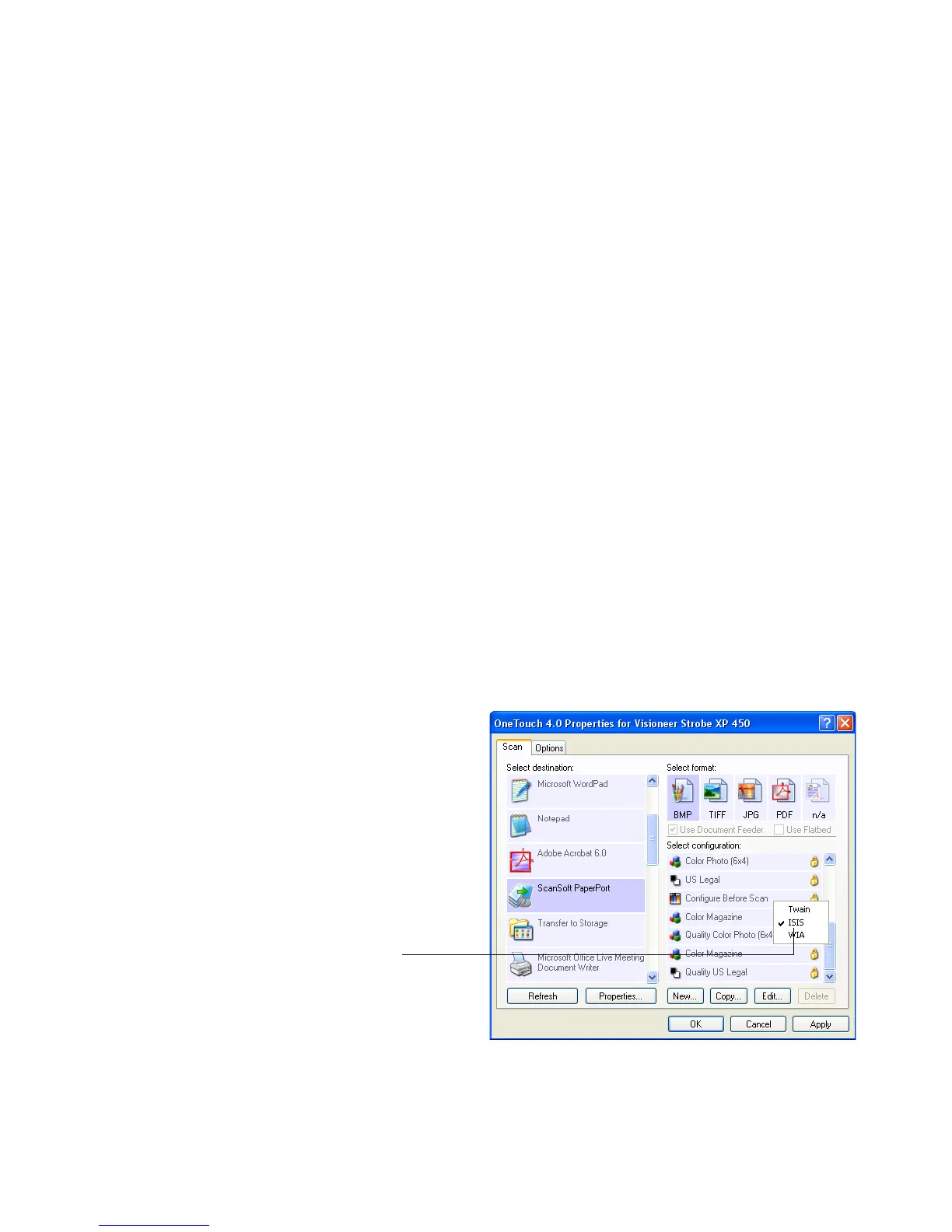
To open the ISIS interface from the OneTouch application, click on the
Configure Before Scan configuration and select ISIS from the menu.
Right-click on
Configure Before Scan
to get the menu, and
select ISIS to use it as
the interface to
configure before scan.













 To Next Page