98 VISIONEER STROBE XP 450 SCANNER USER’S GUIDE
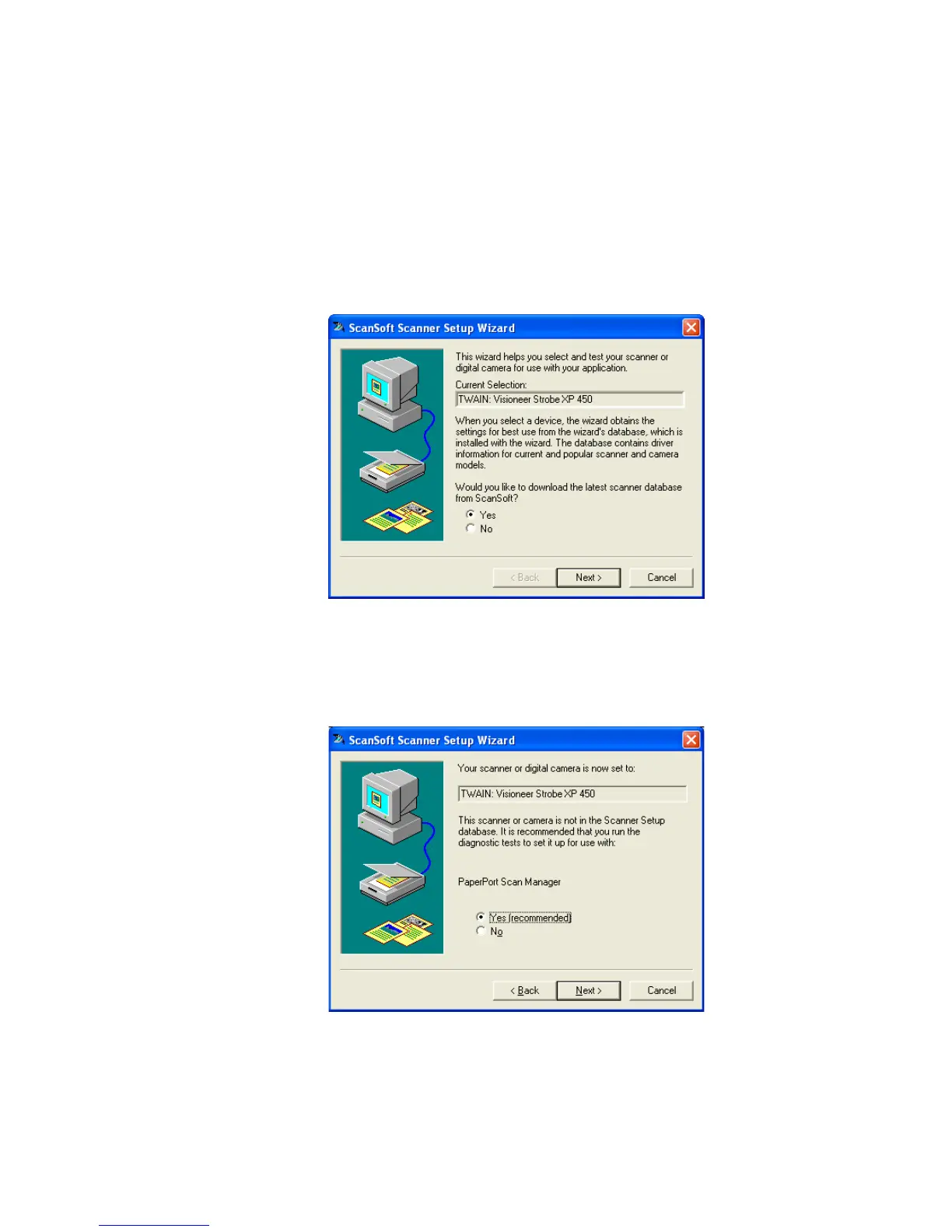
To s e t u p Pa p er Por t :
1. From the Scanner drop-down list, select one of the options, such as
Twain: Visioneer Strobe XP 450.
2. Click the Setup button.
A window opens to begin the setup process.
3. Click Yes then click Next.
The next window offers you the option to run hardware
diagnostics.
4. Click Yes (recommended) then click Next.













 To Next Page