SELECTING NEW SCAN SETTINGS FOR THE SCAN BUTTON 53
text editing applications. Thus, you can create specific sets of scan
configurations for specific functions and they appear only when
appropriate.
3. Click the New button.
If you want to start from the settings of another configuration,
select the configuration, then click the Copy button.
If the Scan Settings tab is not selected, click it.
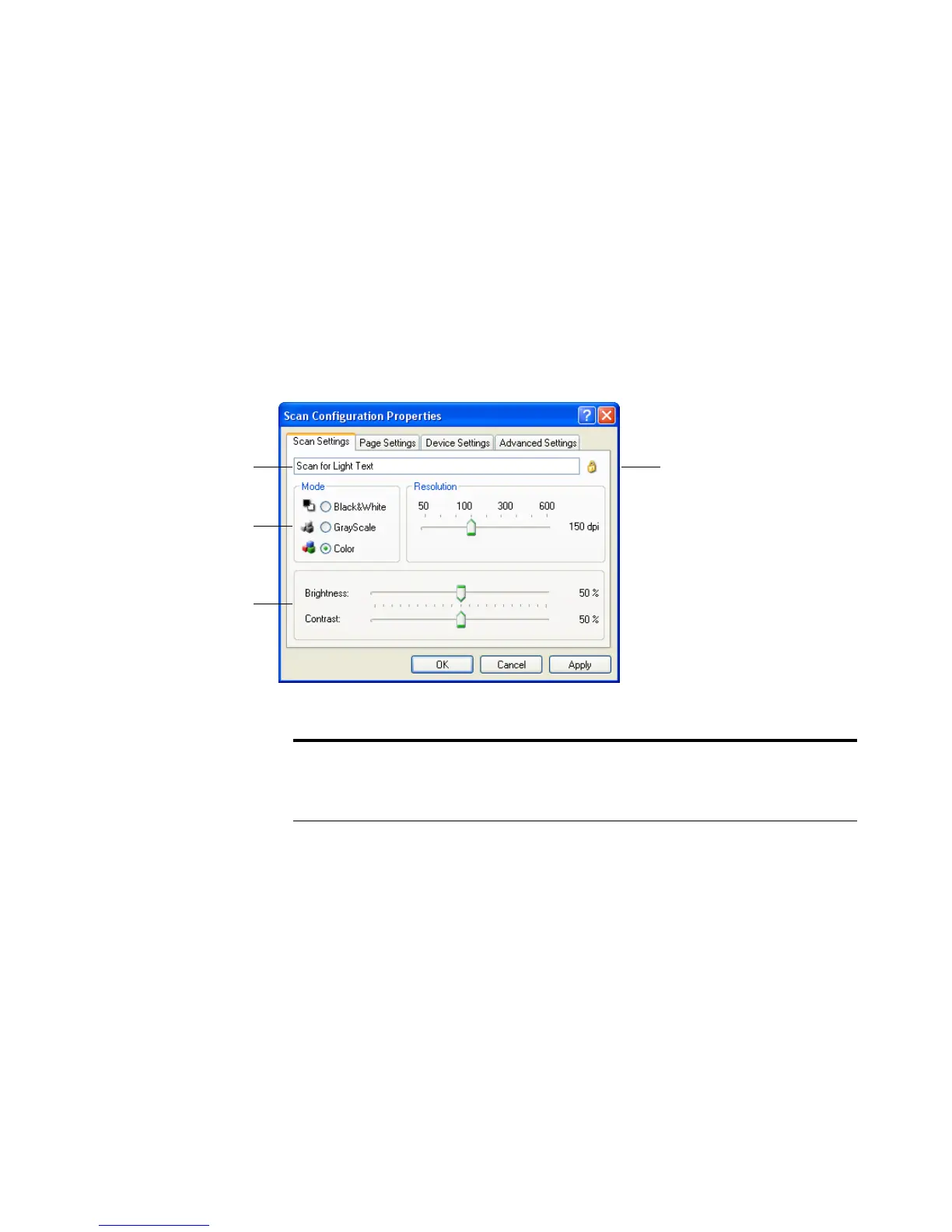
4. On the Scan Configuration Properties dialog box, type a name.
If the configuration
is locked, click the
lock to unlock it.
The icon becomes a
key.
Type a new name for
the configuration.
Select the scan mode
and drag the slider to set
the resolution.
Drag the sliders to set
the Brightness and
Contrast.
Note: If you select a printer or other device in the Select Destinations
list, the dialog box will include the Device Settings tab for setting
specific options for the particular device.













 To Next Page