SmartBoard
4
Operation and Functions
15
4.2 Key assignment
Individual keys have the same function throughout the entire menu structure.
Key Function
<Arrow right>:
Selection of the next menu item (e.g. symbol or text) or the
next option
<OK>
Confirmation and / or execution of the currently selected
function
<Back>
Back one menu level
In the main menu: back one menu item
Table: 4-3: Standard key assignment
Exceptions
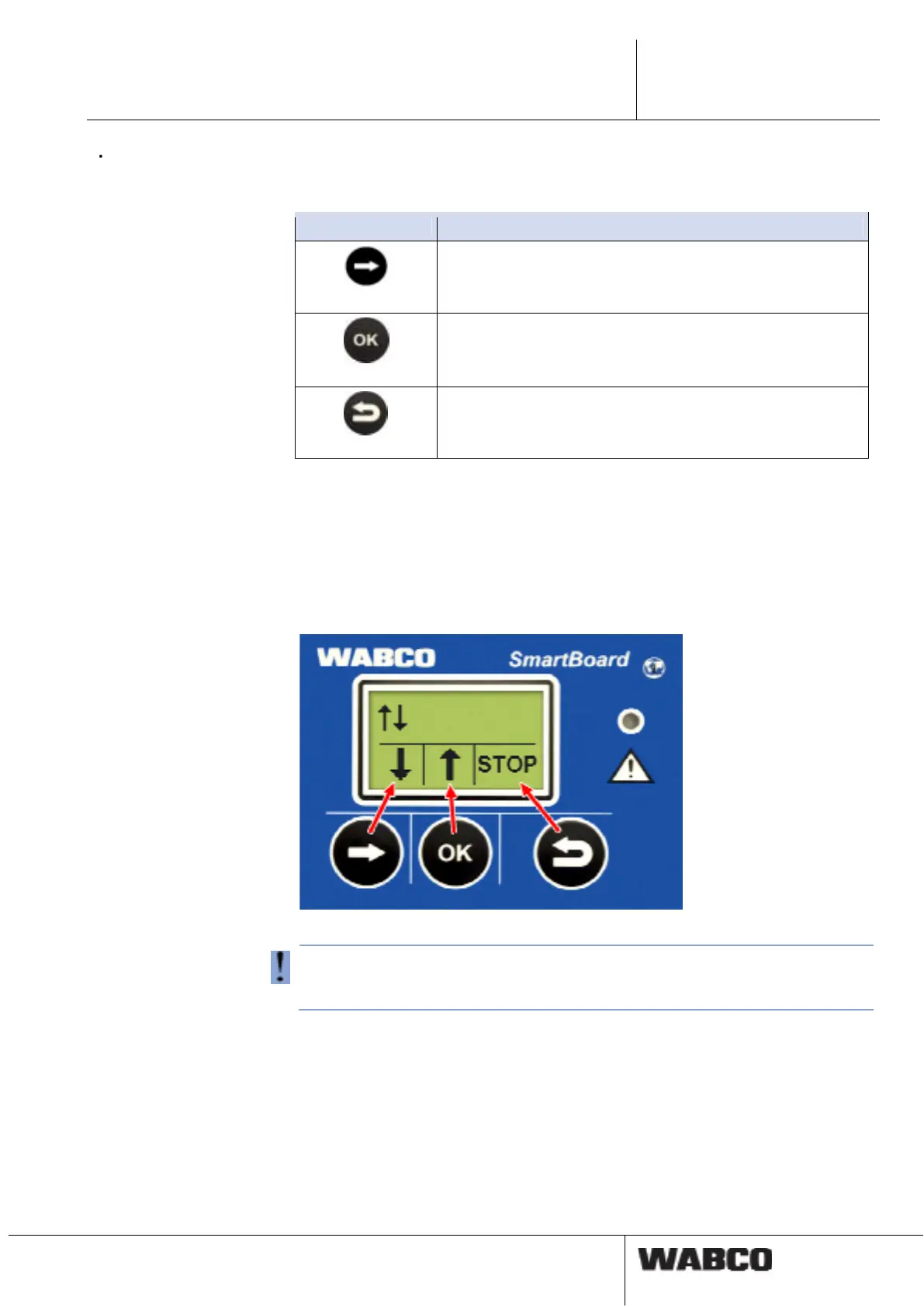
Exceptions from the standard button assignments are available in different function
groups, for example when operating the immobilizer, the air-suspension system
and the settings.
With these exceptions, the functions for the individual buttons are shown in the
lower portion of the display.
fig. 4-1: Button assignment for operating the air suspension
With exceptions from the standard button allocations, the symbols in the lower por-
tion of the display show the functions for the respective buttons below and not the
current status.
4.3 Menu Structure
The Menus Structure is clear and simple. The main functions can be accessed
from the top level menu and are represented by symbols. Symbols are identical re-
gardless of which language has been selected.



 To Next Page