SmartBoard
Diagnosis
43
6 Diagnosis
Diagnostics allows the following functions:
• Display of diagnostic messages
• Setting the parameters of the Smartboard
• Updating the internal operating software of the SmartBoard
• Saving the Start Screen (Splash-Image) to the SmartBoard
6.1 Diagnostic Connection
The diagnosis is performed via the diagnostic port of the Trailer EBS E or the ISO
plug-in connection via CAN. For this purpose, the SmartBoard must be connected
to the Trailer EBS and the vehicle must be supplied with power via the ABS socket.
ISO7638 towing vehicle/trailer interface
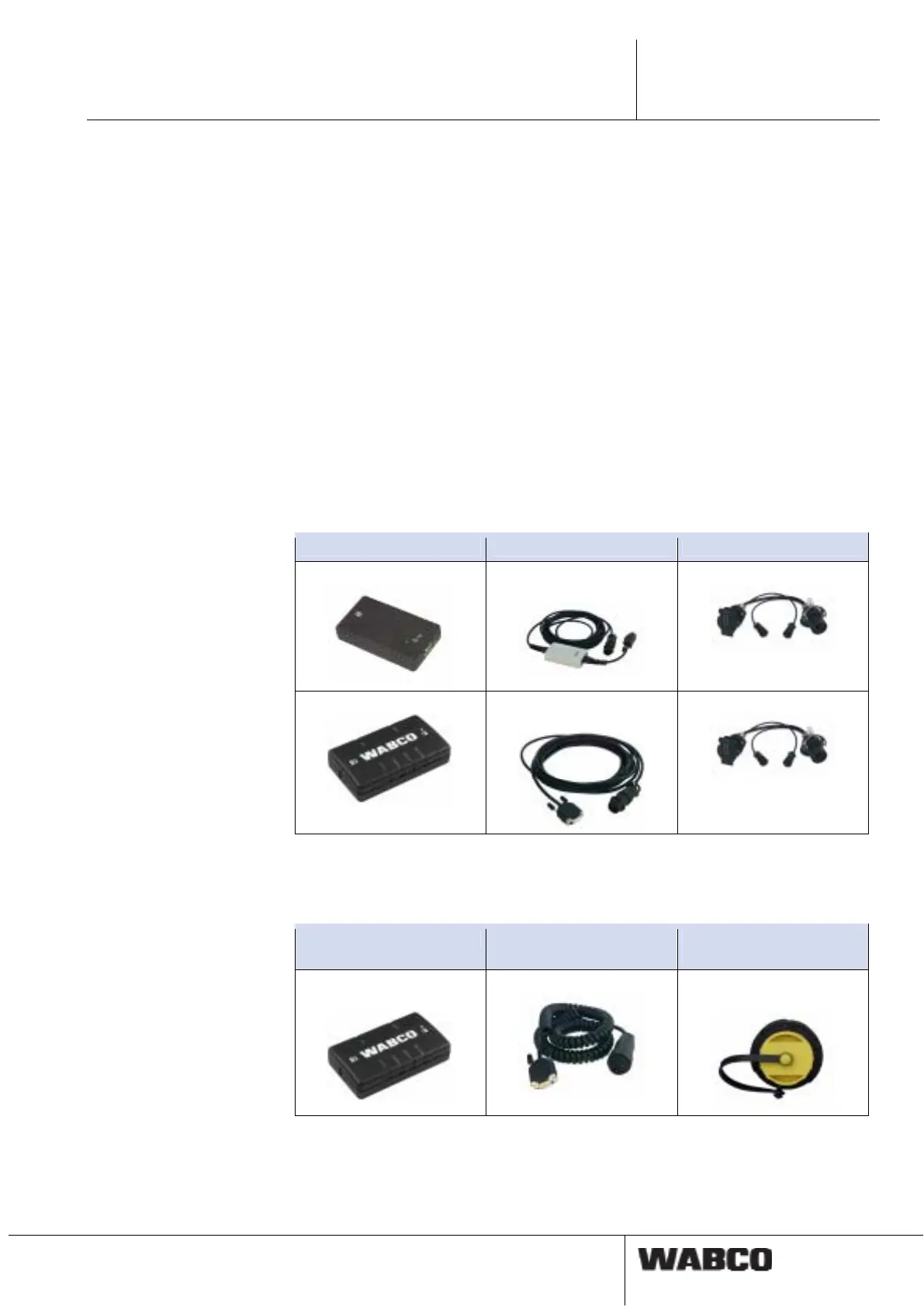
For diagnosis via the ISO 7638 towing vehicle-/trailer interface, an ISO 7638 con-
nection adapter is installed between the coiled flex-cable from the towing vehicle
and the ISO 7638 plug-in socket.
Diagnostic Interface Diagnostic cable Connection adapter
446 301 021 0 (serial)
CAN Converter
446 300 470 0
446 300 360 0
446 301 022 0 / 030 0
446 300 361 0 or
446 301 362 0
446 300 360 0
Diagnostic port for Trailer EBS E
The diagnosis via the external diagnostics socket of the Trailer EBS E is only pos-
sible with Premium modulators (5 V CAN bus).
Diagnostic Interface Diagnostic cable Connection on the vehi-
cle
446 301 022 / 030 0
(USB)
446 300 348 0
Diagnostics socket with
yellow cap



 To Next Page