SmartBoard
4
Operation and Functions
27
Notation Description Note
Function activated Button <Arrow right>:
Setting the nominal brake
pressure
Button <OK>: Deactivat-
ing the function
Setting range of the
nominal brake pressure:
0,5 … 6.5 bar
Button <Arrow right>:
Decreasing the nominal
brake pressure
Button <OK>: Increasing
the nominal brake pres-
sure
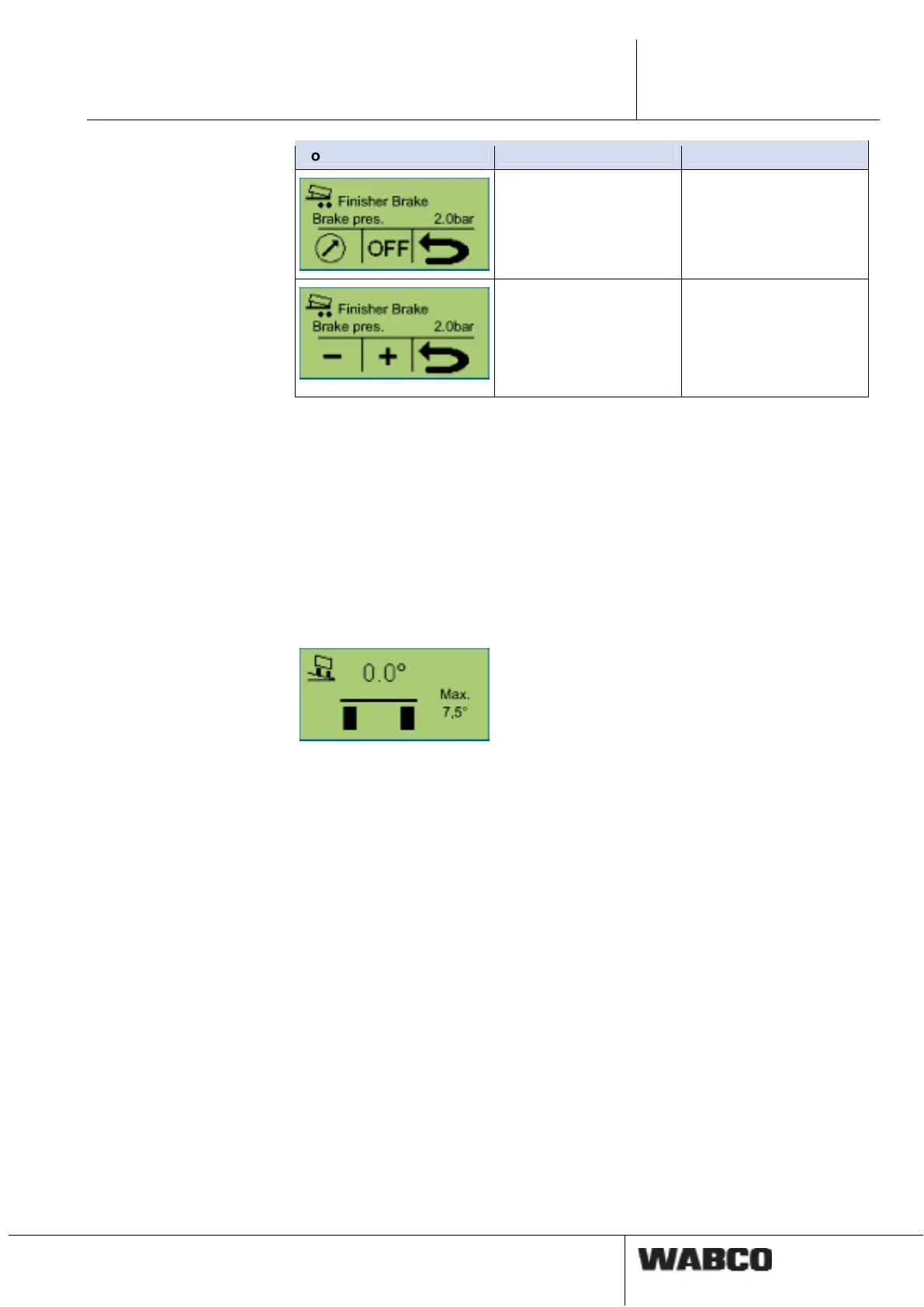
This function is activated via the Smartboard (finisher operation ON/OFF). The
speed must be below 10 km/h, and the tipping body must be raised (limit switch or
roller sensor on the tipping body).
The function is deactivated again via the Smartboard (road finisher brake ON/OFF)
or at a speed exceeding 10 km/h. A further setting in the Finisher brake menu per-
mits setting the nominal braking pressure for the finisher brake by means of the +/-
buttons.
4.4.11 Vehicle inclination
This function is used to indicate the inclination/tilt of the trailer.
In every Trailer TEBS E1 modulator a lateral acceleration sensor is integrated for
the RSS function. This sensor simultaneously provides information on the inclina-
tion of the vehicle to the body reference plane. The inclination of the vehicle can be
monitored in the Trailer EBS E1 Modulator.
If an inclination of the chassis frame defined in the diagnostics is exceeded, a
warning can be output to the driver by the Trailer EBS E1. An electrical output of
the Trailer EBS E1 is connected to a horn or a rotary beacon for this purpose. This
warning is also shown on the SmartBoard (E1).
This function is meant for tipper vehicles.
4.4.12 GIO function
This function can be used to set the freely configurable GIO functions on the Trailer
EBS.
Three options are available in this case. The function title and the function symbol
are displayed according to the Trailer EBS parameter settings.



 To Next Page