SmartBoard
4
Operation and Functions
19
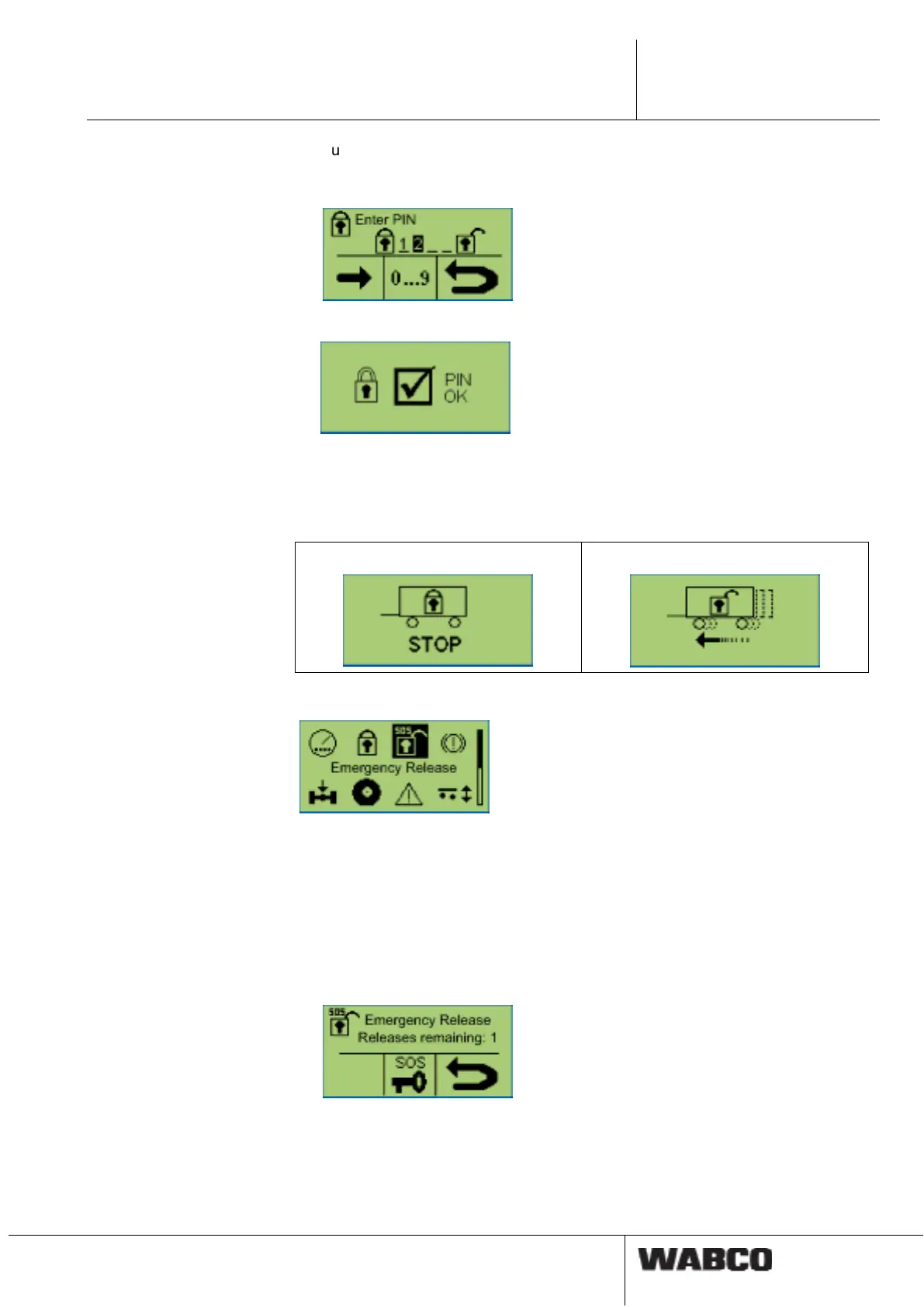
Button <OK>: Selecting numbers 0 … 9
Button <Arrow right>: Jump to the next digit position.
Button <Back>: Confirmation of input
After entering the correct PIN, a confirmation window appears.
If the vehicle was been locked, the window "Activated immobilizer" appears. The
driver is also notified of the activated immobilizer by a continuous flashing of the
yellow warning light in the tow vehicle (with ignition ON).
If the vehicle was been unlocked, the window "Deactivated immobilizer" appears.
Activated immobilizer
Deactivated immobilizer
Emergency release function
The "Emergency trigger function“ menu appears if the function is defined and acti-
vated in the TEBS E modulator.
The emergency release function is defined for three release procedures. After us-
ing the procedure, deactivating the immobilizer is only possible after entering the
PIN. After renewed PIN entry, the counter for the emergency release function is set
up to three again.
– Select menu <Emergency release>.
– Press the <OK> button for the emergency release of the vehicle.
A confirmation message appears.
As long as the immobilizer is deactivated via the emergency release function,
the respective icon disappears from the main menu. If the vehicle is stopped for
a period of >60 seconds, the immobilizer is reactivated.



 To Next Page