Support Email/ Skype: service2@wansview.com 13
3.2.2 Add Camera
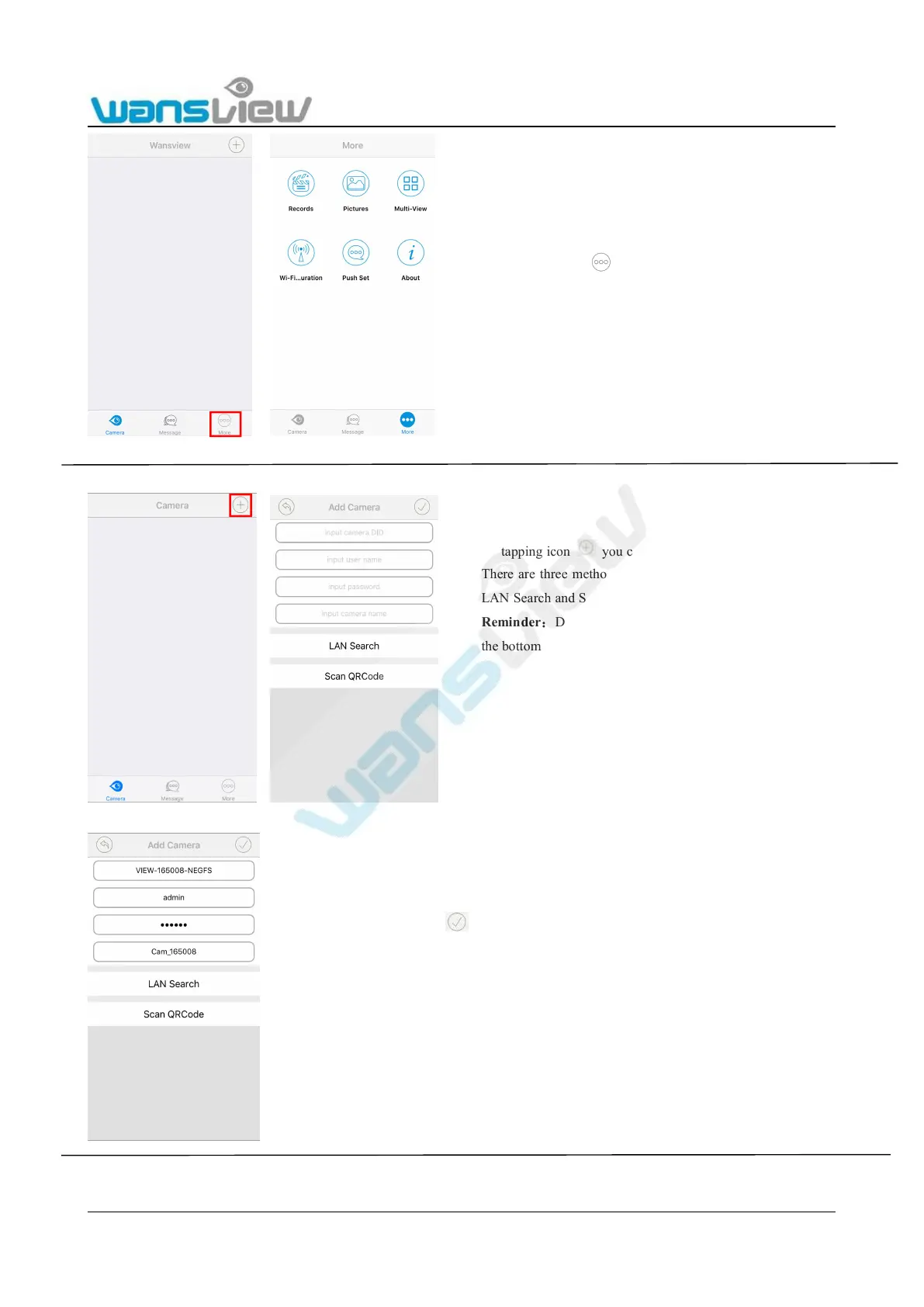
1. Manually add the camera
2. LAN search:
By tapping icon you can check the Local
Records/Photo, Multi-View for the cameras, do Wi-Fi
Configuration, do Push Set and check App version.
By tapping icon you can add camera as your P2P camera.
There are three methods available to add camera: add manually,
LAN Search and Scan QRCode on the bottom of the camera.
Reminder
:
DID number is showed on the sticker which is on
the bottom of the camera.
Please input the info: Camera DID, Username and Password, then
click .
Default user name:admin
Default password: 123456



 To Next Page