Support Email/ Skype: service2@wansview.com 23
More
4.2.2 Add Camera
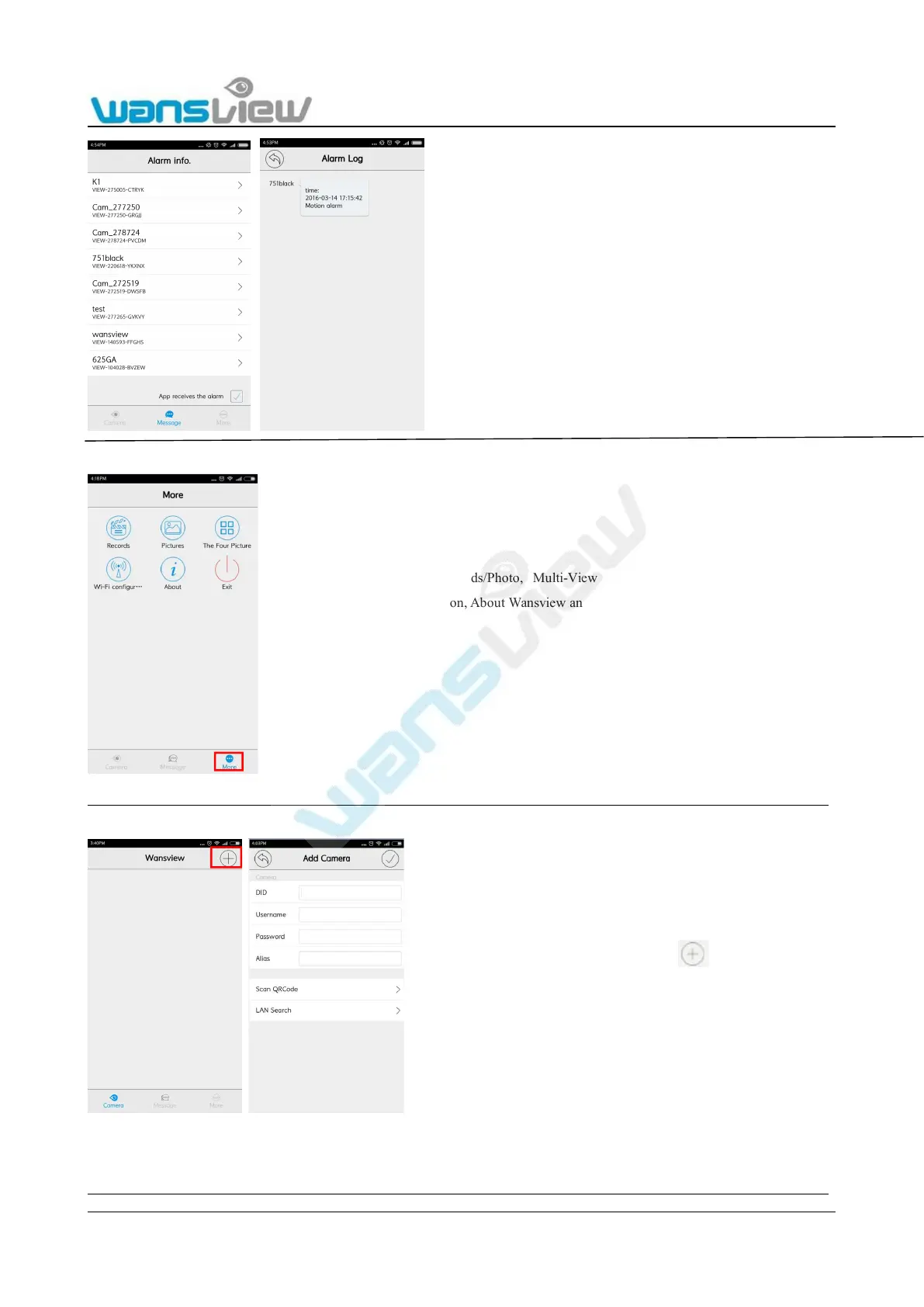
There are three methods available to add camera: add manually, LAN Search and Scan QRCode on the bottom of the camera.
Reminder:Camera ID is DID number showed on the sticker which is on the bottom of the camera.
1) Manually add the camera
Tick the “App receives the alarm”, when the camera
sends alarm notification, you can go to Message to
check the Alarm info and alarm type.
Check Records/Photo, Multi-View for the cameras,WiFi
Configuration, About Wansview and Exit the APP.
Start up the “Wansview” app and tap
to access to Add Camera page



 To Next Page