Support Email/ Skype: service2@wansview.com 48
6.4.2.2 Edit / Delete Device
Edit Device icon Delete Device icon
Select a camera being added into the device list and click "Edit Device" or "Delete Device" to modify user management parameters
or delete the device.
6.5 Play Video
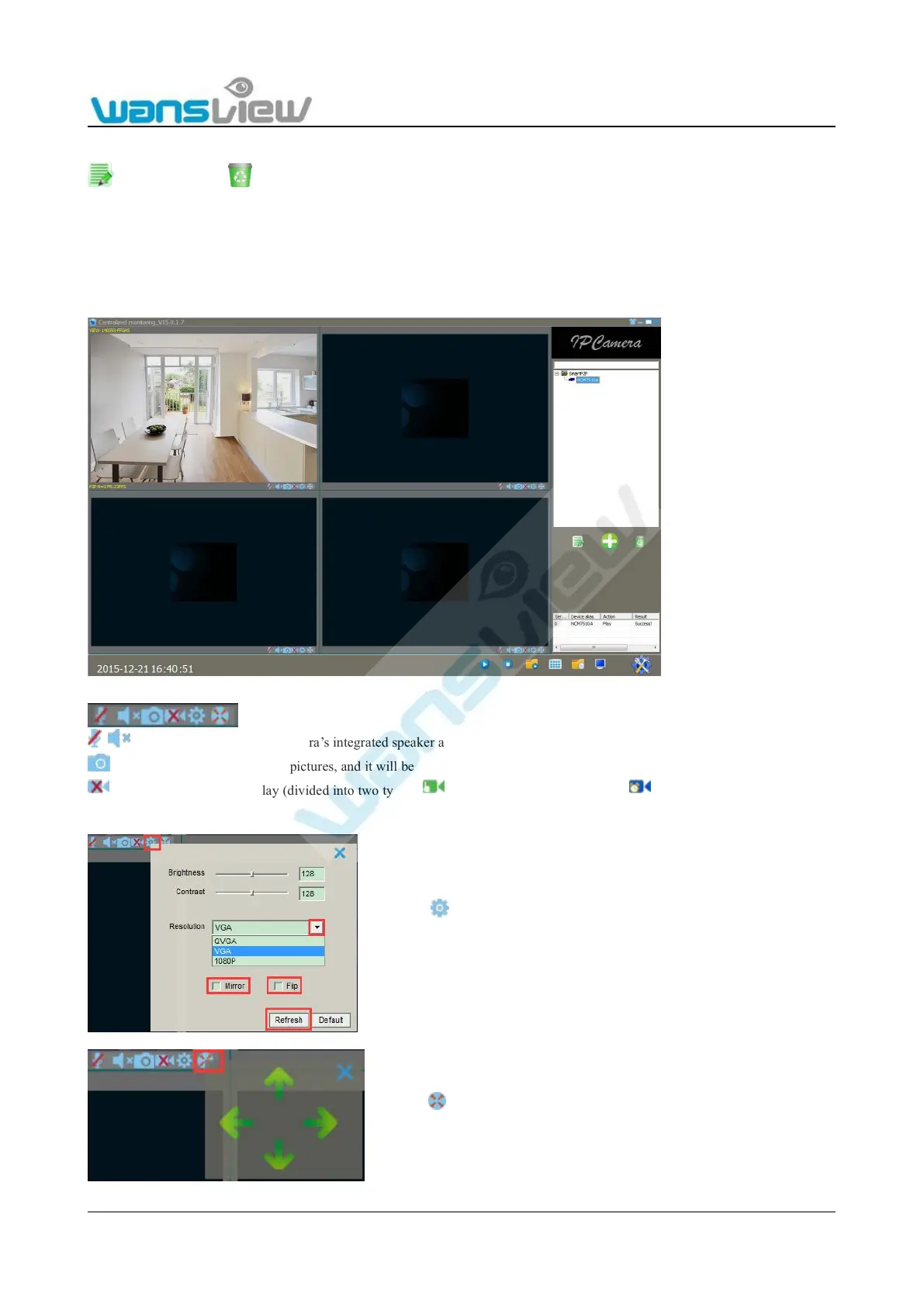
Select the camera to play video from the device list. Double-click to "Play Video" with the mouse.
Click here to activate the camera’s integrated speaker and microphone..
click here, user can capture live pictures, and it will be stored to Local computer
Video and video status display (divided into two types: manual video display status and scheduled video display status)
Click Brightness and contrast of the camera can be adjusted through
the image parameter setting button. The user can choose resolution and
can tick Mirror or Flip if the video is upside down.



 To Next Page