Support Email/ Skype: service2@wansview.com 58
8.4 Install IE Tab for Firefox 42
Due to the fact that Firefox42 and higher no longer supports NPAPI plug-in, the user needs to add an IE tab for Firefox.
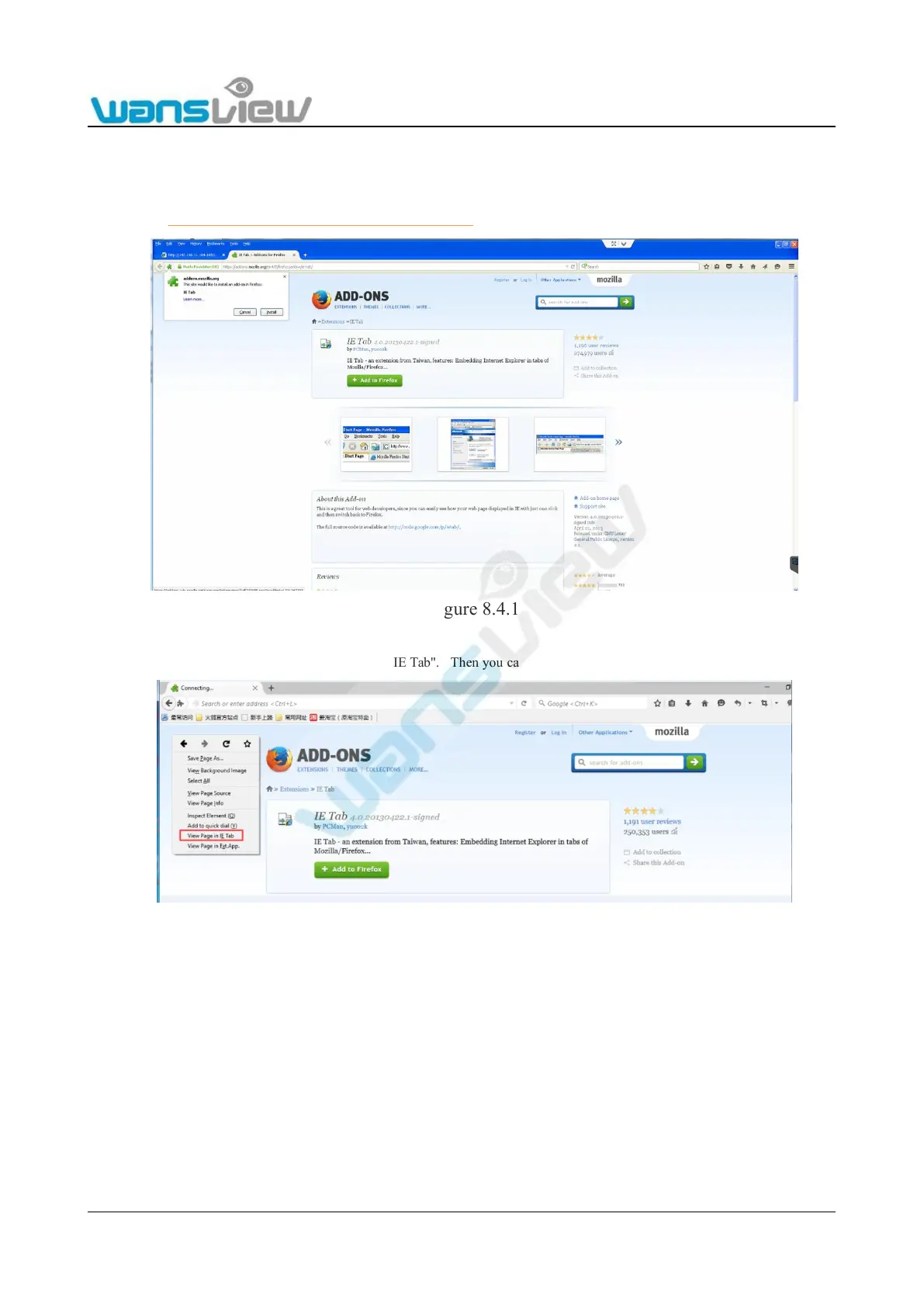
Here is how to install an IE Tab for Firefox:
1. Please visit https://addons.mozilla.org/en-US/firefox/addon/ie-tab/ to download the IE Tab for Firefox.
Figure 8.4.1
2. Open Firefox, right click and choose "View Page in IE Tab". Then you can view the live stream of the camera.
Figure 8.4.2
8.5 Port Forwarding
Every time you reboot the camera, the Local IP Address will be changed, so you’d better set the camera’s local IP by using the
SearchPro tool (on the CD).
There are two ways to do port forwarding:
Log on the router, find the Port forwarding (or Port Mapping or Virtual Server), then add the camera’s local IP and Port as in the
figure below:



 To Next Page