Support Email/ Skype: service2@wansview.com 54
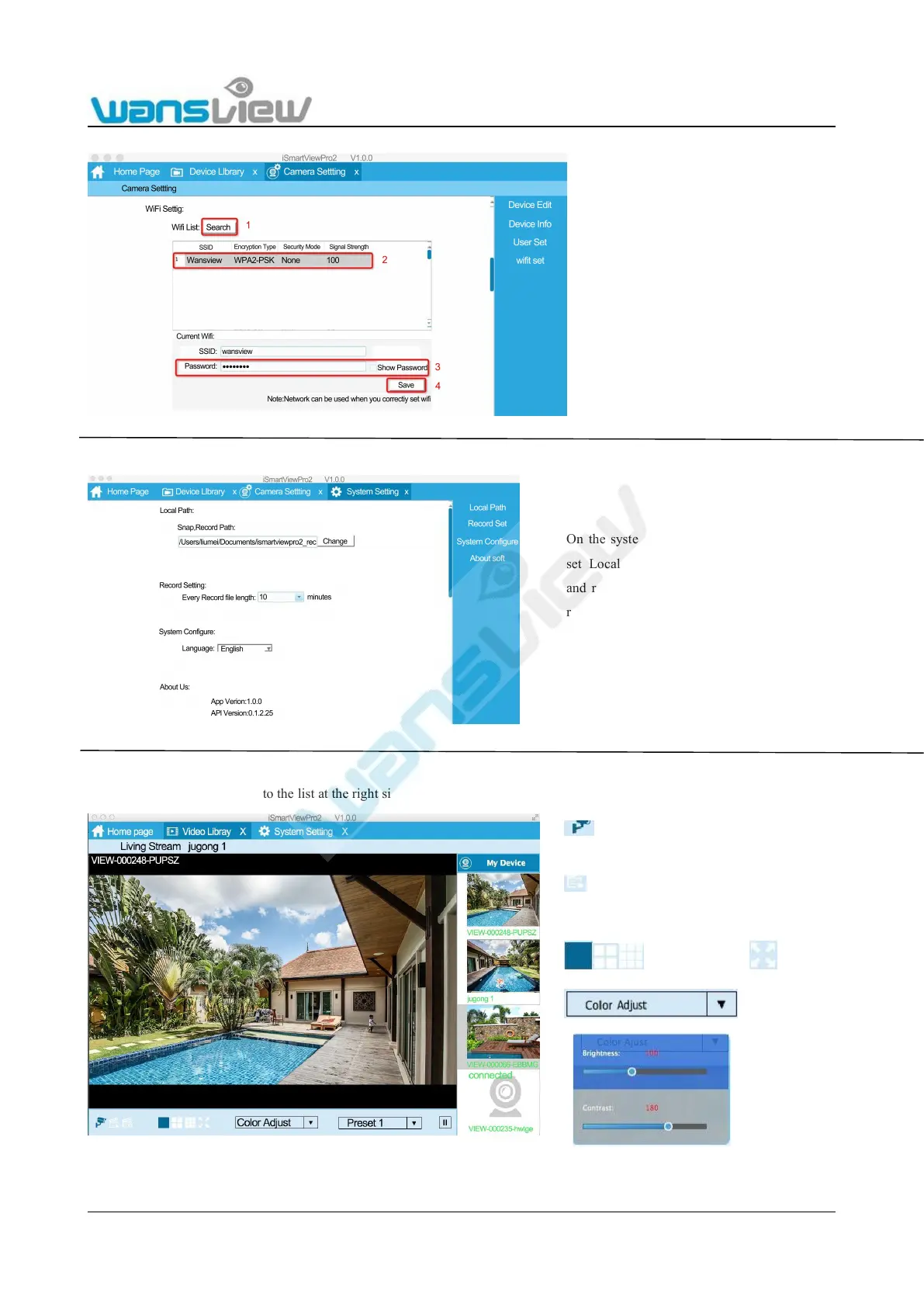
WiFi Setting
7.4.3 System Settings
7.4.4 Video Library
Click the cameras being added to the list at the right side for real-time viewing
1: Search your WiFi SSID
2: Choose your WiFi SSID
3: Input your WiFi password, and make
sure it is correct.
4: Save
On the system settings, user can
set Local path for snap picture
and recorded videos, and set the
record time length for each file.
User can also choose language.
Real-time Live video, Snap, Record for the camera, and
choose Resolution and IR led ON/OFF.
Check local recorded files or playback the local
1/4/9 Windows Full screen
Color Adjust:



 To Next Page