Support Email/ Skype: service2@wansview.com 26
4.3.2. Viewing Camera on Multi-View
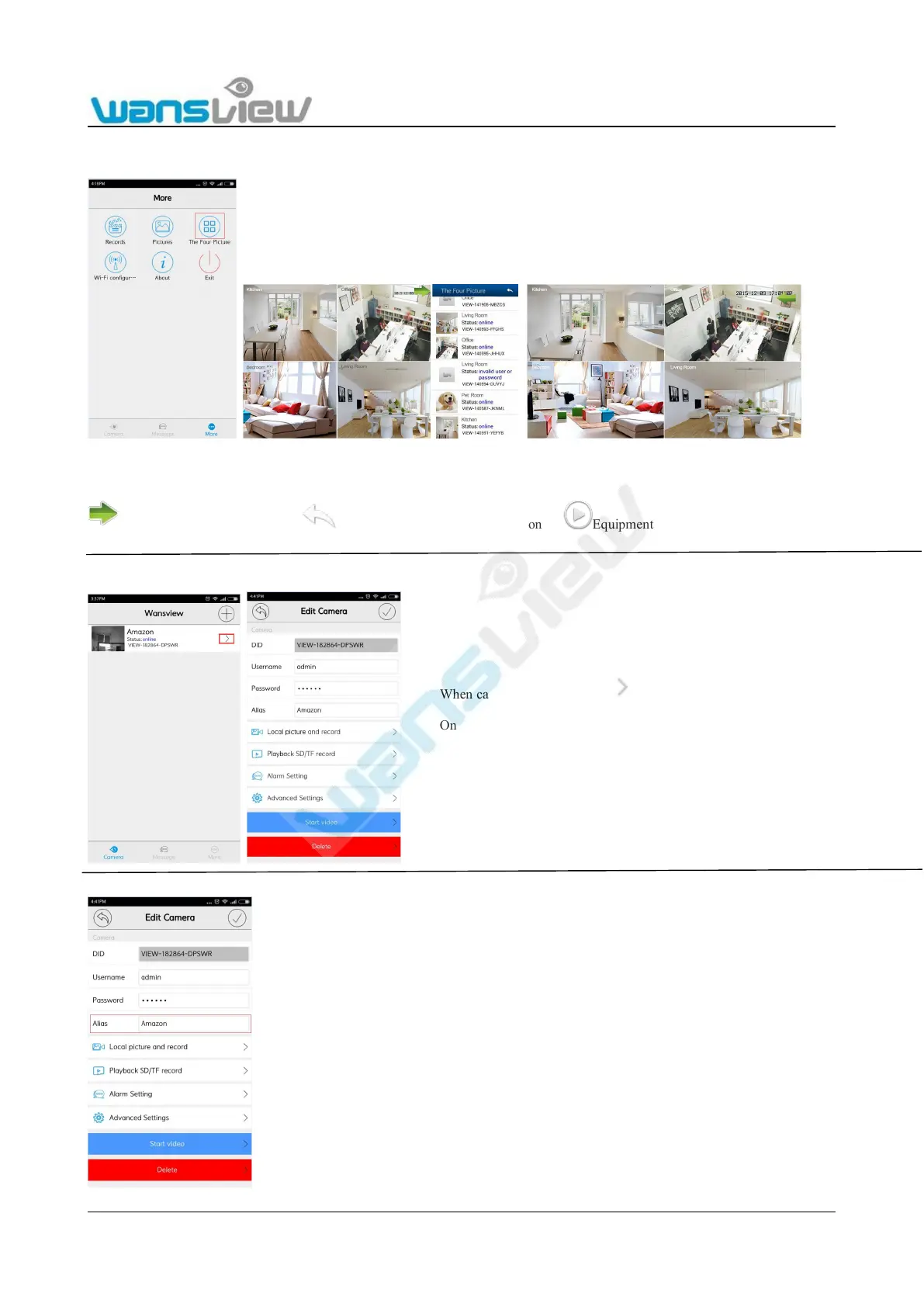
Tap “More” and select Multi-View, there are Max. 4 cameras can be viewed
Figure 4.3.2.1
Functional operation in Multi-View Mode
Hide the equipment list button Multiple Windows Mode Exit button Equipment playing now
4.4 Edit Camera
4.4.1 Edit camera Alias
When camera is online, click to enter “Edit Camera” page.
On this page, user can check Local Picture Record, SD/TF
Record Playback, Alarm Setting and Advanced Setting.
Access to Edit camera page, on the Alias
column, user can edit camera’s name.



 To Next Page