Support Email/ Skype: service2@wansview.com 15
3.3.2 Viewing Camera on Multi-View
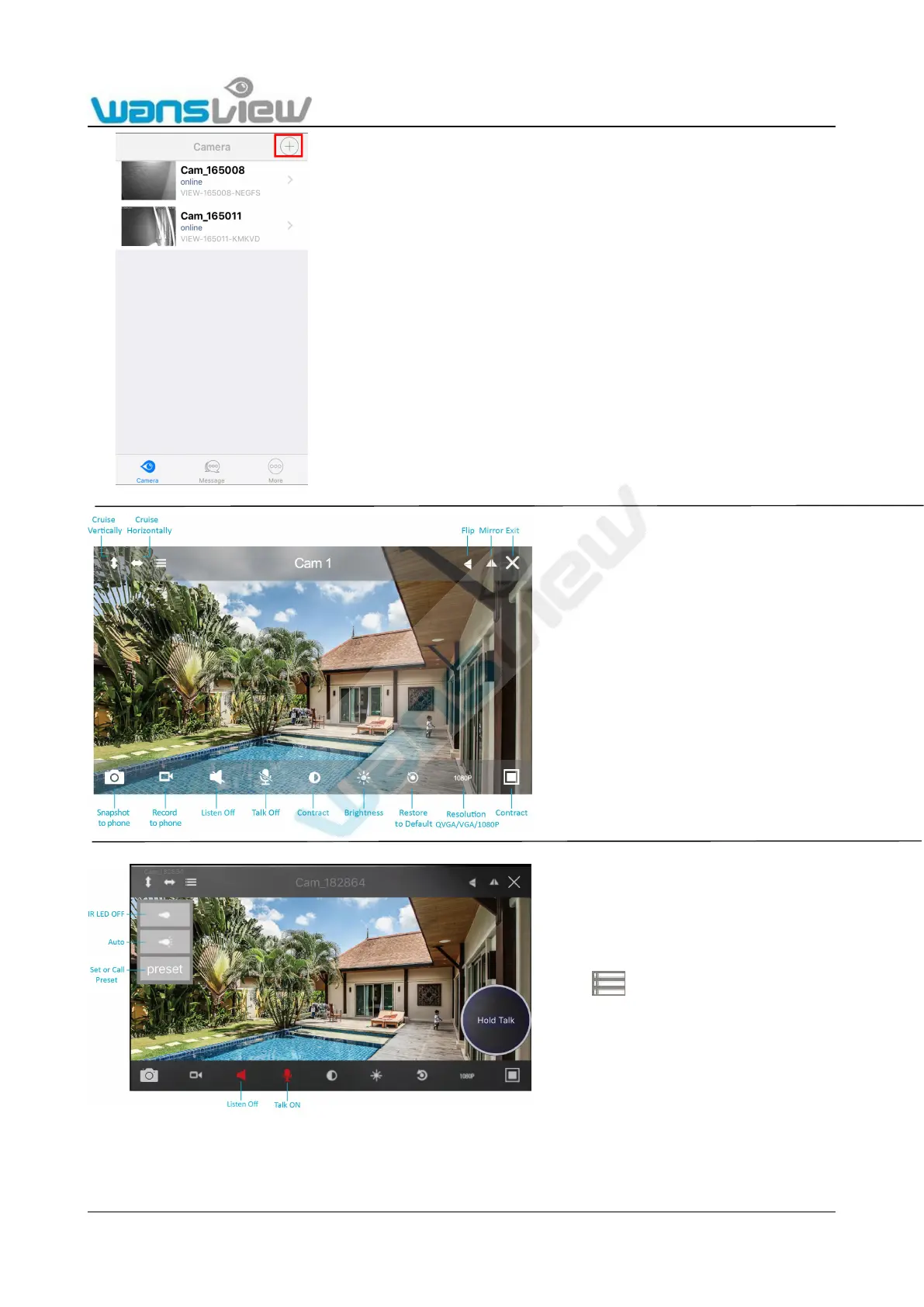
Tap the camera successfully added and displayed online,
tap the camera, then it will start to view the camera.
Or you can Tap > to access to Edit Camera page, choose
Start video.
Tap the monitoring screen. The video menu action
bar will appear.
1: For two-way audio, make the Listen/Talk ON, When
talk, please press Hold Talk, then talk.(need install
external Mic and Speaker)
2: Tap , you can turn ON/OFF the IR LED and
Set or Call Preset(For PTZ camera).



 To Next Page