Support Email/ Skype: service2@wansview.com 35
5.3 Set Up
5.3.1 System
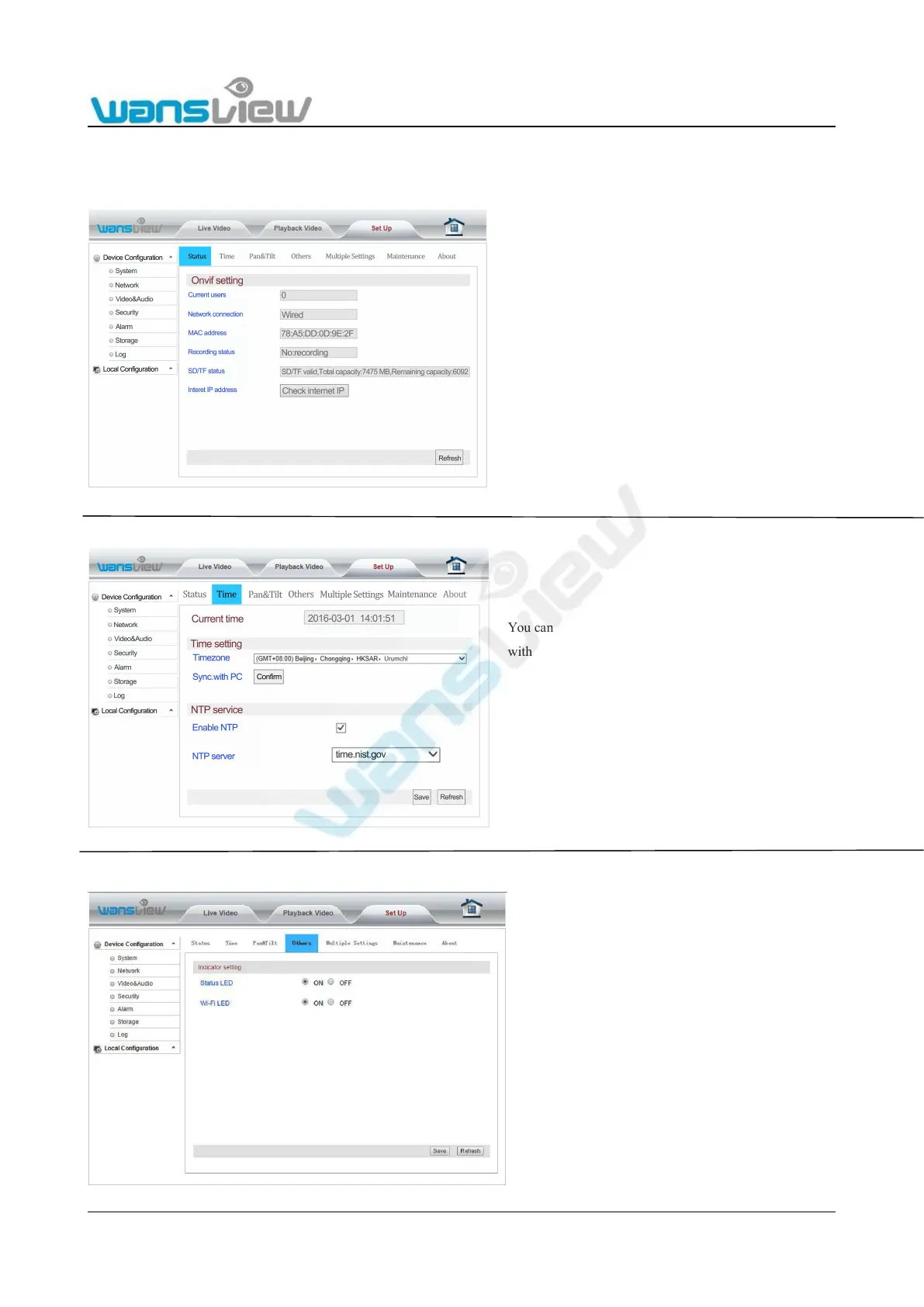
5.3.1.1 Device Status
5.3.1.2 Time Setting
5.3.1.4 Other Settings
Click here user can check the current number of users with access to
IPC/Network connection method/MAC address of the device/SD card status
and Recording status /Internet IP address viewing etc. in the "Device Status"
bar. Among these, "On-line Users" will only show statistics of users watching
the real-time videos on the camera;
"Recording Status " will show only whether Record Planning is on.
You can set up the internal clock of the camera to be either sync.
with your PC c lock or with one several NTP servers. As long as
your camera has access to the internet it is recommended to use
an NTP server synchronization to achieve a higher accuracy for
alarm trigger events.
The power status indicator light and Wi-Fi status
indicator light of camera can be turned on or off
at "Other Settings".



 To Next Page