Support Email/ Skype: service2@wansview.com 40
5.3.3 Video and Audio
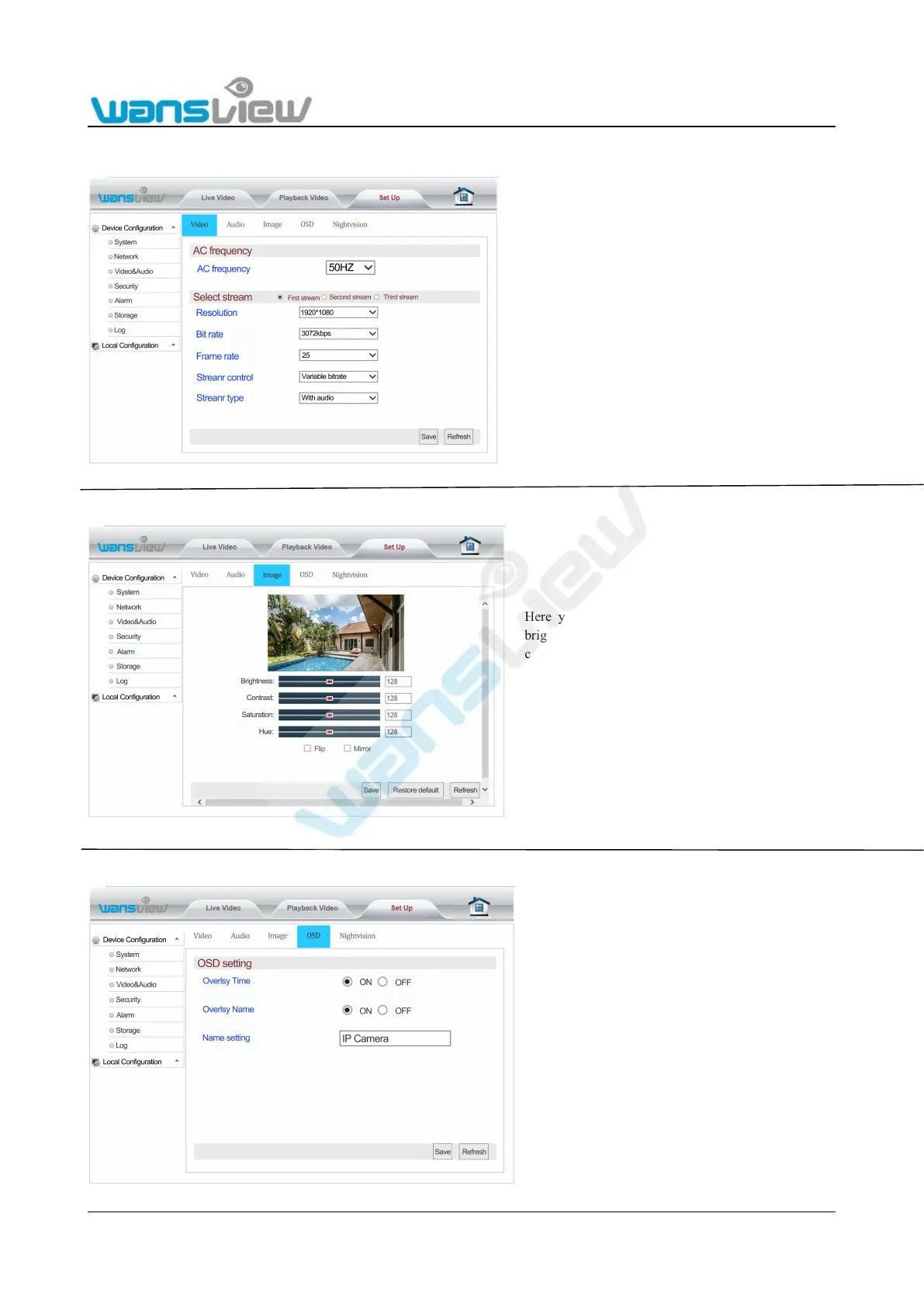
5.3.3.1 Video
5.3.3.2 Image Setting
5.3.3.3 On Screen Display Setting
Enter “Video Encoding Setting” to adjust camera power frequency
and video stream settings.
Power frequencies include: 50HZ, 60HZ; (220V voltage selection
50HZ. 110V voltage selects 60HZ, and 60HZ in Japan, Canada etc.)
Bit stream settings include: Resolution(1920*1080 or 1280*720),
Bit rate (256~4096kbps), frame rate (1~30fps), steam control or
Reminder: Audio transmission video can be controlled through the
Here you can adjust the image parameters
brightness, contrast, saturation and hue. You
can also flip and mirror the video image
Enter "OSD Setting" to overlay the time and
name on the video image.



 To Next Page