Support Email/ Skype: service2@wansview.com 57
8.3 Install IE Tab for Chrome 43
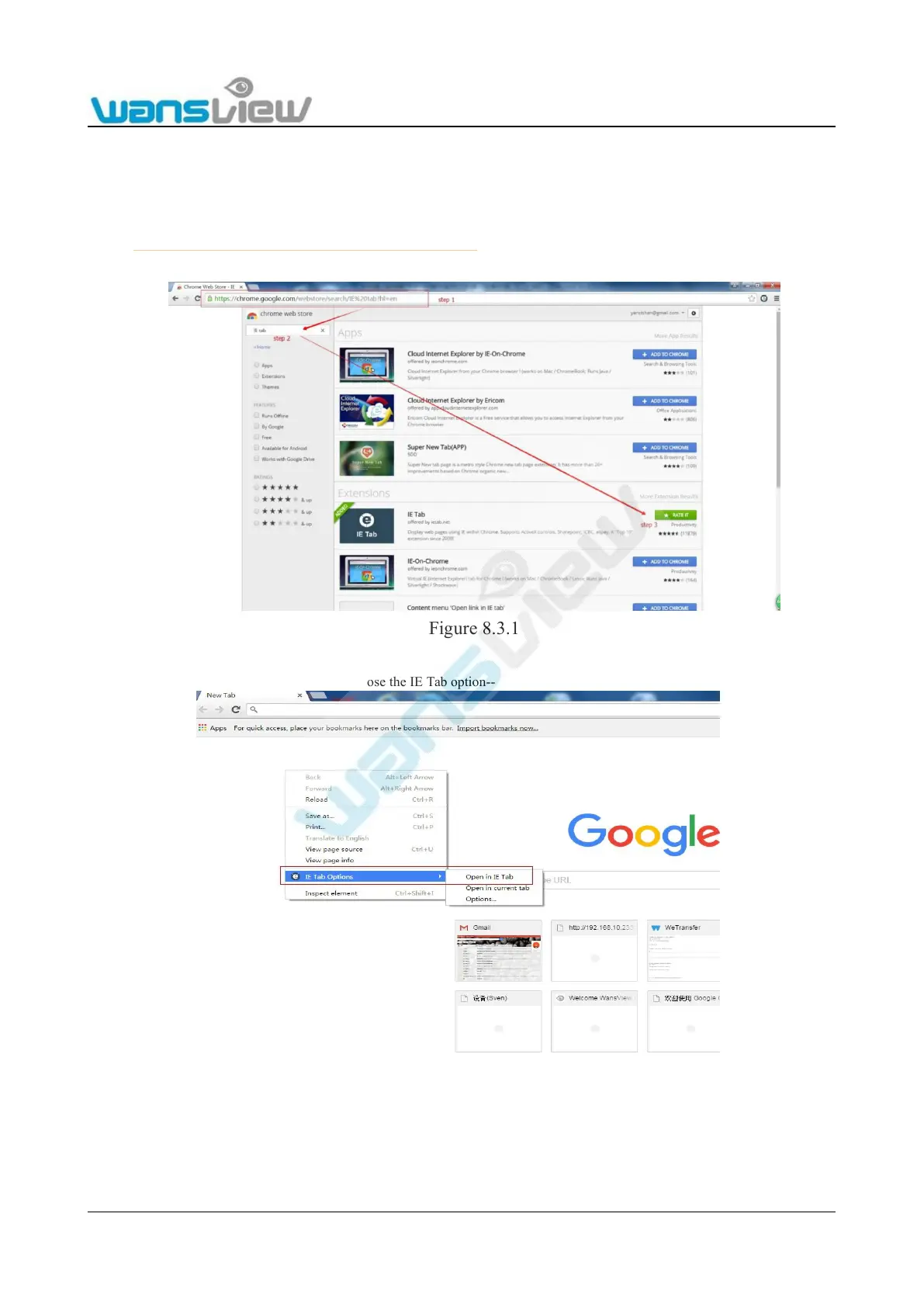
Due to the fact that Chrome43 and higher no longer supports NPAPI plug-in, the user needs to add an IE tab for Chrome.
Here is how to install an IE tab for Chrome:
1. Visit https://chrome.google.com/webstore/search/IE%20tab●hl=en to go to the Chrome web store to download and install an IE
tab.
Figure 8.3.1
2. Open Chrome, right-click on a blank place, choose the IE Tab option-- click Open in IE Tab
Figure 8.3.2



 To Next Page