Support Email/ Skype: service2@wansview.com 17
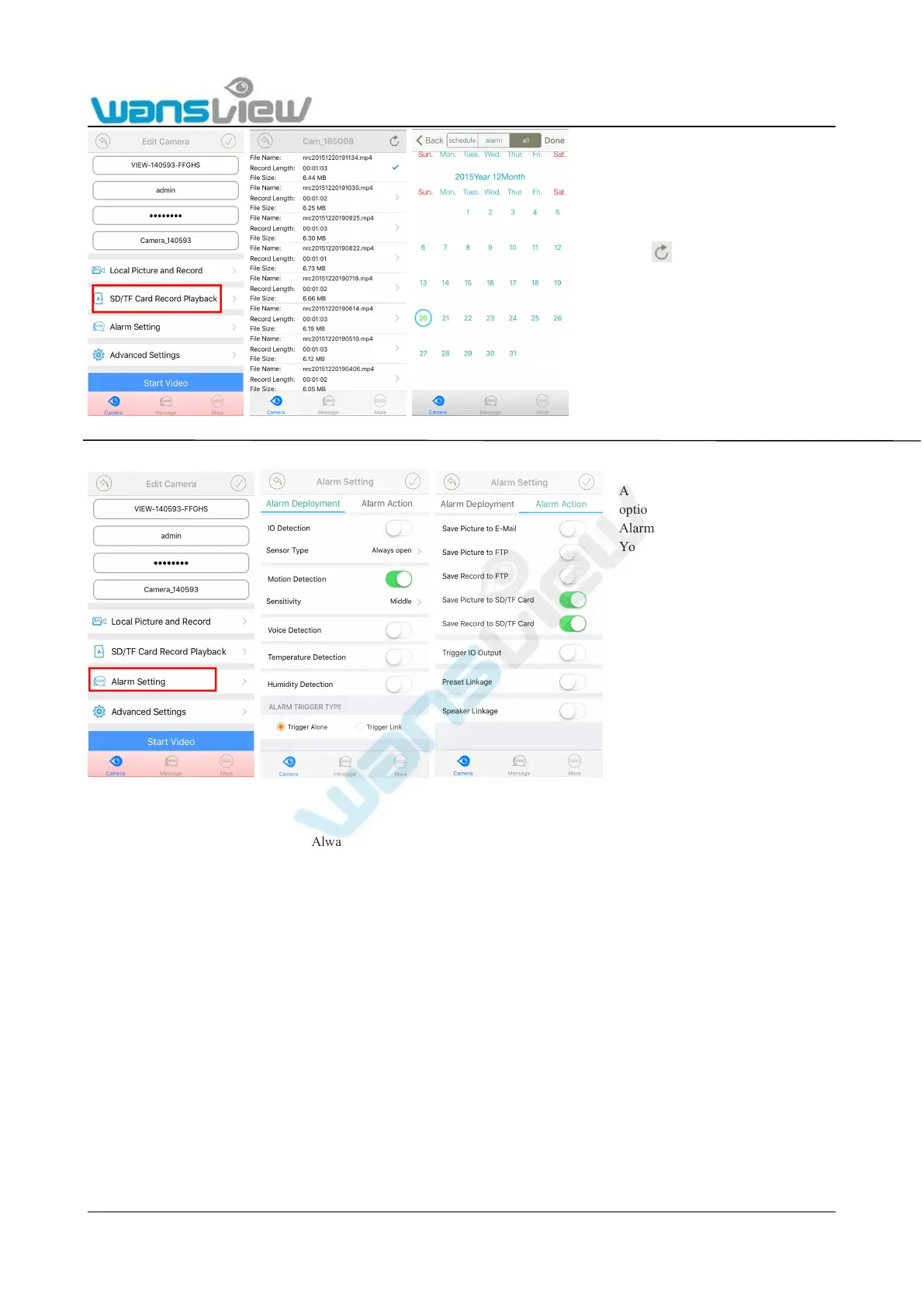
3.4.3 Alarm Setting
Alarm Deployment
IO Detection:Sensor type can choose Always open or Always close. When using IO Check, user should enable IO detection,
Always open means external alarm device is needed, and only with alarm trigger, alarm will be valid. If choose Always close, the
camera will be alarm continuously per 30 second.
Motion Detection: Sensitivity can choose Low/ Middle/ High according to needs.
Voice Detection: Sensitivity can choose Low/ Middle/ High according to needs.
Temperature detection: the temperature range can be set from -100℃ to 100℃.( not for this camera)
“<”means the temperature below the set value, the camera will send alarm notification.
“>”Means the temperature above the set value, the camera will send alarm notification.
Humidity detection: the humidity range can be set from 0% to 100%. ( not for this camera)
“<”means the humidity below the set value, the camera will send alarm notification.
“>”Means the humidity above the set value, the camera will send alarm notification.
Trigger Alone : The alarm will be triggered for any kind of alarm condition.
Trigger Linkage: If set two or more kinds of alarm methods, only met all alarm conditions, the alarm can be triggered.
Alarm Action:
Enter SD/TF Record Playback, record
file will be automatically displayed.
User can also search needed files by
clicking icon to enter calendar to
check schedule or alarm record on an
exact date.
Notice:The date in red means there are
recorded files on that day.



 To Next Page